12D-Link DCS-2332L User Manual
Section 1: Product Overview
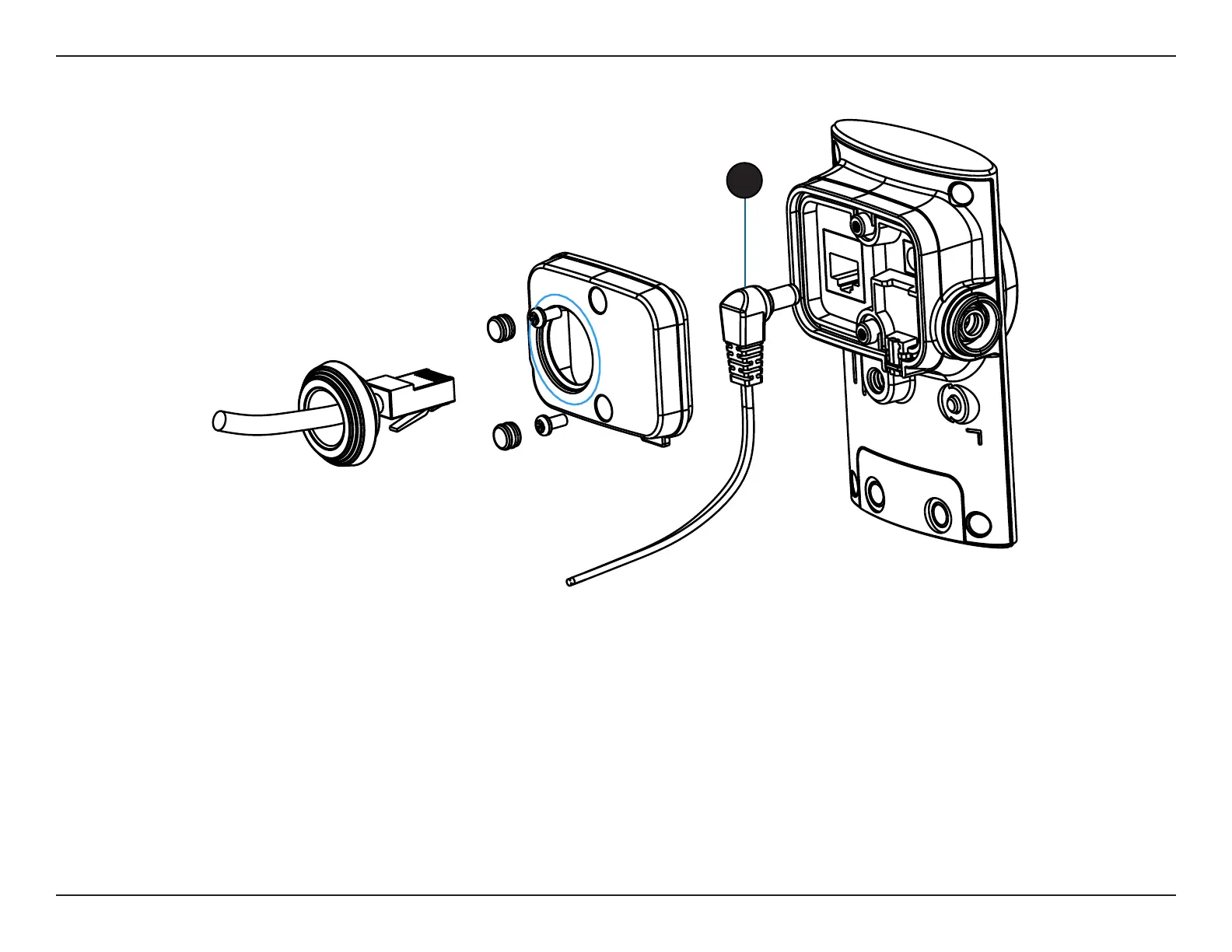
Removing the Power Cable
Step 1:
Follow the steps outlined in Removing the Top Panel on page 11.
Step 2:
Unplug the power cable from the DC power connector.
Step 3:
Insert the rubber weatherproof plug ensuring it aligns with the space left by the power cable.
Step 4:
Follow the steps outlined in Reattaching the Top Panel on page 14.
Note: To avoid damage to the weatherproof aspects of the camera, users are advised to ensure the weatherproof plug is seated correctly.
2


 To Next Page