13D-Link DCS-2332L User Manual
Section 1: Product Overview
Replacing the Ethernet Cable
Step 1:
Follow the steps outlined in Removing the Top Panel on page 11.
Step 2:
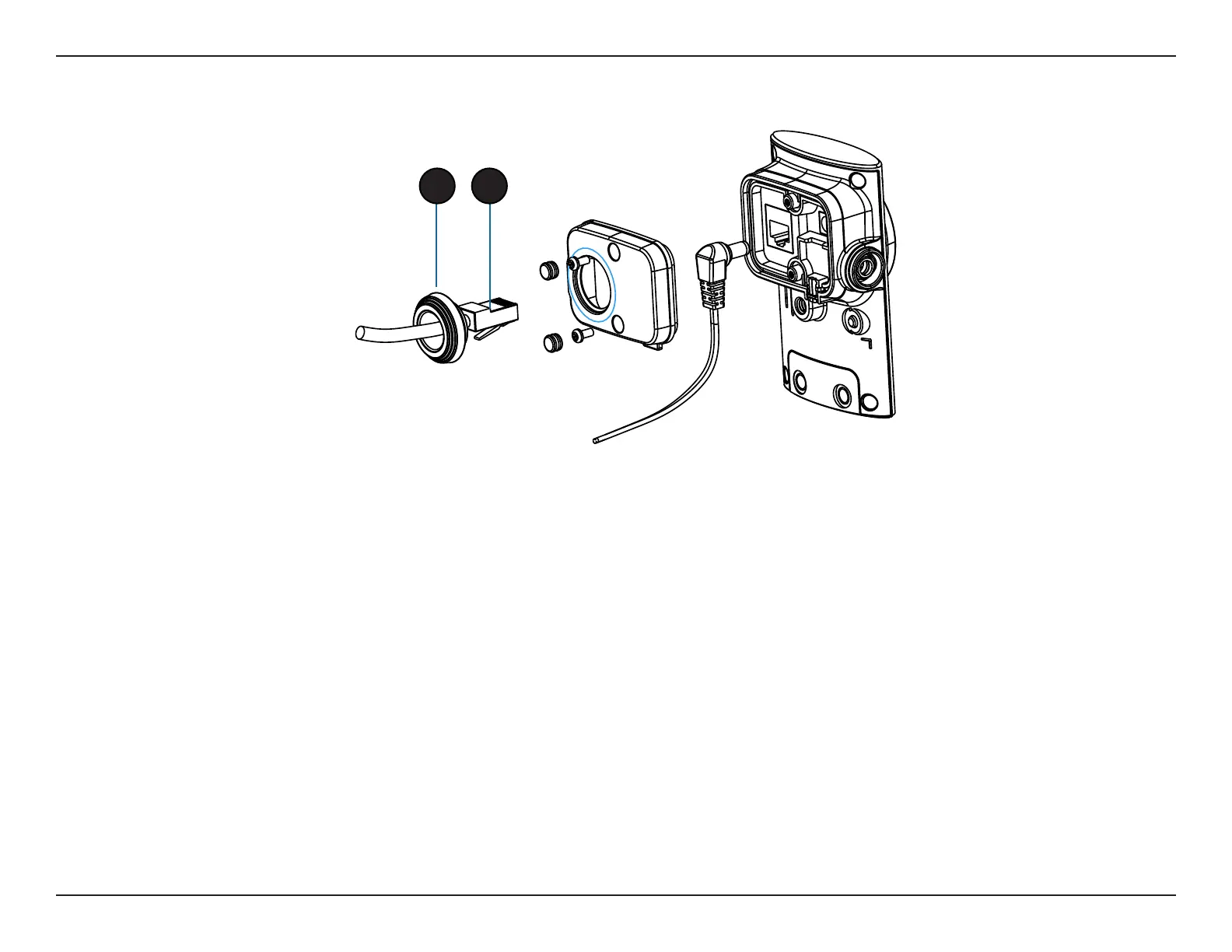
Unplug the Ethernet cable from the Ethernet connector.
Step 3:
Carefully remove the weatherproof cable connection cover.
Step 4:
Attach the weatherproof cable connection cover to the new Ethernet cable.
Step 5:
Plug the new Ethernet cable into the Ethernet connector.
Step 6:
Follow the steps outlined in Reattaching the Top Panel on page 14.
Note: To avoid damage to the weatherproof aspects of the camera, users are advised not to remove the rear cable connection covering. To use a longer
Ethernet cable install a coupling adaptor.
3 2


 To Next Page