D-Link DES-3350SR Standalone Layer 3 Switch
140
Clear
Clicking this button clears all statistics
counters on this window.
View Table
Clicking this button instructs the switch to
display a table rather than a line graph.
View Line Chart
Clicking this button instructs the Switch to
display a line graph rather than a table.
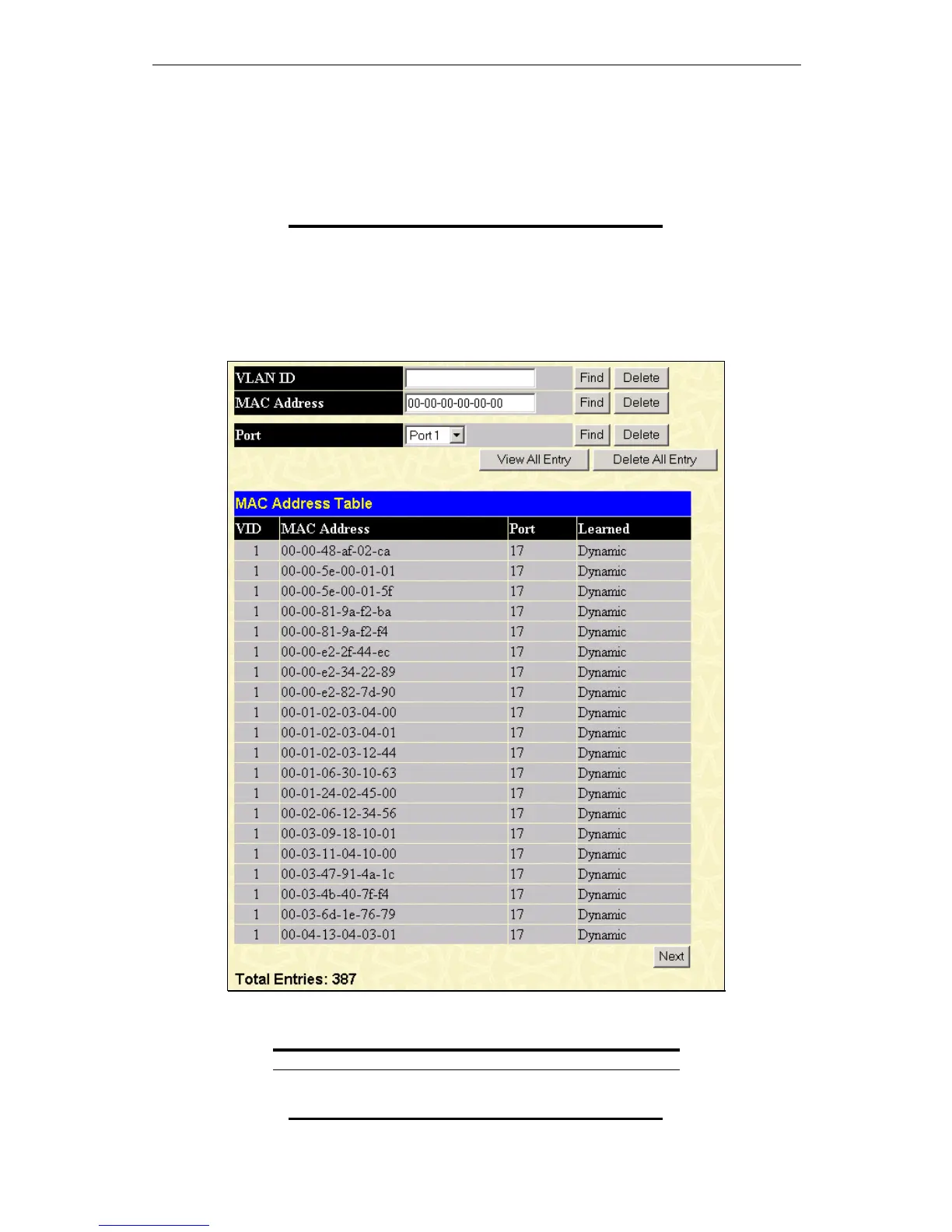
MAC Address
This allows the switch’s dynamic MAC address forwarding table to be viewed. When the switch learns an association between a
MAC address and a port number, it makes an entry into its forwarding table. These entries are then used to forward packets
through the switch.
To view the MAC address forwarding table, from the Monitoring menu, click the MAC Address link:
Figure 10 - 15. MAC Address Table window
The following fields can be set:
Parameter Description
VLAN ID
Enter a VLAN ID for the forwarding table to
be browsed by.













 To Next Page