D-Link DES-3350SR Standalone Layer 3 Switch
145
Layer 3 Features
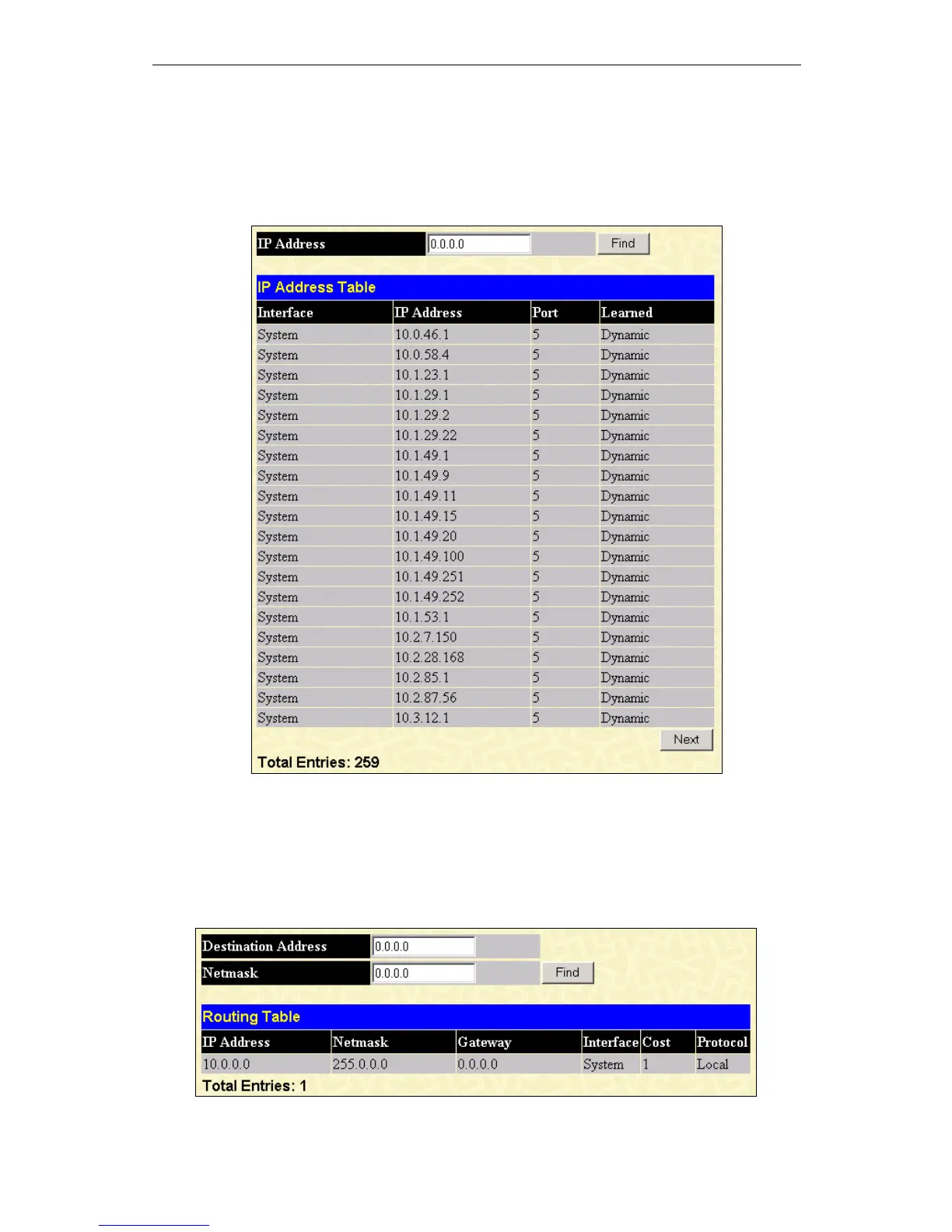
IP Address
The IP Address Table may be found in the Monitoring menu in the Layer 3 Feature folder. The IP Address Table is a read
only screen where the user may view IP addresses discovered by the Switch. To search a specific IP address, enter it into the field
labeled IP Address at the top of the screen and click Find to begin your search.
Figure 10 - 23. IP Address Routing Table
Routing Table
The Routing Table window may be found in the Monitoring menu in the Layer 3 Feature folder. This screen shows the current
IP routing table of the Switch. To find a specific IP route, enter an IP address into the Destination Address field along with a
proper subnet mask into the Mask field and click Find.
Figure 10 - 24. Routing Table window













 To Next Page