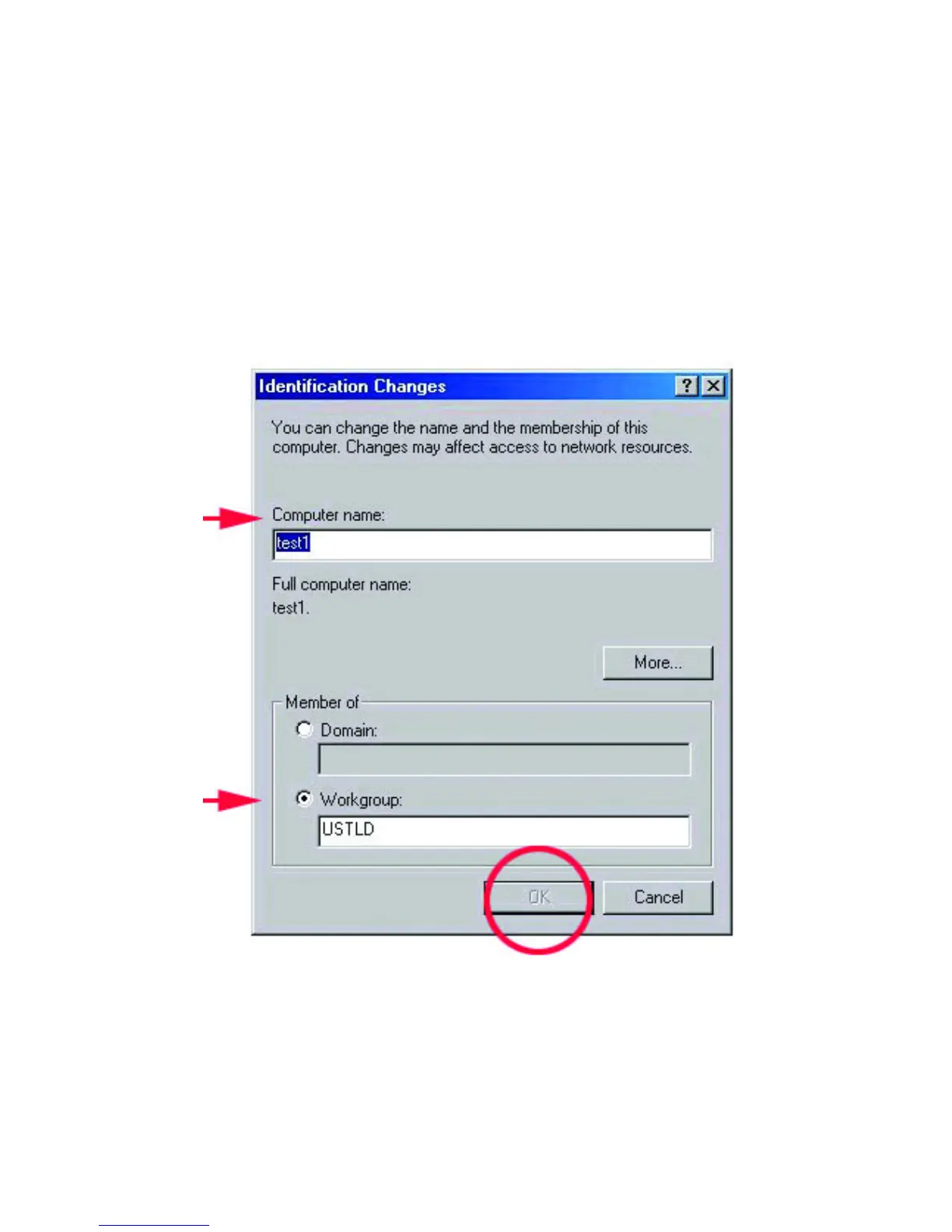
4. Specify the Computer name you want for the computer, and the membership of
the Workgroup you are configuring. The Computer name can be any name you
wish to call your PC. Each PC will need to have a unique computer name. The
Workgroup name will need to be the same for all PCs on the same network.
Click OK.
Click OK in the “System Properties” window.



 To Next Page