Pinging your DFE-528TX Card
Follow these steps to Ping a device:
Ping is the acronym for Packet Internet Groper (PING), a utility to determine if a
specific IP address is accessible. It works by sending a packet to the specified
address and waiting for a reply. Ping is primarily used to troubleshoot Internet
connections. By sending out a ping, you are verifying that a specific computer is
available. Since all computers on the network must have a unique IP address,
getting a reply means that a computer is on the network and that they can
communicate. If they can communicate, then the hardware and cabling is fine. If
you cannot ping another computer, then there is a problem with the hardware.
Check the cabling and adapter installation. If you are unable to network, even when
you receive a reply to your ping, it is probably a software configuration issue.
Verify that all the settings are correct.
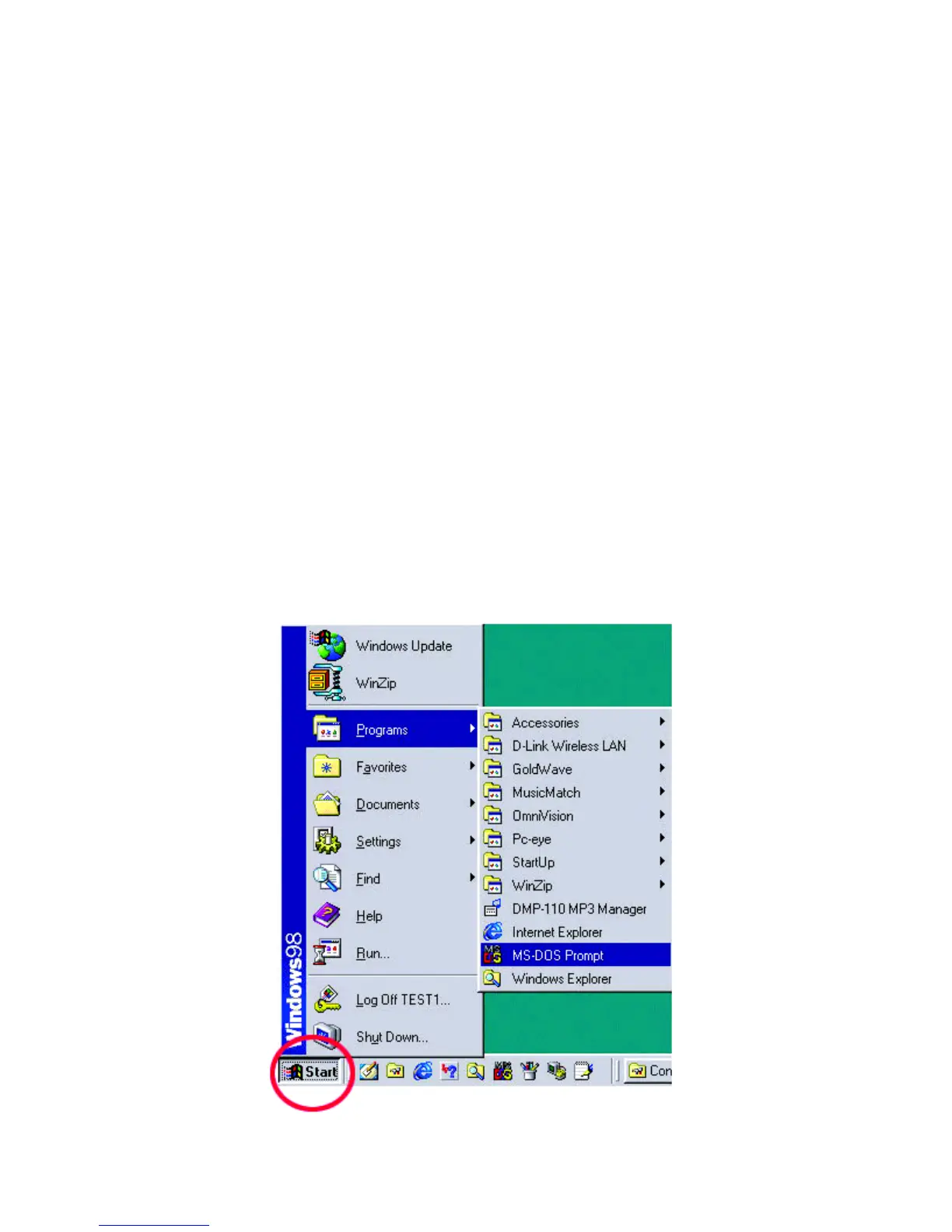
Go to Start> Programs> MS-Dos Prompt.



 To Next Page