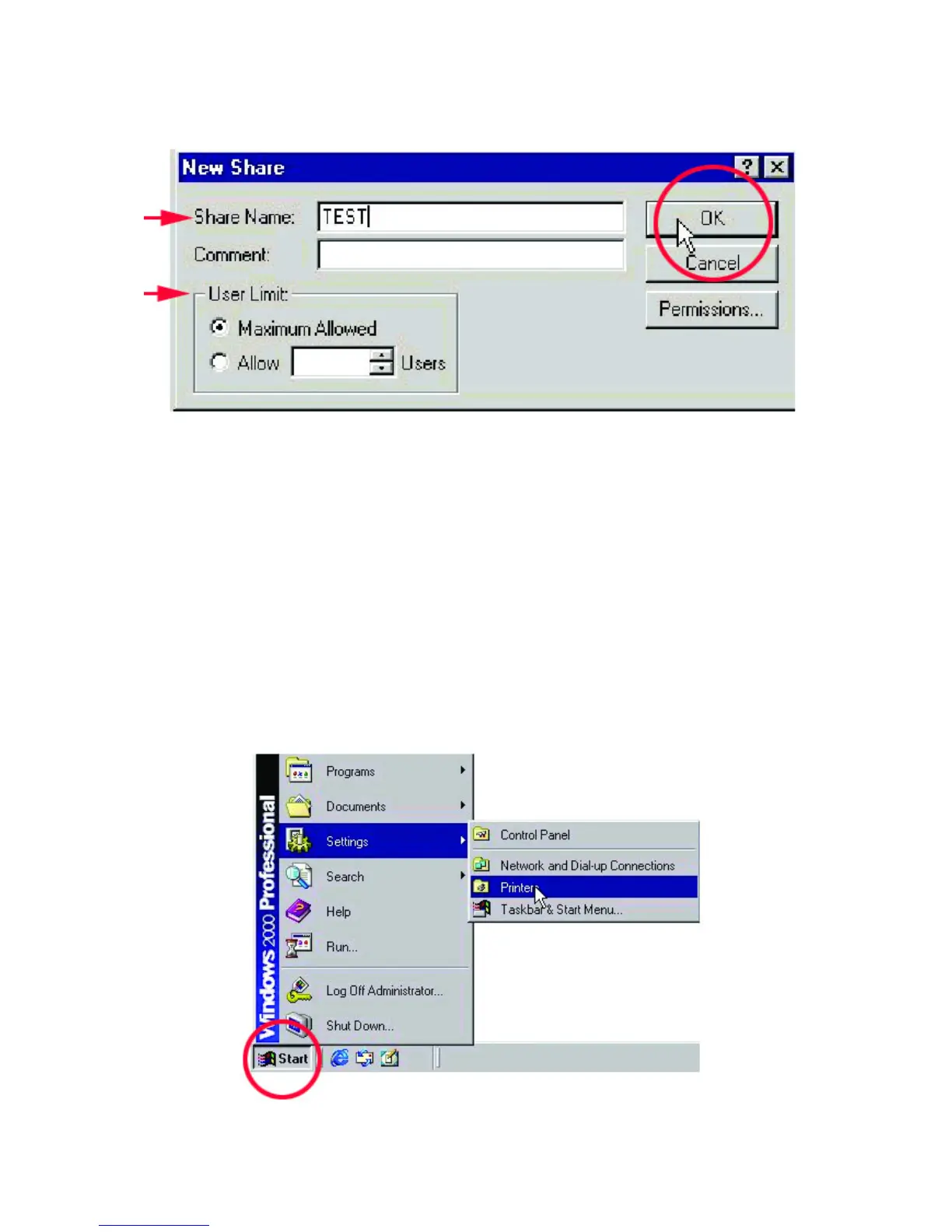
5. You must enter the “Share Name” in order for it to be seen on the network.
Click OK when you have finished entering the information.
Sharing a Printer
Follow these steps to share a printer:
1. All printer-sharing instructions assume that you have a printer on one machine
that is connected to the Local Area Network. Go through this procedure on the
computer the printer is connected to.
2. Go to Start> Settings> Printers



 To Next Page