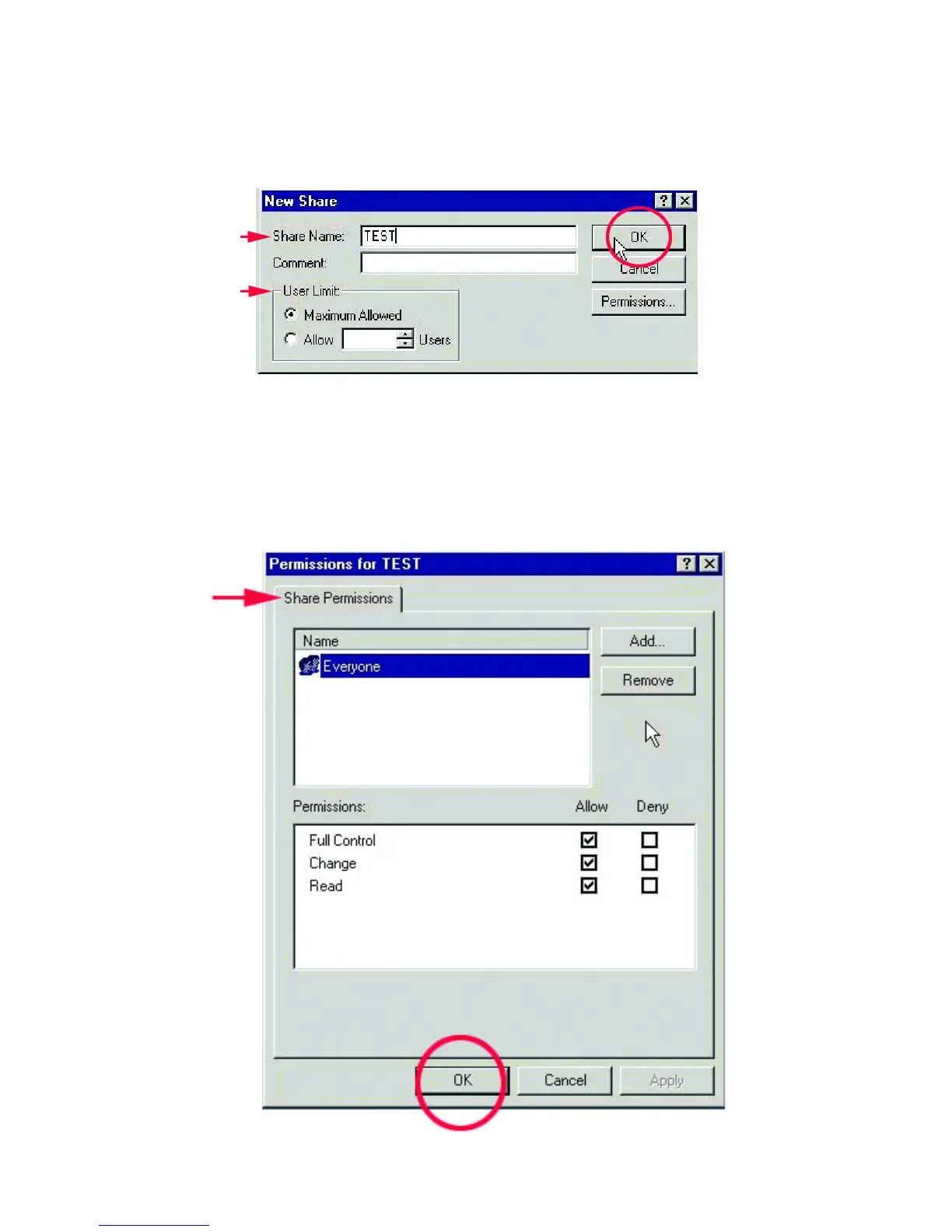
5. In the “New Share” box, name the share as you would like it to appear in “My
Computer” and “Network Neighborhood,” set the maximum number of users
and make a comment, then click OK.
6. Choose the “Share Permissions” tab and set limits on the share as needed. The
default settings allow all users to read and write to the hard drive.
Click OK.



 To Next Page