5 D-Link DFE-530TX+ Quick Install Guide
Software Installation
Shutdownyourcomputer.GotoStart>Shut Down>selectShut
DownandclickOK.
Once your computer is turned off, remove the power cable from
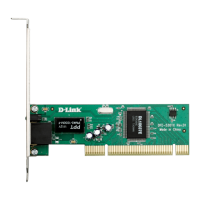
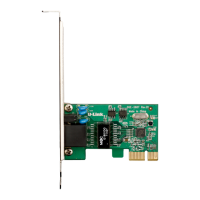
thecomputer.OpenthecaseandinserttheD-Linkadapterintoan
availablePCIslot.
If you are familiar with Wake-On-
LAN, attach the cable to your
motherboardandtheadapter.Ifyou
arenotusingtheWOLfeature,do
notattachthecable.
Note: Write down the serial number
and hardware revision (e.g. A1)
before installing the adapter. If you
contact technical support, you will
need this information.
Replace the case, plug in the power cable, and power on your
computer.
Thedriverswillinstall.Oncetheinstallationiscomplete,clickOK.









 To Next Page

