7 D-Link DFE-530TX+ Quick Install Guide
Verify Installation
Toverifythatthedriversareinstalled,youmayviewDeviceManager.
Toviewthedevicemanager,pleasefollowthestepsbelow:
Step 1:
Windows
®
2000:ClickonStart>Settings>Control Panel
WindowsXP:ClickonStart>Control Panel
WindowsVista
®
:ClickonStart>Control Panel
Windows
®
7:Click on Start > Control Panel
Step 2:
Windows2000/XP:ClickontheSystemicon.ClicktheHardware
tabandthenclickDevice Manager.
Windows Vista:Click on the System and Maintenance icon and
thenclickonDevice Manager.
Windows
®
7:Clickonthe System and Securityiconandthenclick
onDevice ManagerunderSystem.
Step 3:
Scrolldownandclicktheplus(+)signnexttoNetwork Adapters.The
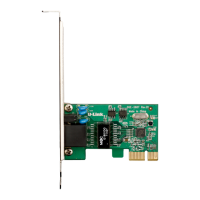
D-Link DFE-530TX+ PCI Fast Ethernet Adapter (rev.F)willbelisted.
Verify Installation









 To Next Page

