xStack DGS-3400 Series Fast Ethernet Switch
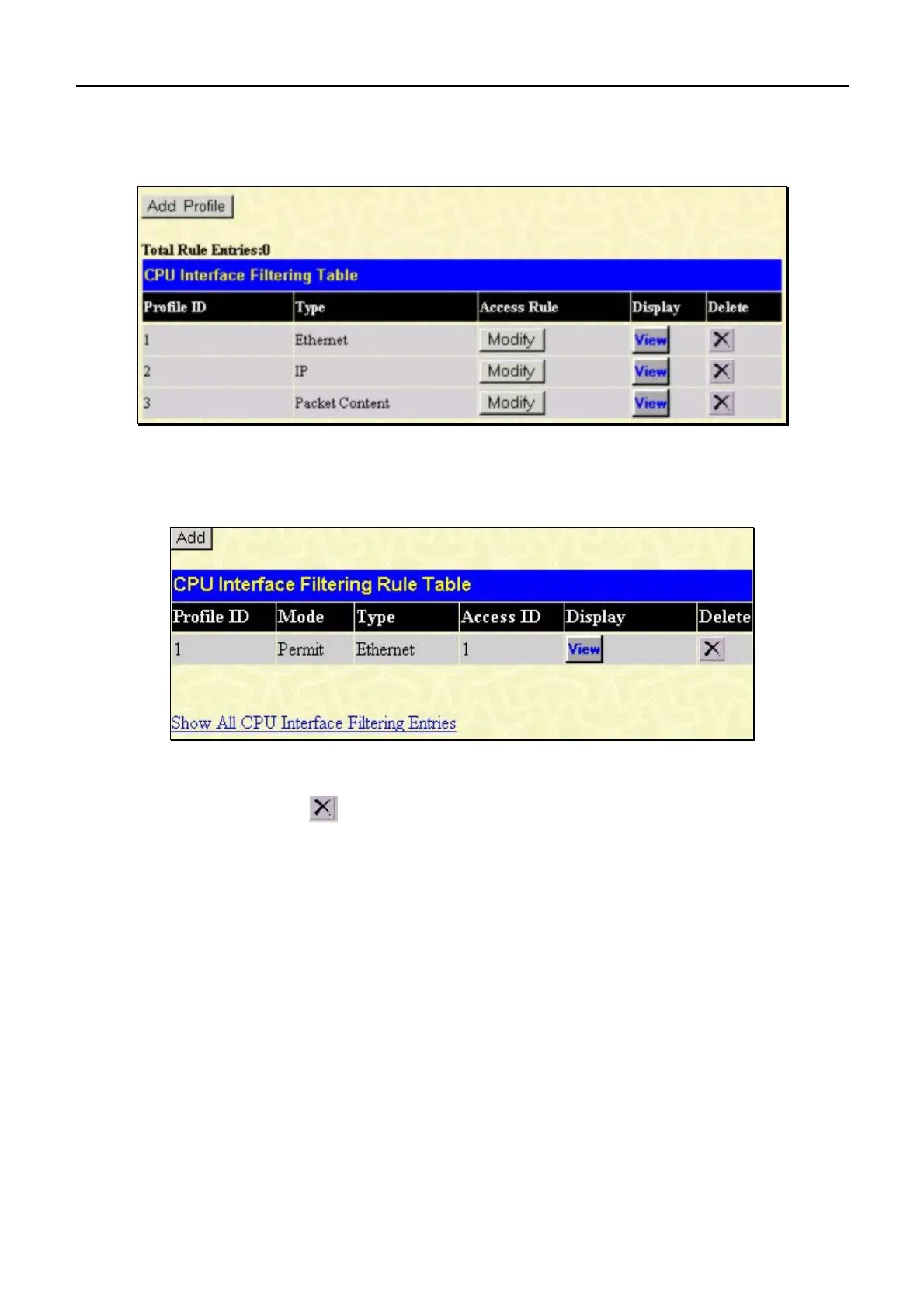
To establish the rule for a previously created CPU Access Profile:
In the Configuration folder, click the CPU Interface Filtering > CPU Interface Filtering State to open the CPU
Interface Filtering Table.
Figure 7- 58. CPU Interface Filtering Table
In this window, the user may add a rule to a previously created CPU access profile by clicking the corresponding Modify
button of the entry to configure, Ethernet, IP or Packet Content. Each entry will open a new and unique window, as
shown in the examples below.
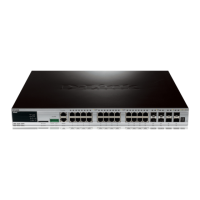
Figure 7- 59. CPU Interface Filtering Table – Ethernet
To create a new rule set for an access profile click the Add button. A new window is displayed. To remove a previously
created rule, click the corresponding
button. The following window is used for the Ethernet Rule configuration.
136



 To Next Page