xStack DGS-3400 Series Fast Ethernet Switch
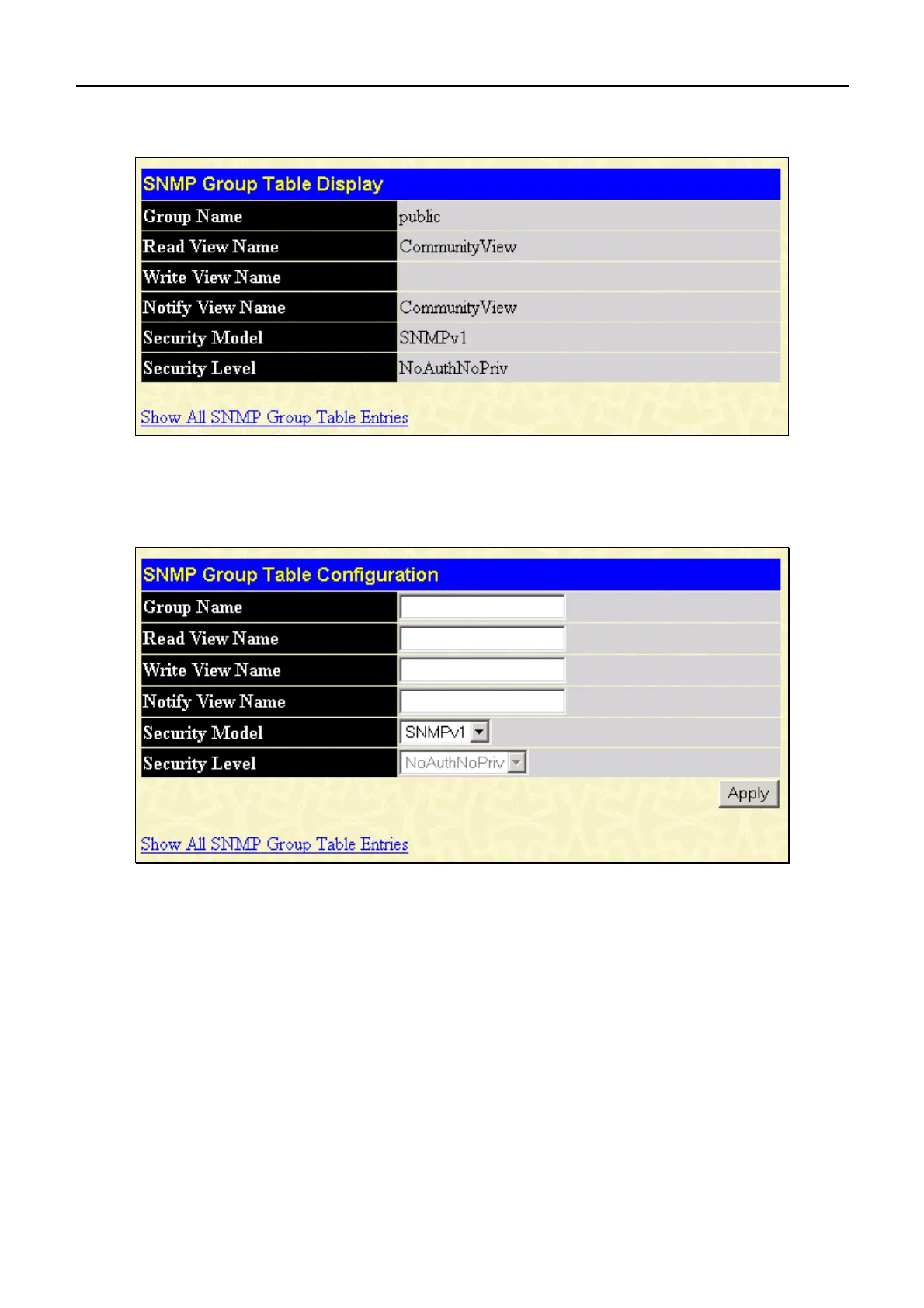
To display the current settings for an existing SNMP Group Table entry, click the hyperlink for the entry under the Group
Name.
Figure 6- 38. SNMP Group Table Configuration window
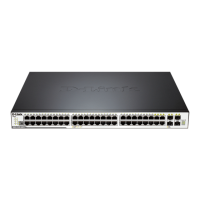
To add a new entry to the Switch's SNMP Group Table, click the Add button in the upper left-hand corner of the SNMP
Group Table window. This will open the SNMP Group Table Configuration window, as shown below.
Figure 6- 39. SNMP Group Table Configuration window
61











 To Next Page