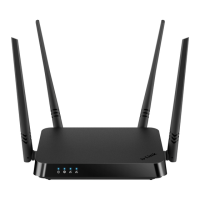
DIR-842 AC1200 Wave 2 MU-MIMO Wi-Fi EasyMesh Gigabit
Router
User Manual
Configuring via Web-based Interface
Parameter Description
Direction
The direction of network packet transmission to which the rule will
be applied. Select the source of the packet direction from the
Source drop-down list.
• WAN: The rule will be applied to the packets transmitted
from the external network.
• LAN: The rule will be applied to the packets transmitted
from the local network.
• IPsec: The rule will be applied to the packets transmitted
from the IPsec tunnel (available if an IPsec tunnel has been
created on the device).
Select the destination of the packet direction from the Destination
drop-down list.
• Router: The rule will be applied to the packets transmitted
to DIR-842.
• WAN: The rule will be applied to the packets transmitted to
the external network.
• LAN: The rule will be applied to the packets transmitted to
the local network.
• IPsec: The rule will be applied to the packets transmitted to
the IPsec tunnel (available if an IPsec tunnel has been
created on the device).
From the Source interface and Destination interface drop-
down lists, select source and destination interfaces for which the rule
will be applied. Leave the Auto values to apply the rule to all
created WAN interfaces.
Source IP address
Set as
Select the needed value from the drop-down list.
Start IPv4 address /
Start IPv6 address
The source host start IPv4 or IPv6 address.
If it is necessary to specify a single address, leave the End IPv4
address / End IPv6 address field blank.
You can choose a device connected to the router's LAN at the
moment. To do this, select the relevant IPv4 or IPv6 address from
the drop-down list (the field will be filled in automatically).
End IPv4 address /
End IPv6 address
The source host end IPv4 or IPv6 address.
Subnet IPv4 address /
Subnet IPv6 address
The source subnet IPv4 or IPv6 address. The field is displayed when
the Subnet value is selected from the Set as drop-down list.
Page 177 of 233



 To Next Page