12D-Link DIR-869 User Manual
Section 1 - Product Overview
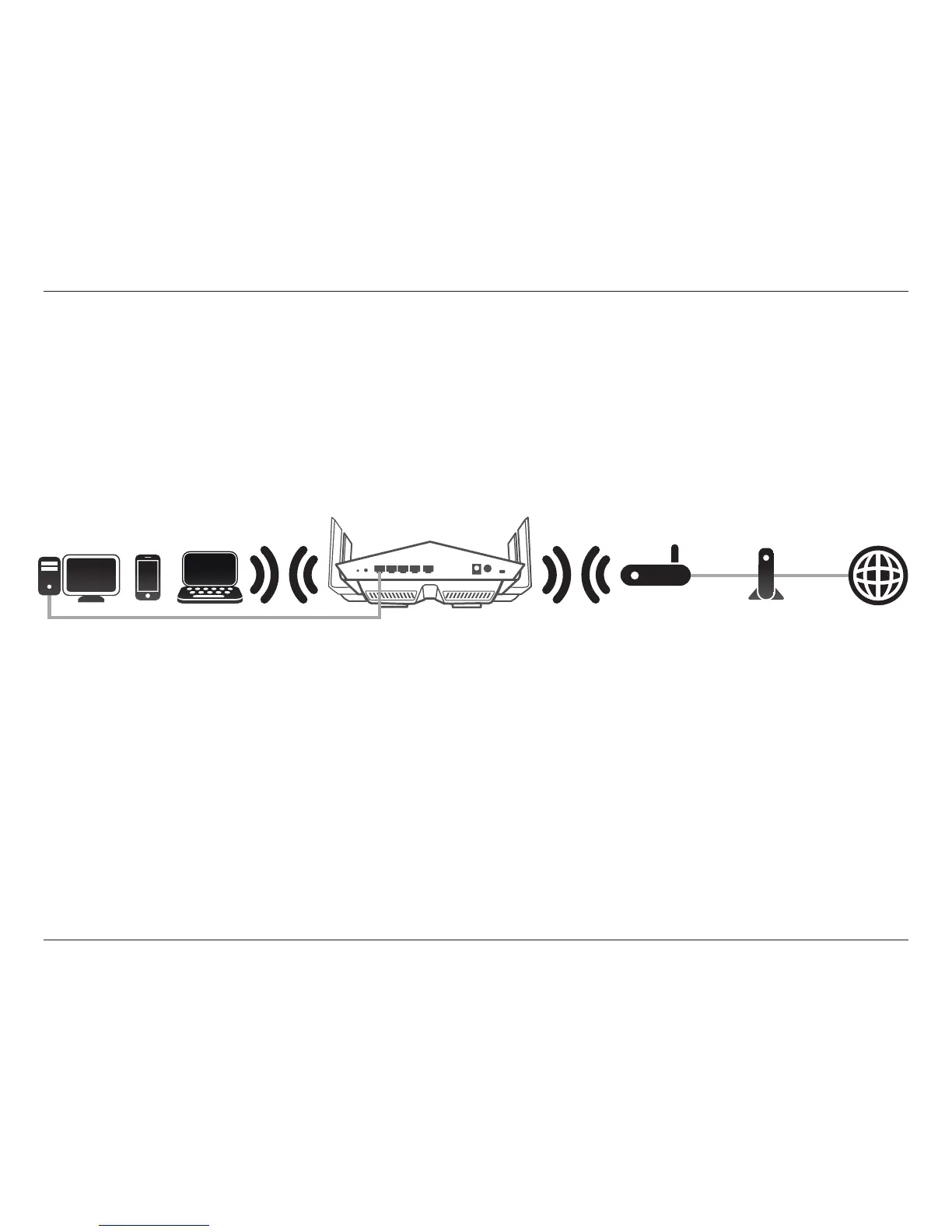
The DIR-869 operates as an Extender when the mode switch is in the Extender position and the DIR-869 is connected
wirelessly to an uplink network. The DIR-869 creates a new wireless network and devices connected via Wi-Fi and LAN ports
obtain IP addresses from the existing router. Repeating a wireless signal reduces the total available amount of wireless
bandwidth.
Extender
Create a Wireless Network using Wi-Fi
Note: Extend Your Wireless Network using Wi-Fi (Repeater Mode) available via rmware update in Q3 2016.
Extend Your Wireless Network Using Wi-Fi (Extender Mode)
Broadband
Connection Device
(e.g. DSL/Cable Modem)
Existing
Router
InternetDIR-869
Extender
Wired and Wireless Devices
Use this mode for:
• Extending your current network.
• Bringing Wi-Fi to an area it doesn't currently reach.
• Providing better signal for parts of your home or oce that may have poor reception.
• Connecting devices which do not have a built-in wireless card, such as some smart TVs, game consoles, or DVRs.
• Networking areas where cables can't reach.
Place your DIR-869 near the area you wish to bring Wi-Fi to and connect via Wi-Fi to your uplink network.



 To Next Page