32D-Link DIR-869 User Manual
Section 3 - Getting Started
Setup Wizard
DIR-869
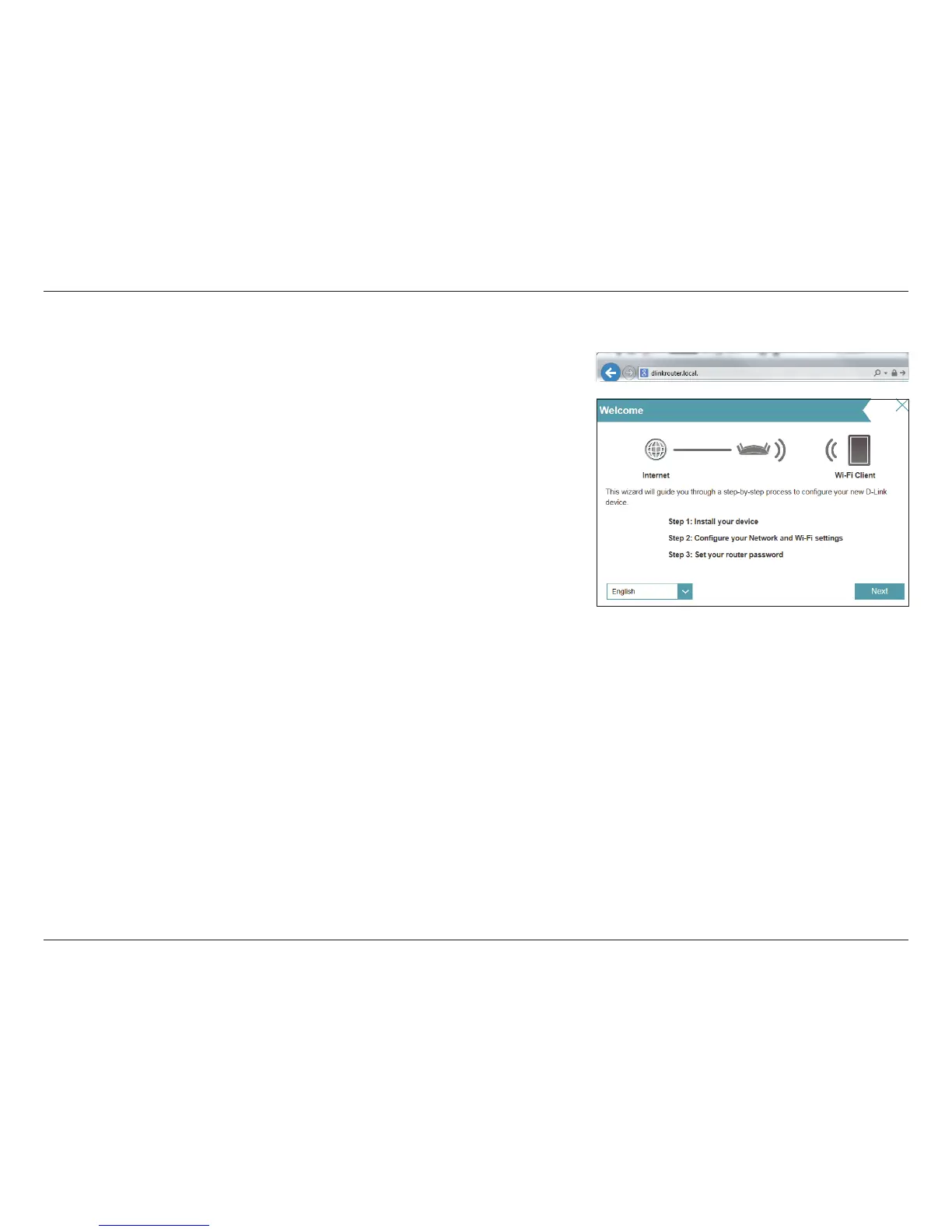
To access the setup utility for the DIR-869 Access Point in Extender mode on
your PC, rst connect to the DIR-869 using wired Ethernet cabling or wirelessly
using the Wi-Fi name (SSID) and password located on your Wi-Fi Conguration
Card. Then open a web browser and enter http://dlinkrouter.local./ in your
browser’s URL eld. You may also enter the IP address* of the DIR-869.
* By default the DIR-869 in extender mode will use DHCP to obtain an IP address from
your uplink network. If you are using multiple DIR-869s or D-Link devices, go to http://
dlinkrouterxxxx.local./ as shown on the included Wi-Fi Conguration Card, with “xxxx”
being the last four digits of the DIR-869’s MAC address. The MAC address is also printed on
the label on the bottom of the device.
The wizard is designed to guide you through a step-by-step process to congure
your new D-Link router as an Access Point and connect to your network and
the Internet.
Click Next to continue.



 To Next Page