56D-Link DIR-869 User Manual
Section 4 - Conguration - Router Mode
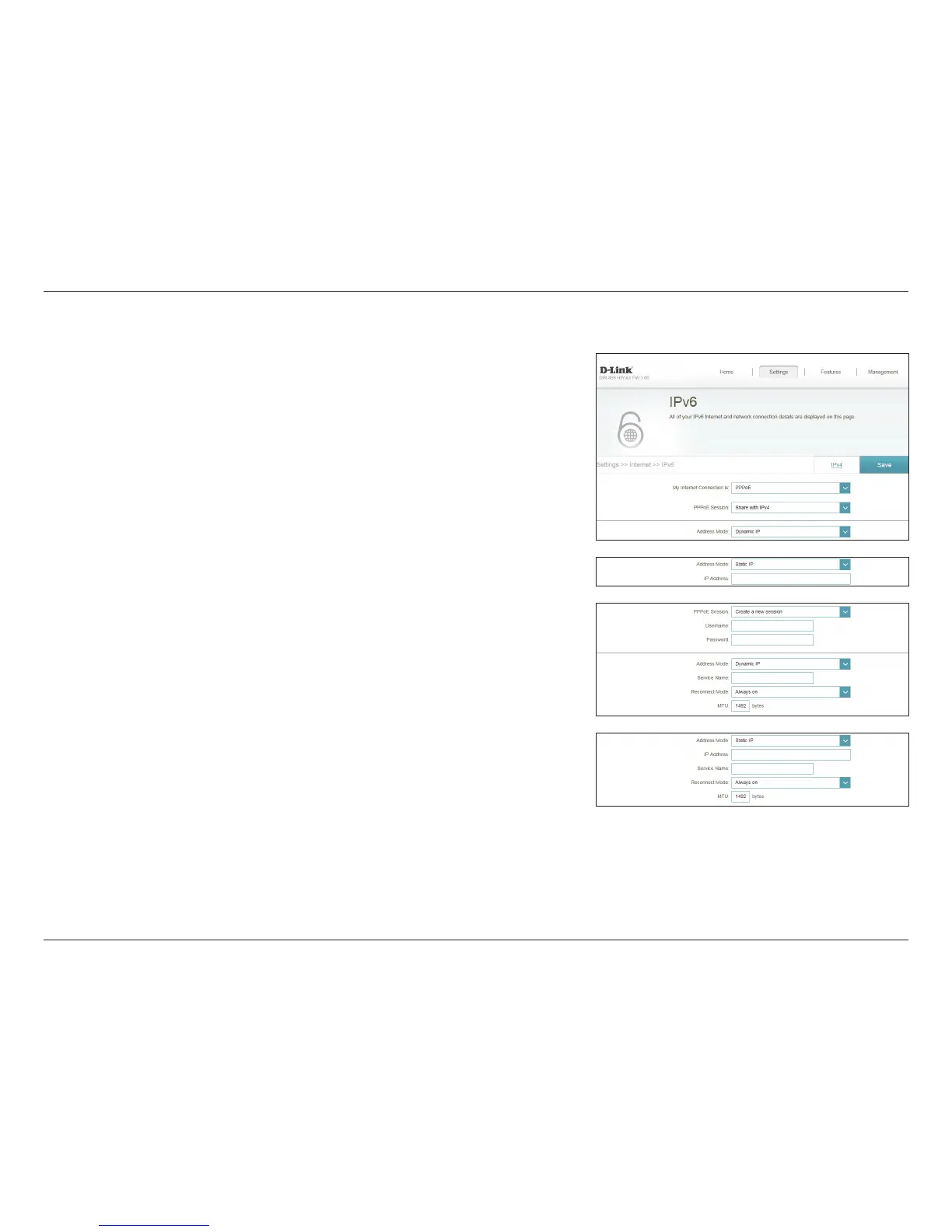
PPPoE
Select PPPoE if your Internet connection requires you to enter a username
and password. This information is provided by your Internet Service Provider
(ISP).
PPPoE Session: Choose Share with IPv4 to re-use your IPv4 PPPoE username and
password, or Create a new session.
Username: Enter the username provided by your ISP. (Create a new session only)
Password: Enter the password provided by your ISP. (Create a new session only)
Address Mode: Select Static IP if your ISP assigned you an IP address. In most cases,
select Dynamic IP.
IP Address: Enter the IP address provided by your ISP. (Static IP only)
Service Name: Enter the ISP service name (optional).
Reconnect Mode: Select either Always-on or Manual.
MTU: Maximum Transmission Unit - you may need to change the MTU for
optimal performance with your ISP.



 To Next Page