Web Configuration
D-Link DSL-2640B User Manual
26
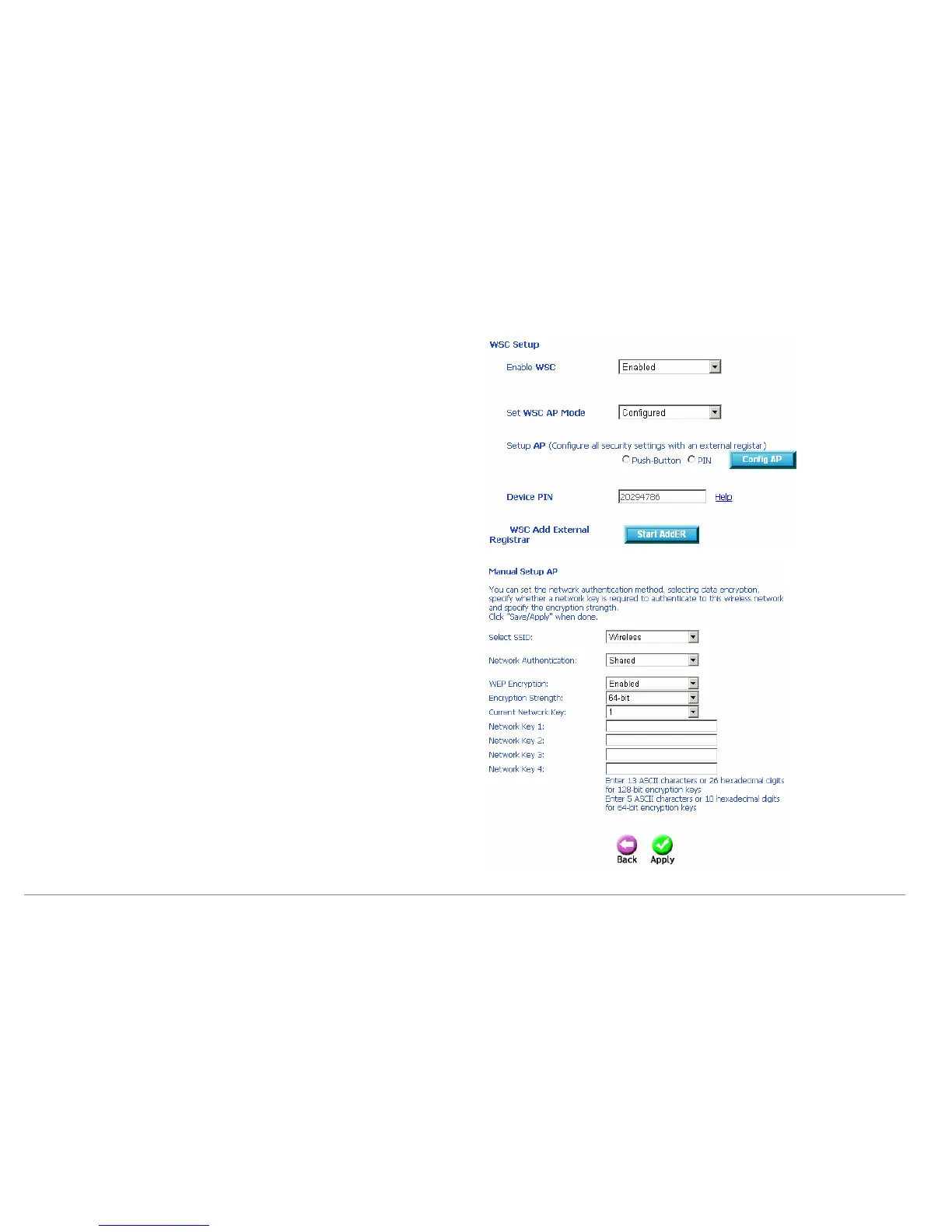
Enable WSC: If enable Manual Setup AP, you can not enable WSC.
Set WSC AP Mode: If selected Unconfigured, you need to add Client (This
feature is available only when WPA-PSK, WPA2 PSK or OPEN mode is
configured.), and setup AP (Configure all security settings with an external
registar).
Device PIN: Device Pin is generated by AP.
WSC Add External Registrar: If set WSC AP Mode to Configured, this part
will show, and you can add external registrar.
Manual Setup AP
This device is equipped with 802.1X and WPA/WPA2 (Wi-Fi Protected Access), the
latest security standard. It also supports the legacy security standard, WEP (Wired
Equivalent Privacy).
If you select the “Shared” as the Network Authentication, you can select 64-bit or
128-bit as the Encryption Strength.
64-bit WEP: Enter 5 ASCII characters or 10 hexadecimal digits for 64-bit
encryption keys. You can set 4 types of the WEP key.
128-bit WEP: Enter 13 ASCII characters or 26 hexadecimal digits for 128-bit
encryption keys. You can set 4 types of the WEP key.
The authentication modes are as follows: 802.1X, WPA, WPA-PSK,WPA2, WPA2
–PSK, Mixed WPA2/WPA, Mixed WPA2/WPA –PSK.
After proper configuration, click Apply to save the wireless security options and
make the modification effect.















 To Next Page