43D-Link DSL-2878 User Manual
Section 4 - Conguration
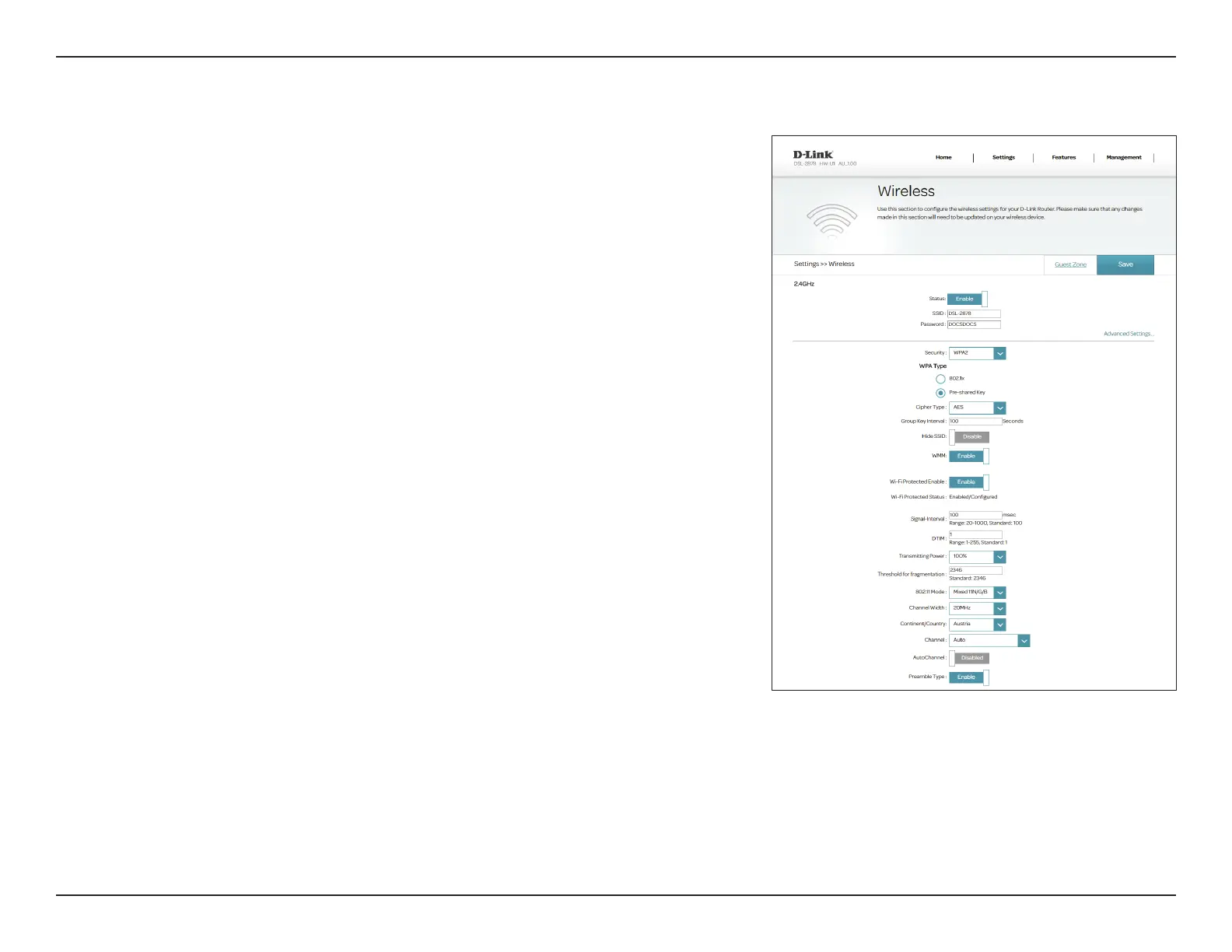
2.4 GHz Channel
Width:
Channel Width is available if you select Mixed 11N/G/B for 802.11
Mode. Select 20/40 if you are using both 802.11n and non-802.11n
devices, or select 20 MHz if you want to disable 40 MHz bandwidth
communication. Select 40 MHz to use only 40 MHz only. The
recommended setting is 20/40.
Note: Selecting 40 MHz may increase throughput for some users, but
may cause interference and limit compatibility.
5 GHz 802.11
Mode:
Select the desired wireless networking standard(s) to use. The
available options are 11A Only, 11A/N Mixed Mode, Mixed 11AC/
N/A, or Mixed 11AC/N.
5 GHz Channel
Width:
Select the desired channel width. The available options are 20 MHz,
20/40 MHz, or 20/40/80 MHz. Depending upon the selected 5 GHz
802.11 Mode, some options may be unavailable.
Channel: Select the desired channel for your wireless network to use. This
option is only available if Auto Channel is disabled.
Continent/
Country:
Select your country or region to allow the router to use the correct
radio channels for your region.
Auto Channel: Enable or disable automatic wireless channel selection.
Preamble Type: Enable or disable short preamble type.
Click Save when you are done.
Advanced Settings (continued)
Add PBC!



 To Next Page