14
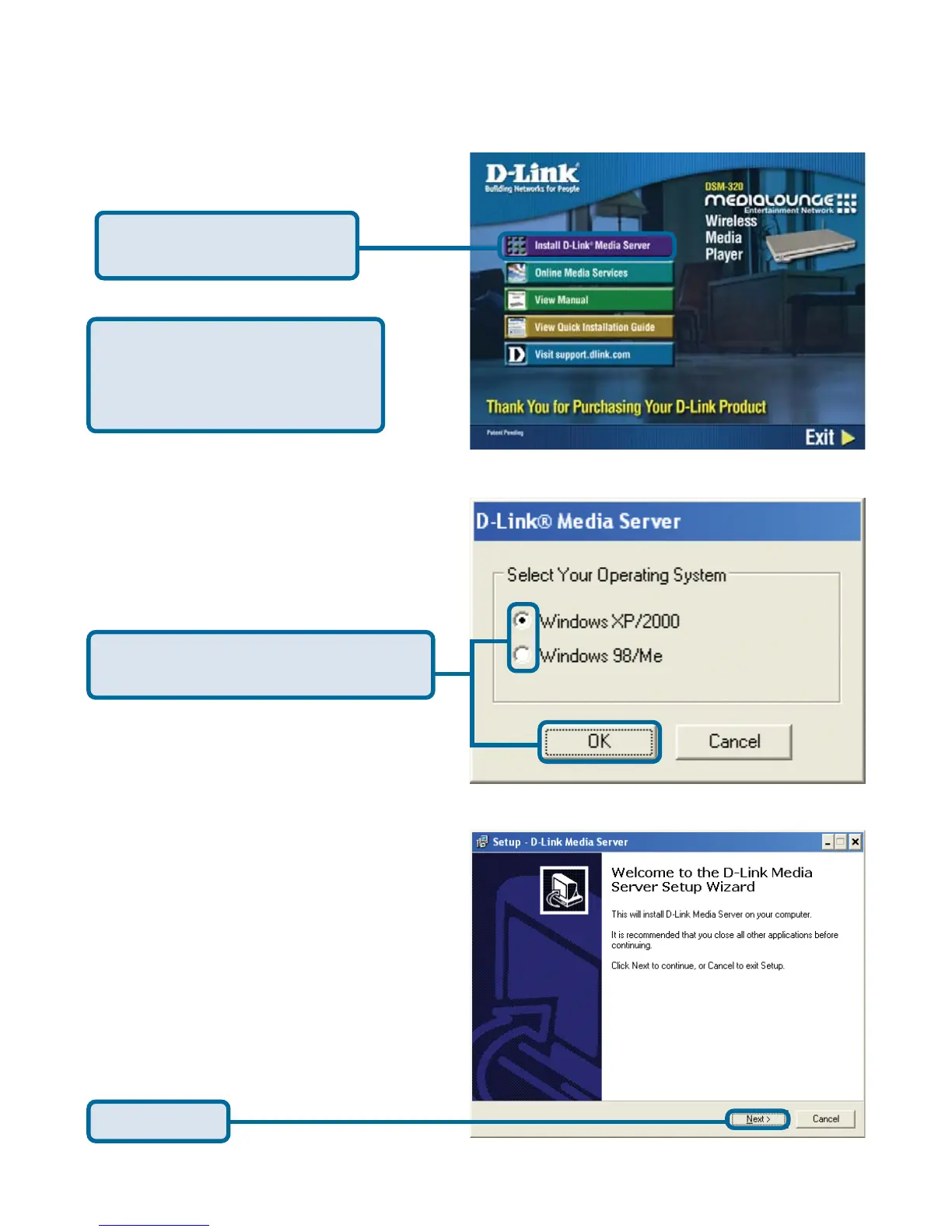
The D-Link Media Server Setup
Wizard will appear.
Click on D-Link Media
Server Installer
Click Next
Installing the D-Link
®
Media Server Software
(continued)
If the screen on the right does not
appear, go to My Computer and
double-click on the CD-ROM drive.
The screen at right will appear.
Select the appropriate operating
system and click
OK



 To Next Page