16
Installing the D-Link
®
Media Server Software
(continued)
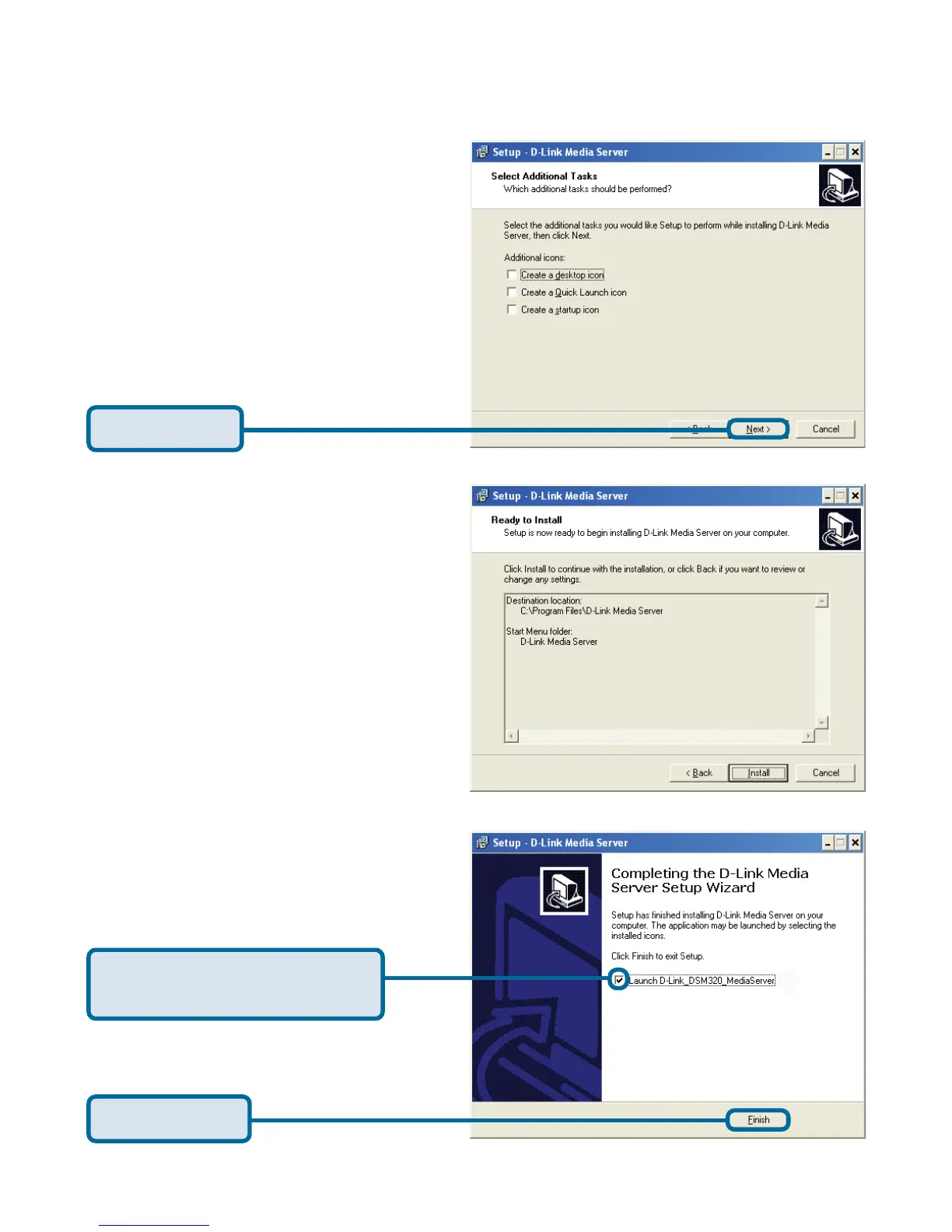
Check Launch D-Link
Media Server
Click Finish
The necessary software will be
copied to the specified locations
on your computer.
The D-Link
®
Media Server software installation has been completed!
Select the icons you want created.
Select Create a desktop icon to
access the program from your
desktop.
Select Create a Quick Launch
icon to access the program from
your taskbar.
Select Create a startup icon so
the program launches on startup.
Click Install



 To Next Page