xStack Storage Management Center Software User’s Guide 131
Appendix A Menu Summary
This appendix summarizes the menus in the xStack Storage Management Center menus and
the commands they contain. For more information about a command, refer to the section
number.
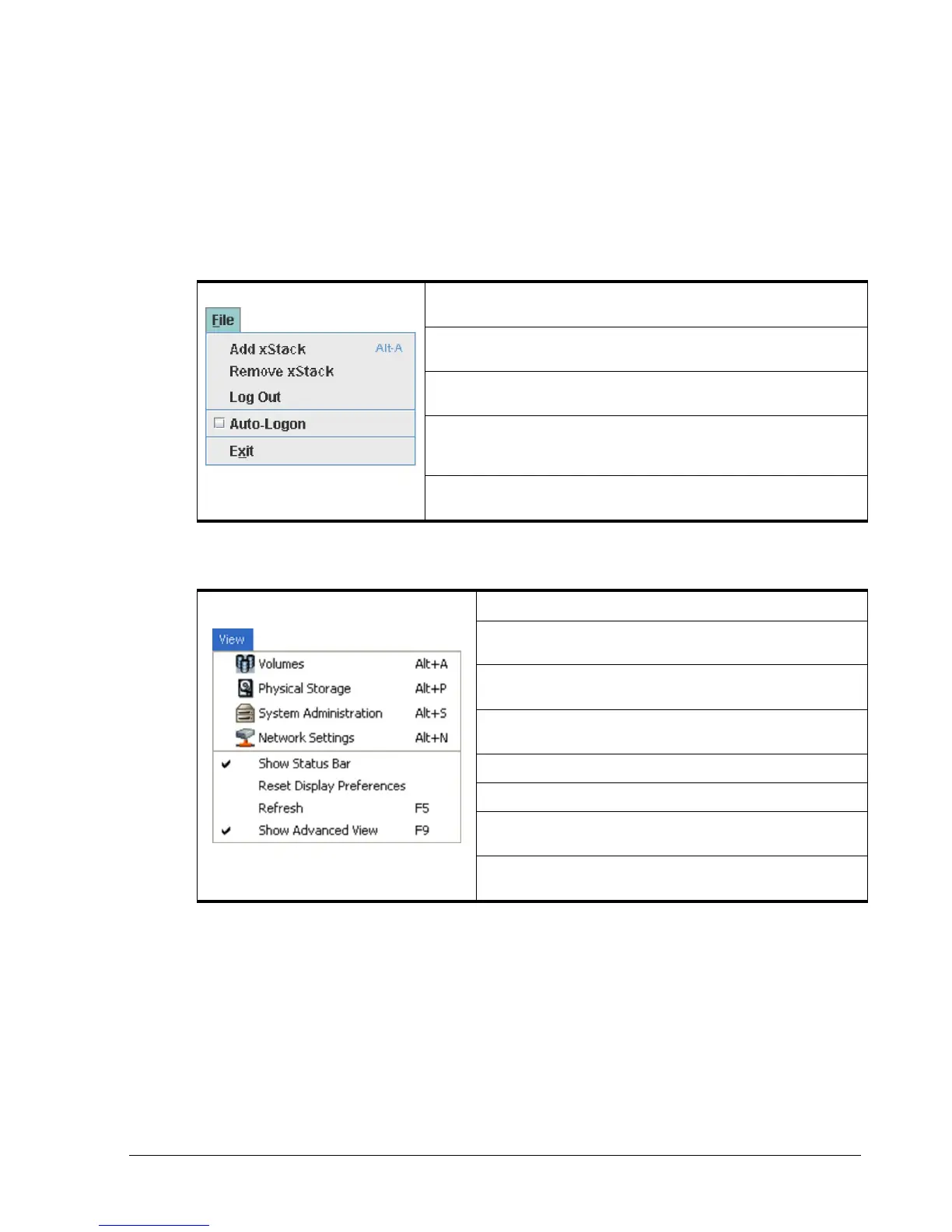
A.1 File Menu
Add xStack Storage – adds xStack Storage arrays to be managed by the xStack
Storage Management Center (see section 8.1).
Remove xStack Storage – removes an xStack Storage from being managed by
the xStack Storage Management Center (see section 7.2).
Log Out – logs out of the current xStack Storage Management Center session (see
section 3.5).
Auto-Logon – allows the username and password to be specified and preserved,
so that all xStack Storage systems are logged on automatically when the xStack
Storage Management Center is launched.
Exit – closes the xStack Storage Management Center and exits the session (see
section 3.6).
A.2 View Menu
Volumes – displays the Volume View (see section 4.1).
Physical Storage – displays the Physical Storage View (see section
5.1).
System Administration – displays the System Administration View (see
section 6.1).
Network Settings – displays the Network Settings View (see
section 7.1).
Show Toolbar – displays or hides the toolbar (see section 2.3.2).
Show Status Bar – displays or hides the status bar (see section 2.3.7).
Reset Display Preferences – returns the xStack Storage Management
Center window to its display preferences (see section 9.2).
Refresh All – updates the information displayed in the main window (see
section 2.3).



 To Next Page