xStack Storage Management Center Software User’s Guide 37
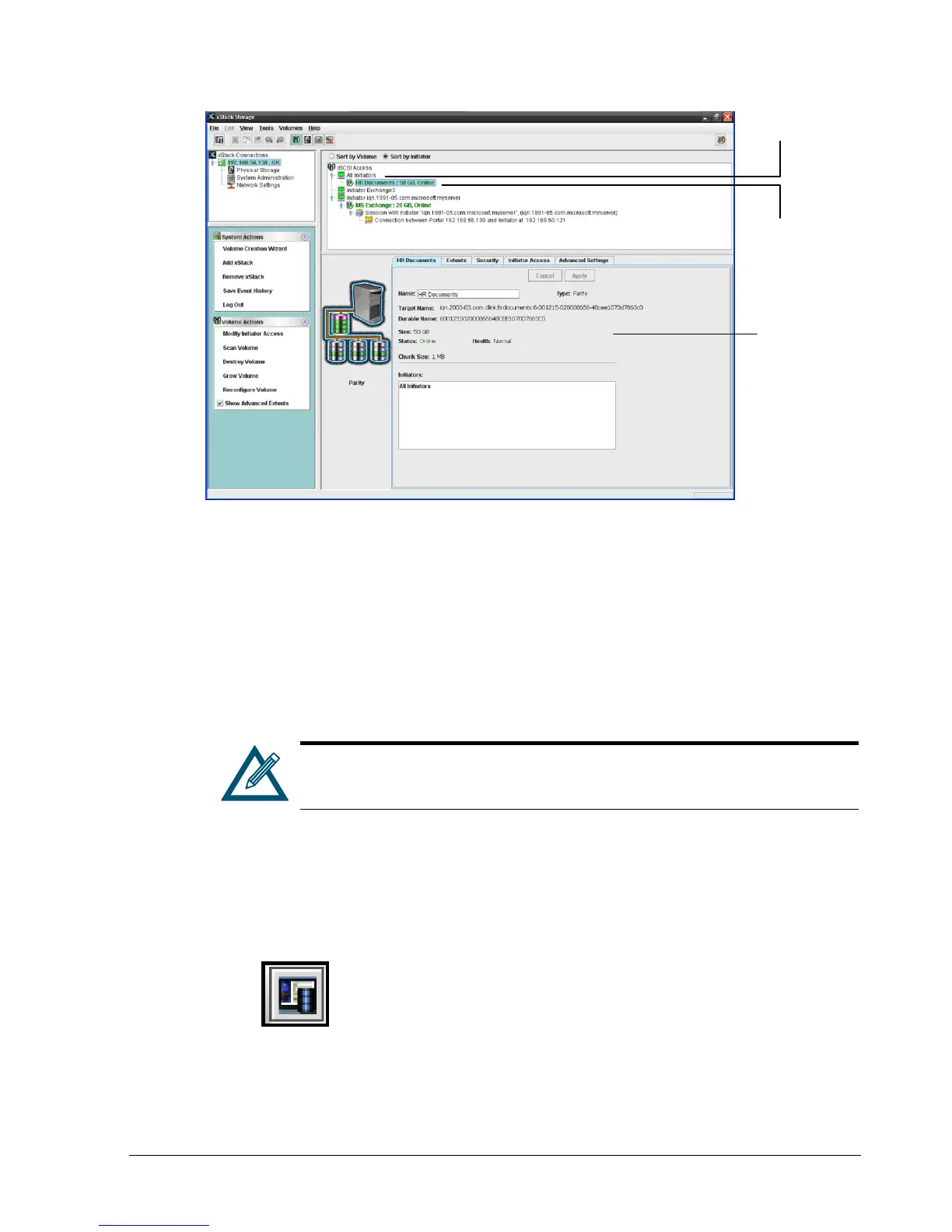
Figure 4-2. Volume View Sorted by Initiator
4.2 Creating Volumes
Adding volumes defines what volumes are accessible through the xStack Storage target. The
xStack Storage Management Center provides a Create Volume Wizard that makes volume
creation as easy as answering a few questions. Options are provided that allow you to either
customize the volume or have the Wizard fine-tune the volume for you. As you create
volumes, record the information in Table C-1.
Drives that have volumes cannot be reserved for use as spares. If you intend
to use a drive as a spare, perform the procedure in section 5.2.3 before
creating volumes on the drive.
1. In the Volume View, perform one of the following steps:
– In the System Actions panel, click Volume Creation Wizard.
– On the Tools menu, click Volume Creation Wizard.
– On the toolbar, click the Volume Creation Wizard button:
Any step launches the Create Volume Wizard (see Figure 4-3).
iSCSI Initiator
Volume Associated
with the iSCSI Initiator
Information about the
Selected Volume
Appears Here



 To Next Page