66 Chapter 4 Managing Volumes
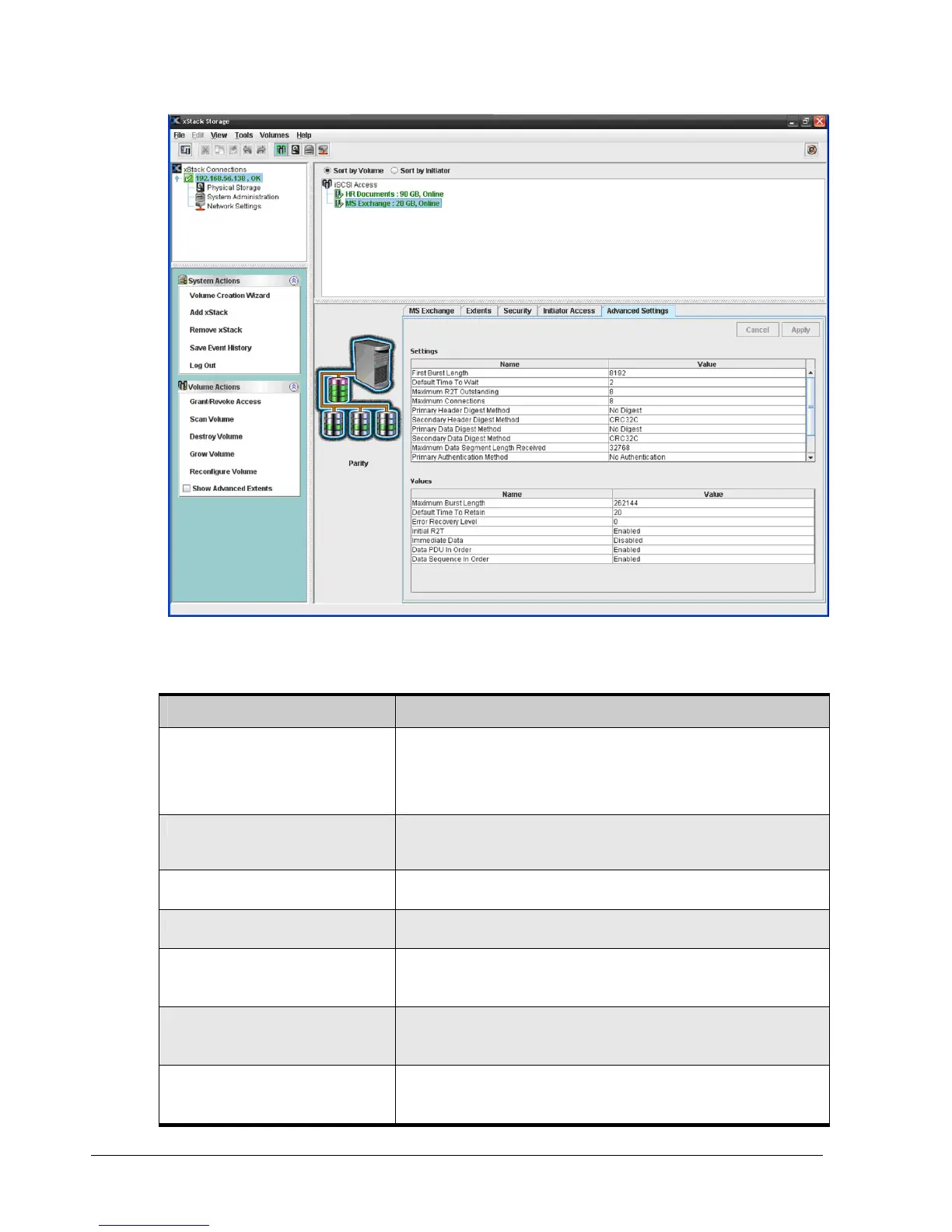
Figure 4-35. Advanced Volume Settings
Table 4-2. Advanced Volume Settings
Settings (can be modified) Description
First Burst Length Maximum amount, in bytes, of unsolicited data that an initiator can send to a
target during the execution of a single SCSI command. This amount includes the
immediate data, if any, and the sequence of unsolicited Data-Out PDUs, if any,
that follow the command. The allowable selections include 8192, 16384 and
32768. The default selection is 8192 bytes.
Default Time To Wait Maximum time to wait, in seconds, for a login PDU to be received from the target
in response to a login request sent by the initiator before failing the connection
attempt. The allowable range is 0 to 3600 seconds. The default is 2 seconds.
Maximum R2T Outstanding Maximum number of outstanding ready-to-send (R2T) requests that are allowed
for each task within this session. The allowable range is 1 to 8. The default is 8.
Maximum Connections Maximum number of connections that will be allowed within this session. The
allowable range is 1 to 8. The default is 8.
Primary Header Digest Method Primary header digest used by the volume. Choices are:
No Digest (default)
CRC32C
Secondary Header Digest Method Secondary header digest used by the volume. Choices are:
No Digest
CRC32C (default)
Primary Data Digest Method Primary data digest used by the volume. Choices are:
No Digest (default)
CRC32C



 To Next Page