Home
D-Link
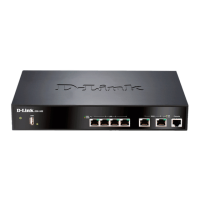
Network Router
DSR-500
Page 71 (Figure 41: the Firewall Rule Configuration Page Allows You to Define the To;From Zone, Service, Action, Schedules, and Specify Source;Destination IP Addresses as Needed)
D-Link DSR-500 - Figure 41: the Firewall Rule Configuration Page Allows You to Define the To;From Zone, Service, Action, Schedules, and Specify Source;Destination IP Addresses as Needed
213 pages
Manual
Save Page as PDF
To Next Page
To Next Page
To Previous Page
To Previous Page
Loading...
Unified Services Rout
er
User Manual
69
F
i
g
u
r
e
41
:
T
h
e
f
i
r
e
w
a
l
l
r
u
l
e
c
o
n
f
i
g
u
r
a
t
i
o
n
p
a
g
e
a
l
l
o
w
s
y
o
u
t
o
d
e
f
i
n
e
t
h
e
T
o
/
F
r
o
m
z
o
n
e
,
s
e
r
v
i
c
e
,
a
c
t
i
o
n
,
s
c
h
e
d
u
l
e
s
,
a
n
d
s
p
e
c
i
f
y
s
o
u
r
c
e
/
d
e
s
t
i
n
a
t
i
o
n
I
P
a
d
d
r
e
s
s
e
s
a
s
n
e
e
d
e
d
.
70
72
Table of Contents
Main Page
Default Chapter
4
Table of Contents
4
Chapter 1. Introduction
11
About this User Manual
12
Typographical Conventions
12
Chapter 2. Configuring Your Network: LAN Setup
13
LAN Configuration
13
Figure 1: Setup Page for LAN TCP/IP Settings
15
LAN Configuration in an Ipv6 Network
16
Figure 2: Ipv6 LAN and Dhcpv6 Configuration
17
Configuring Ipv6 Router Advertisements
18
Figure 3: Configuring the Router Advertisement Daemon
20
VLAN Configuration
21
Figure 4: Ipv6 Advertisement Prefix Settings
21
Associating Vlans to Ports
22
Figure 5: Adding VLAN Memberships to the LAN
22
Figure 6: Port VLAN List
23
Configurable Port: DMZ Setup
24
Figure 7: Configuring VLAN Membership for a Port
24
Universal Plug and Play (Upnp)
25
Figure 8: DMZ Configuration
25
Figure 9: Upnp Configuration
26
Captive Portal
27
Figure 10: Active Runtime Sessions
27
Chapter 3. Connecting to the Internet: WAN Setup
28
Internet Setup Wizard
28
Figure 11: Internet Connection Setup Wizard
28
WAN Configuration
29
WAN Port IP Address
30
WAN DNS Servers
30
Dhcp Wan
30
Pppoe
31
Figure 12: Manual WAN Configuration
31
Figure 13: Pppoe Configuration for Standard Isps
32
Figure 14: WAN Configuration for Japanese Multiple Pppoe (Part 1)
33
Russia L2TP and PPTP WAN
34
Figure 15: WAN Configuration for Multiple Pppoe (Part 2)
34
WAN Configuration in an Ipv6 Network
35
Figure 16: Russia L2TP ISP Configuration
35
Checking WAN Status
37
Figure 17: Ipv6 WAN Setup Page
37
Figure 18: Connection Status Information for both WAN Ports
38
Bandwidth Controls
39
Figure 19: List of Configured Bandwidth Profiles
39
Figure 20: Bandwidth Profile Configuration Page
40
Features with Multiple WAN Links
41
Auto Failover
41
Figure 21: Traffic Selector Configuration
41
Load Balancing
42
Protocol Bindings
43
Figure 22: Load Balancing Is Available When Multiple WAN Ports Are Configured and Protocol Bindings Have Been Defined
43
Routing Configuration
44
Routing Mode
44
Figure 23: Protocol Binding Setup to Associate a Service And/Or LAN Source to a WAN And/Or Destination Network
44
Dynamic Routing (RIP)
46
Figure 24: Routing Mode Is Used to Configure Traffic Routing between WAN and LAN, as Well as Dynamic Routing (RIP)
46
Static Routing
47
Configurable Port - WAN Option
49
Figure 25: Static Route Configuration Fields
49
Figure 26: WAN2 Configuration for 3G Internet (Part 1)
50
WAN Port Settings
51
Figure 27: WAN2 Configuration for 3G Internet (Part 2)
51
Figure 28: Physical WAN Port Settings
52
Chapter 4. Wireless Access Point Setup
53
Wireless Settings Wizard
53
Wireless Network Setup Wizard
54
Add Wireless Device with WPS
54
Figure 29: Wireless Network Setup Wizards
54
Manual Wireless Network Setup
55
Wireless Profiles
55
WEP Security
56
Figure 30: List of Available Profiles Shows the Options Available to Secure the Wireless Link
56
WPA or WPA2 with PSK
57
Figure 31: Profile Configuration to Set Network Security
57
RADIUS Authentication
58
Creating and Using Access Points
59
Figure 32: RADIUS Server (External Authentication) Configuration
59
Figure 33: Virtual AP Configuration
60
Primary Benefits of Virtual Aps
61
Figure 34: List of Configured Access Points (Virtual Aps) Shows One Enabled Access Point on the Radio, Broadcasting Its SSID
61
Tuning Radio Specific Settings
62
Figure 35: Radio Card Configuration Options
62
Advanced Wireless Settings
63
Wi-Fi Protected Setup (WPS)
63
Figure 36: Advanced Wireless Communication Settings
63
Figure 37: WPS Configuration for an AP with WPA/WPA2 Profile
64
Chapter 5. Securing the Private Network
65
Firewall Rules
65
Defining Rule Schedules
66
Figure 38: List of Available Firewall Rules
66
Configuring Firewall Rules
67
Figure 39: List of Available Schedules to Bind to a Firewall Rule
67
Figure 40: Example Where an Outbound SNAT Rule Is Used to Map an External IP Address (209.156.200.225) to a Private DMZ IP Address (10.30.30.30)
70
Figure 41: the Firewall Rule Configuration Page Allows You to Define the To/From Zone, Service, Action, Schedules, and Specify Source/Destination IP Addresses as Needed
71
Firewall Rule Configuration Examples
72
Figure 42: Schedule Configuration for the above Example
75
Security on Custom Services
76
ALG Support
77
Figure 43: List of User Defined Services
77
VPN Passthrough for Firewall
78
Figure 44: Available ALG Support on the Router
78
Application Rules
79
Figure 45: Passthrough Options for VPN Tunnels
79
Web Content Filtering
80
Content Filtering
80
Figure 46: List of Available Application Rules Showing 4 Unique Rules
80
Approved Urls
81
Figure 47: Content Filtering Used to Block Access to Proxy Servers and Prevent Activex Controls from Being Downloaded
81
Blocked Keywords
82
Figure 48: Two Trusted Domains Added to the Approved Urls List
82
IP/MAC Binding
83
Figure 49: Two Keywords Added to the Block List
83
Intrusion Prevention (IPS)
84
Protecting from Internet Attacks
85
Figure 51: Intrusion Prevention Features on the Router
85
Figure 52: Protecting the Router and LAN from Internet Attacks
86
Chapter 6. Ipsec / PPTP / L2TP VPN
87
Figure 53: Example of Gateway-To-Gateway Ipsec VPN Tunnel Using Two DSR Routers Connected to the Internet
87
VPN Wizard
88
Figure 54: Example of Three Ipsec Client Connections to the Internal Network through the DSR Ipsec Gateway
88
Figure 55: VPN Wizard Launch Screen
89
Configuring Ipsec Policies
91
Figure 56: Ipsec Policy Configuration
92
Figure 57: Ipsec Policy Configuration Continued (Auto Policy Via IKE)
93
Extended Authentication (XAUTH)
94
Internet over Ipsec Tunnel
94
Figure 58: Ipsec Policy Configuration Continued (Auto / Manual Phase 2)
94
Configuring VPN Clients
95
PPTP / L2TP Tunnels
95
PPTP Tunnel Support
95
L2TP Tunnel Support
96
Figure 59: PPTP Tunnel Configuration - PPTP Server
96
Figure 60: L2TP Tunnel Configuration - L2TP Server
96
Chapter 7. SSL VPN
97
Users, Groups, and Domains
98
Figure 61: Example of Clientless SSL VPN Connections to the DSR
98
Figure 62: Available Users with Login Status and Associated Group/Domain
99
User Types and Passwords
100
Using SSL VPN Policies
102
Figure 63: User Configuration Options
102
Figure 64: List of SSL VPN Polices (Global Filter)
103
Figure 65: SSL VPN Policy Configuration
104
Using Network Resources
105
Application Port Forwarding
106
Figure 66: List of Configured Resources, Which Are Available to Assign to SSL VPN Policies
106
SSL VPN Client Configuration
108
Figure 67: List of Available Applications for SSL Port Forwarding
108
Figure 68: SSL VPN Client Adapter and Access Configuration
109
User Portal
110
Figure 69: Configured Client Routes Only Apply in Split Tunnel Mode
110
Creating Portal Layouts
111
Figure 70: List of Configured SSL VPN Portals. the Configured Portal Can then be Associated with an Authentication Domain
111
Figure 71: SSL VPN Portal Configuration
112
Chapter 8. Advanced Configuration Tools
113
USB Device Setup
113
Authentication Certificates
114
Figure 72: USB Device Detection
114
Advanced Switch Configuration
116
Figure 73: Certificate Summary for Ipsec and HTTPS Management
116
Figure 74: Advanced Switch Settings
117
Chapter 9. Administration & Management
118
Configuration Access Control
118
Remote Management
118
Figure 75: User Login Policy Configuration
118
CLI Access
119
SNMP Configuration
119
Figure 76: Remote Management from the WAN
119
Figure 77: SNMP Users, Traps, and Access Control
120
Configuring Time Zone and NTP
121
Figure 78: SNMP System Information for this Router
121
Log Configuration
122
Defining What to Log
122
Figure 79: Date, Time, and NTP Server Setup
122
Figure 80: Facility Settings for Logging
124
Sending Logs to E-Mail or Syslog
126
Figure 81: Log Configuration Options for Traffic through Router
126
Figure 82: E-Mail Configuration as a Remote Logging Option
127
Event Log Viewer in GUI
128
Figure 83: Syslog Server Configuration for Remote Logging (Continued)
128
Backing up and Restoring Configuration Settings
129
Figure 84: VPN Logs Displayed in GUI Event Viewer
129
Upgrading Router Firmware
130
Figure 85: Restoring Configuration from a Saved File will Result in the Current Configuration Being Overwritten and a Reboot
130
Dynamic DNS Setup
131
Figure 86: Firmware Version Information and Upgrade Option
131
Using Diagnostic Tools
132
Figure 87: Dynamic DNS Configuration
132
Ping
133
Trace Route
133
Figure 88: Router Diagnostics Tools Available in the GUI
133
DNS Lookup
134
Router Options
134
Figure 89: Sample Traceroute Output
134
Chapter 10. Router Status and Statistics
135
System Overview
135
Device Status
135
Figure 90: Device Status Display
136
Resource Utilization
137
Figure 91: Device Status Display (Continued)
137
Figure 92: Resource Utilization Statistics
138
Figure 93: Resource Utilization Data (Continued)
139
Traffic Statistics
140
Wired Port Statistics
140
Figure 94: Resource Utilization Data (Continued)
140
Wireless Statistics
141
Figure 95: Physical Port Statistics
141
Active Connections
142
Sessions through the Router
142
Figure 96: AP Specific Statistics
142
Figure 97: List of Current Active Firewall Sessions
143
Wireless Clients
144
LAN Clients
144
Active VPN Tunnels
145
Figure 100: List of Current Active VPN Sessions
146
Chapter 11. Trouble Shooting
147
Internet Connection
147
Date and Time
149
Pinging to Test LAN Connectivity
149
Testing the LAN Path from Your PC to Your Router
149
Testing the LAN Path from Your PC to a Remote Device
150
Restoring Factory-Default Configuration Settings
151
Chapter 12. Credits
153
Appendix A. Glossary
154
Appendix B. Factory Default Settings
157
Appendix C. Standard Services Available for Port Forwarding & Firewall Configuration
158
Appendix D. Log Output Reference
159
Appendix E. RJ-45 Pin-Outs
213
Other manuals for D-Link DSR-500
Manual
251 pages
Quick Installation Guide
72 pages
Related product manuals
D-Link DSR-500N
326 pages
D-Link DSR-250
233 pages
D-Link DSR-150
378 pages
D-Link DSR-250N
280 pages
D-Link DSR-1000
378 pages
D-Link DSR-250V2
8 pages
D-Link DSR-1000N
326 pages
D-Link DSL-124
176 pages
D-Link DSL-G225
149 pages
D-Link DSL-524B
15 pages
D-Link DSL-2878
129 pages
D-Link DSL-3900
131 pages


 To Next Page