13D-Link DWA-182 User Manual
Section 2 - Installation
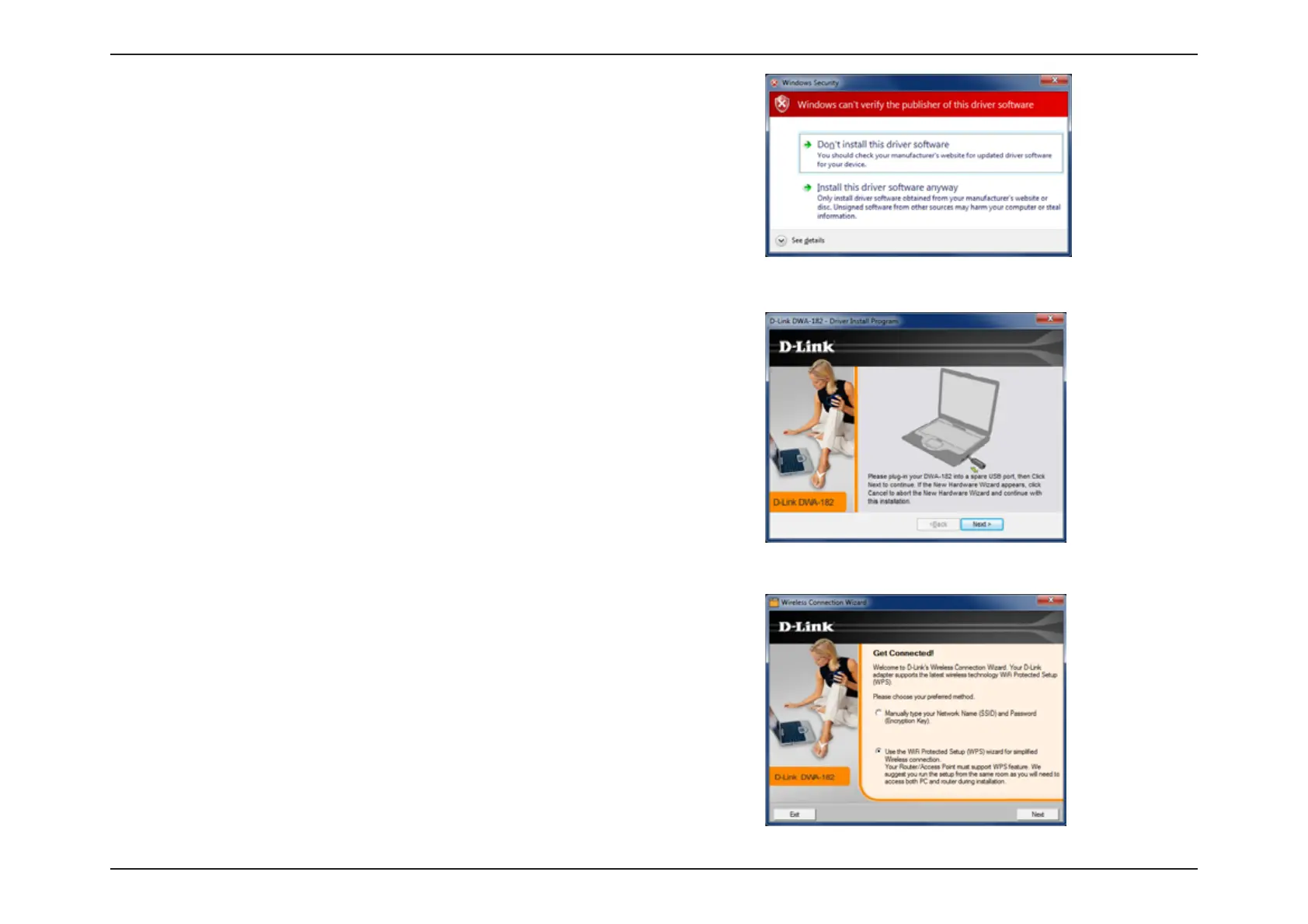
The drivers and software will now install. Please allow 1-2 minutes for this process
to nish.
5IF8JSFMFTT$POOFDUJPO8J[BSEXJMMOPXBQQFBS
*GZPVXBOUUPNBOVBMMZDPOOFDUUPBXJSFMFTTOFUXPSLSFGFSUPQBHF5IF
following instructions will connect you to a wireless network using Wi-Fi
®
Protected Setup (WPS). Click Next to continue.
Insert the adapter into an available USB port on your computer. Click Next to
continue.
If the Found New Hardware WizardBQQFBSTDMJDLCancel.
*GZPVSFDFJWFBNFTTBHFTUBUJOHUIBU8JOEPXTiDBOUWFSJGZUIFQVCMJTIFSPGUIJT
ESJWFSTPGUXBSFwDMJDLInstall this driver software anyway to continue.













 To Next Page