3D-Link DWR-978 User Manual
Section 1 - Product Overview
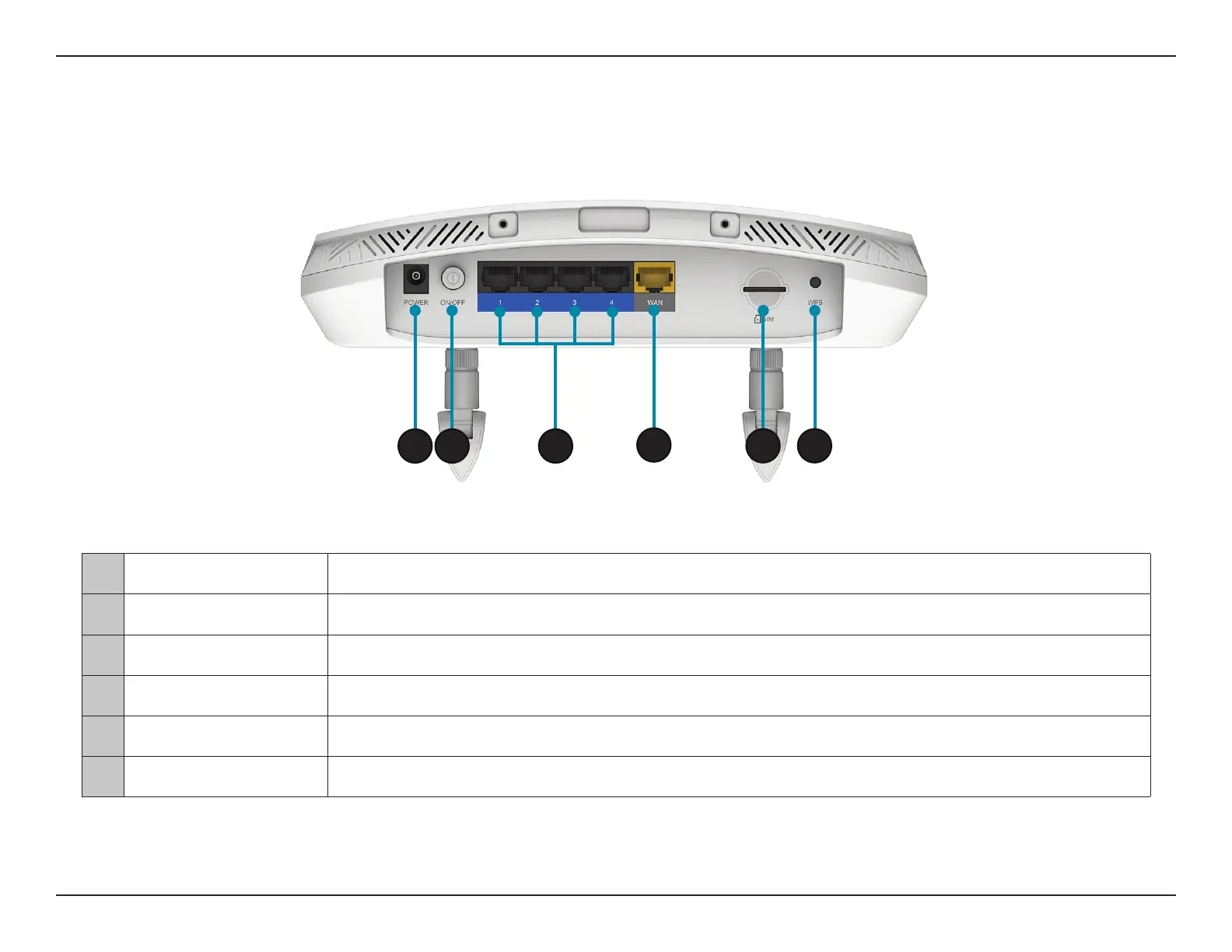
1 Power Connector Connects to the included power adapter.
2 Power Button Turns the device on or o.
3 Ethernet LAN Ports For connection to a network-enabled desktop or notebook computer.
4 Ethernet WAN Port For connection to a DSL/cable modem or router.
5 SIM card slot For mobile network connections.
6 WPS Button For WPS pairing with wireless devices.
1 2
3
4
5 6



 To Next Page