28D-Link DCS-910/920 User Manual
Section 3 - Configuration
Network Setup
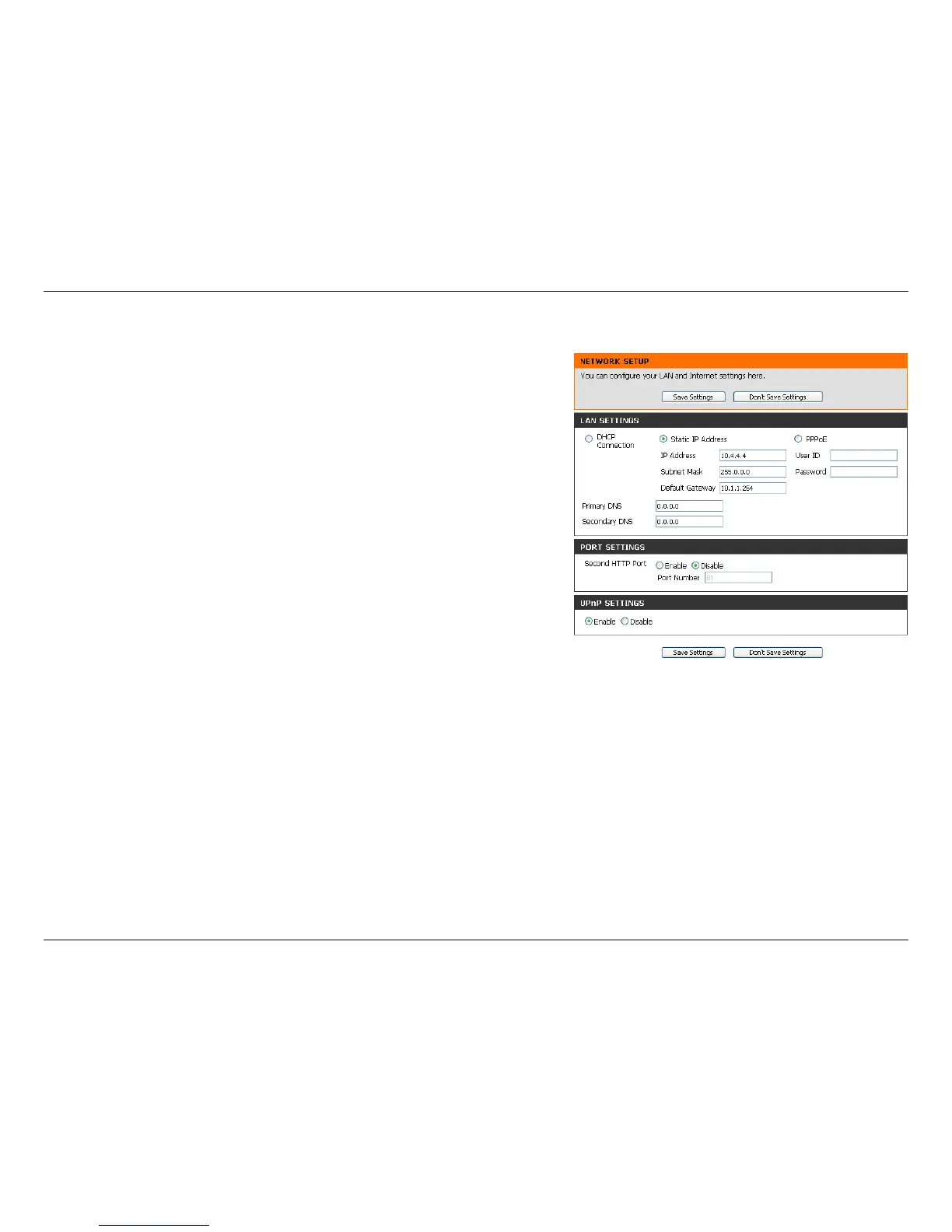
Select this connection if you have a DHCP server running on your
network and would like a dynamic IP address to be updated to your
camera automatically.
You may obtain a static or fixed IP address and other network information
from your network administrator for your camera. A static IP address will
ease you for accessing your camera in the future.
IP Address: The fixed IP address
Subnet Mask: The default value is “255.255.255.0.” Used to determine if
the destination is the same subnet.
Default Gateway: The gateway used to forward frames to destinations
in a different subnet. Invalid gateway settings may cause the failure of
transmissions to a different subnet.
Primary DNS: Primary domain name server that translates names to IP
addresses.
Secondary DNS: Secondary domain name server to backup the Primary
DNS.
You may configure a Second HTTP port that will allow you to connect
to the camera via a standard web browser. The port can be set to a
number other than the default TCP ports 80. A corresponding port must
be opened on the router. For example, if the port is changed to 1010,
users must type in the web browser “http://192.168.0.100:1010” instead
of “http://192.168.0.100”.
You may configure a Second HTTP port that will allow you to connect to the camera via a standard web browser. The port can be
set to a number other than the default TCP ports 80. A corresponding port must be opened on the router. For example, if the port is
changed to 1010, users must type in the web browser “http://192.168.0.100:1010” instead of “http://192.168.0.100”.
Enable this setting to configure your camera as an UPnP device in the network.
Port Settings:
UPnP Settings:
DHCP:
Static IP Client:
PPPoE Settings:
In this section, you can configure your network settings.















 To Next Page