5D-Link DCS-2120 User Manual
Section 1 - Product Overview
Introduction
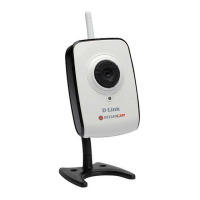
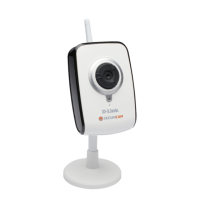
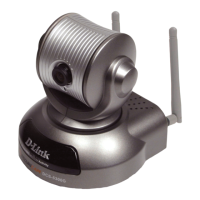
The D-Link SECURICAM Network DCS-2120 Wireless Internet Camera is a powerful surveillance system that connects
wirelessly to your 802.11b/g network. The DCS-2120 features enhanced 802.11b/g and connects wirelessly at a
rate of up to 54Mbps
1
(Megabits per second). The DCS-2120 differs from a conventional PC Camera because it is a
standalone system with a built-in CPU and Web server, providing a low-cost solution capable of solving demanding
security and home/office monitoring needs. Snapshot enables you to save images directly from a Web browser to a
local hard drive without installing any additional software. With 0.5 lux light sensitivity, the DCS-2120 is capable of
capturing video in rooms with minimal lighting. You can also zoom in with the DCS-2120’s 4x digital zoom
2
feature. The
DCS-2120 gives you the ability to monitor video and audio in your home/office using an Internet browser from any
where in the world! Simple installation procedures, along with the built-in Web-based interface offers easy integration
to your network environments.
Customers also have the ability to view live video streams from a compatible 3G cell phone. The live camera feed of
the D-Link Wireless Internet Camera can be pulled from the 3G cellular network by using a compatible cell phone with
a 3G video player
3
. From anywhere within the 3G service area, both consumers and small businesses are offered a
flexible and convenient way to remotely monitor a home or office in real time.
Note: Use of audio or video equipment for recording the image or voice of a person without their knowledge and consent
is prohibited in certain states or jurisdictions. Nothing herein represents a warranty or representation that the D-Link
product provided herein is suitable for the end-user’s intended use under the applicable laws of his or her state. D-Link
disclaims any liability whatsoever for any end-user use of the D-Link product, which fails to comply with applicable
state, local, or federal laws.
1
Maximum wireless signal rate derived from IEEE Standard 802.11g specifications. Actual data throughput will vary. Network conditions and environmental factors
lower actual data throughput rate.
2
4x digital zoom enlarges an image by magnifying the pixels in a selected portion of the image by 4 times.
3
3G phone must be equipped with 3G video playback such as RealPlayer
®
or PacketVideo for Symbian or PocketPC.




 To Next Page