85D-Link DCS-2120 User Manual
Section 3 - Configuration
Primary Schedule
Schedule with Time Lines
There are two different time-lines: hour unit time-line and week unit time-line. You can make your own schedule by
plotting markers in all time-lines. These two time lines are associated with each other. That is, if you make changes in
one time-line, the corresponding changes will be applied with scale to the other three time-lines in the same schedule.
Before you begin, make sure that you select “Once” (page 83) if you want to choose the days to record on.
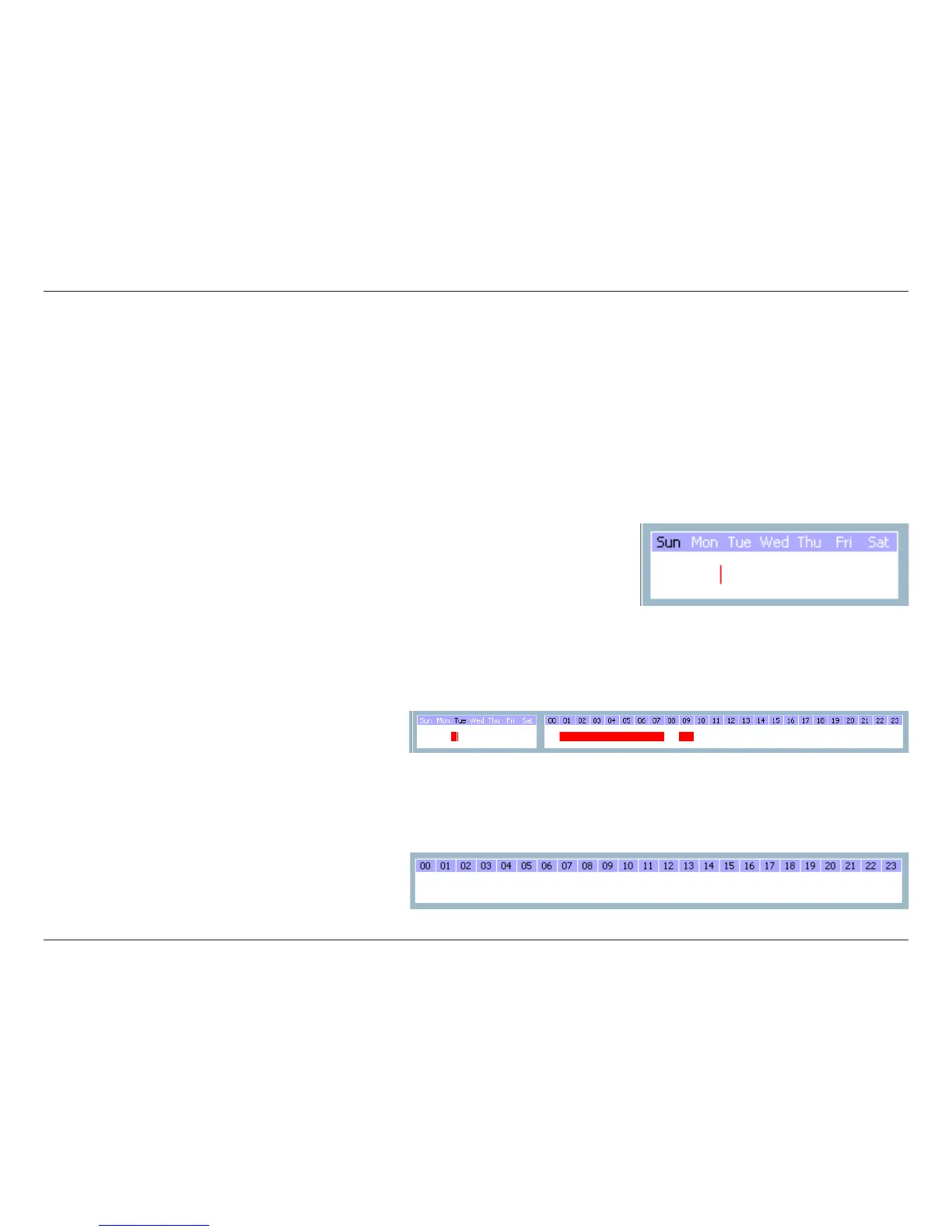
Week Time-Line
In the figure below, Week time-line is displayed. It includes the time-line, schedule information, and the selected day
in the week.
Marking/Unmarking the Recording Time on the Week Time-Line
The corresponding changes for the markers on the week time-line will be automatically added to the hour time-lines,
which is shown above. You can also mark and unmark the plotted bar by clicking and dragging with the left and the
right mouse button.
Hour Time-Line
In the figure below, the Hour time-line is displayed.












 To Next Page