73D-Link DCS-2120 User Manual
Section 3 - Configuration
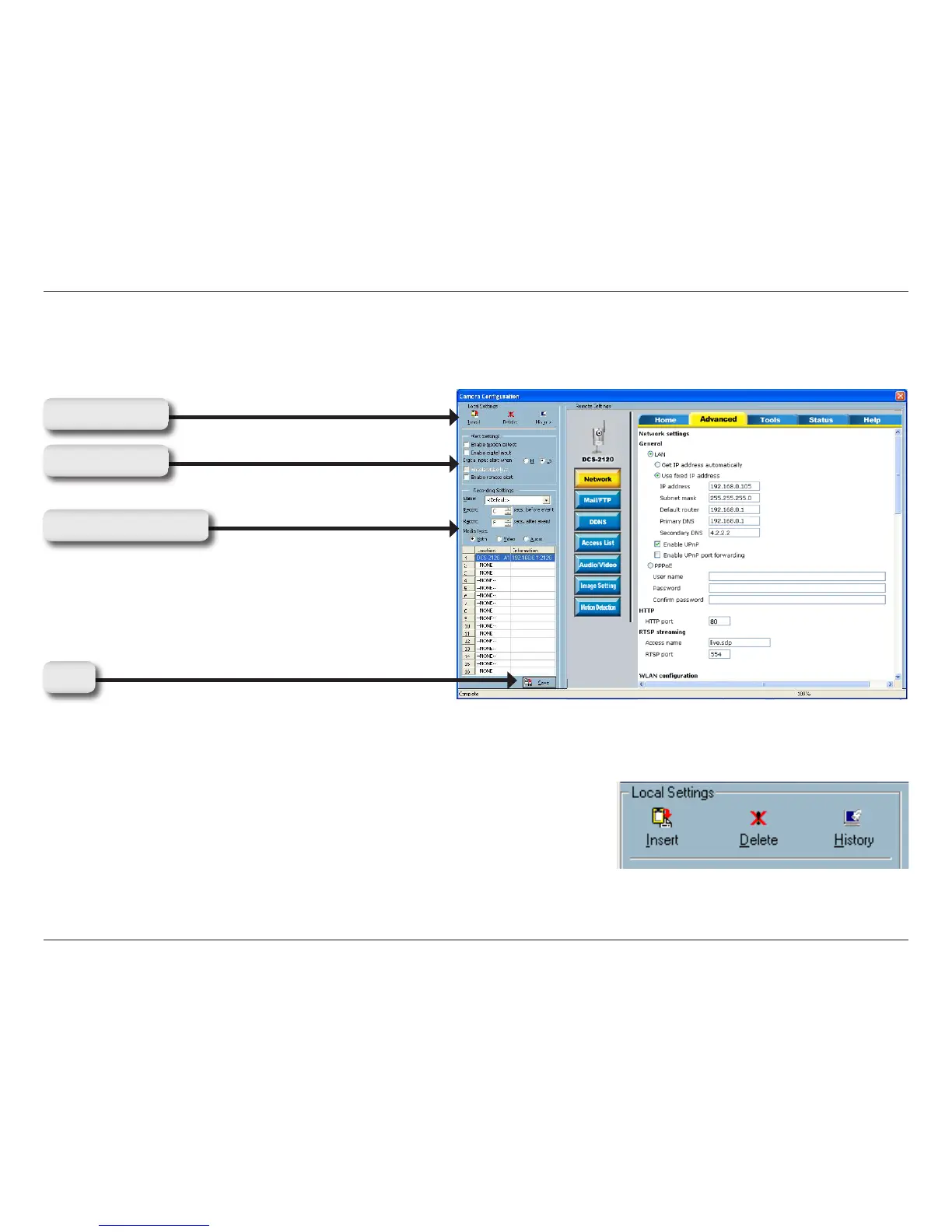
Click to insert a new camera to the list.
Click to delete a camera from the list.
Click to view the history of all cameras in the list.
This section discusses the local settings for the connection and the functional configuration of each camera. If you are
interested in the remote settings for each camera, you can refer to “Using the DCS-2120 with an Internet Browser”
(page 29).
The Layout of the Configuration
In the local settings, shown below, three main functionalities are provided:
Insert:
Delete:
History:
Load Settings
Alert Settings
Recording Settings
Save




 To Next Page