80D-Link DCS-2120 User Manual
Section 3 - Configuration
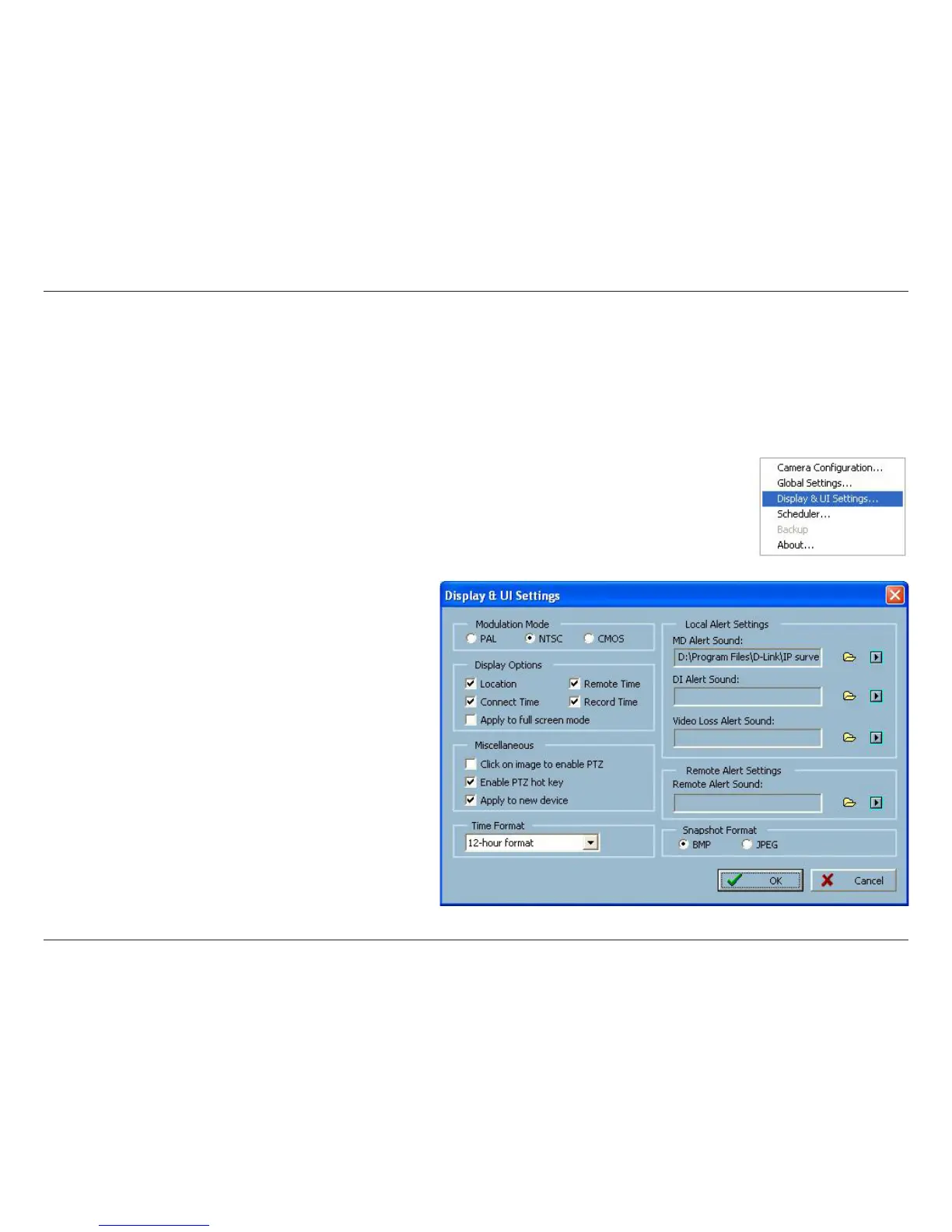
You must select the input signal format (NTSC or PAL) for displaying the original resolution of video stream
from DCS-2120.
Enable/Disable the time displaying on the video image.
Allows the user to pan and tilt the camera from the video image.
Note: This option does not apply to the DCS-2120 Camera.
You can load a custom *.wav file for the alert triggering sound, or you can select a
sound file from the Windows
®
sound file directory.
Display & UI Settings
Modulation Mode:
Display Option:
Misc:
Alert Sound:




 To Next Page