83D-Link DCS-2120 User Manual
Section 3 - Configuration
Start the Scheduler
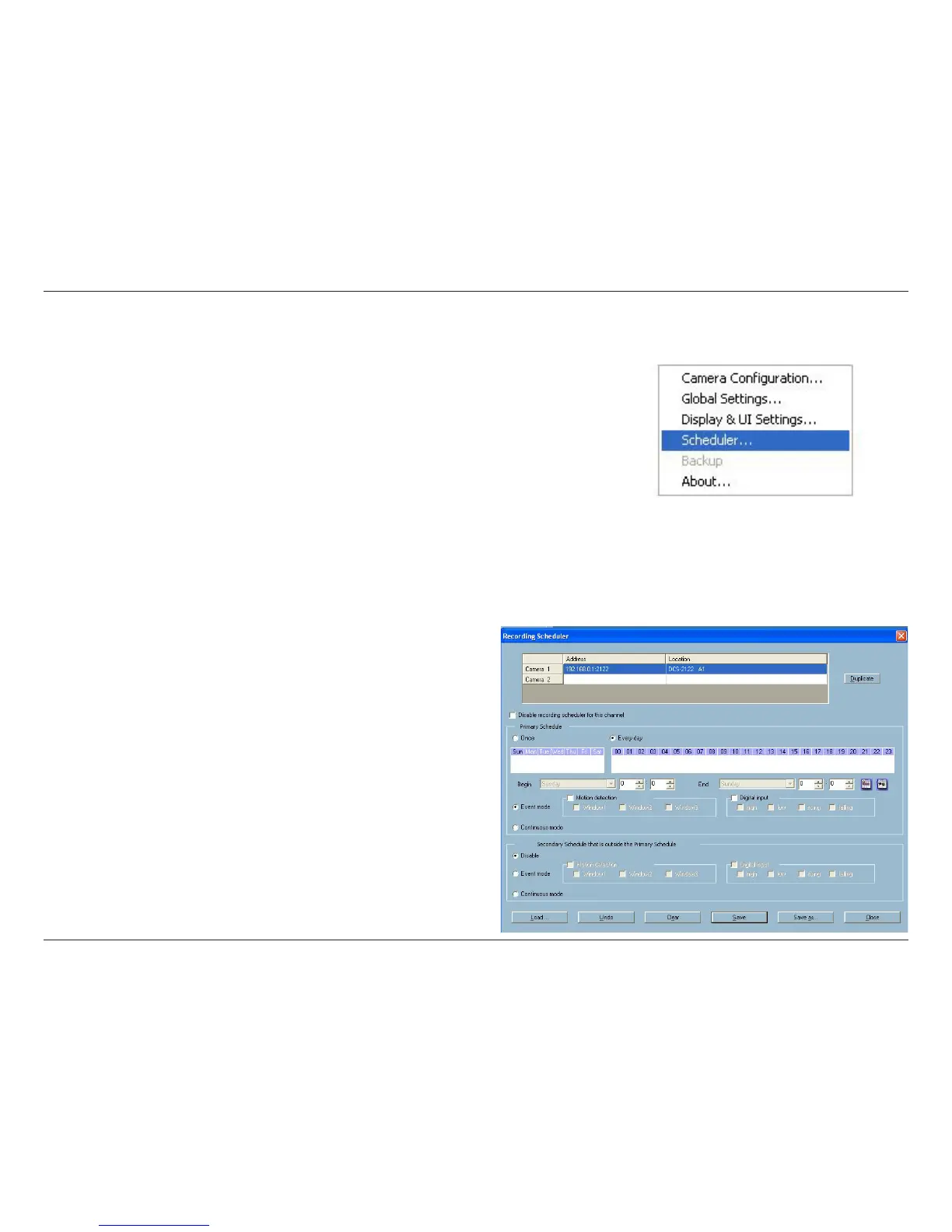
The scheduler will not be accessible until at least one camera has been added to the camera list. Go to the configuration
menu and click on Scheduler to launch the Scheduler.
The Layout and Functionalities
Introduction
The layout of the scheduler and its components, shown
below, will be described. The layout of the scheduler is
roughly divided into 4 parts: Video Channel Selection Area,
Primary schedule settings, Secondary schedule settings, and
Operation Buttons.





 To Next Page