70D-Link ShareCenter DNS-327L User Manual
Section 4 - Conguration
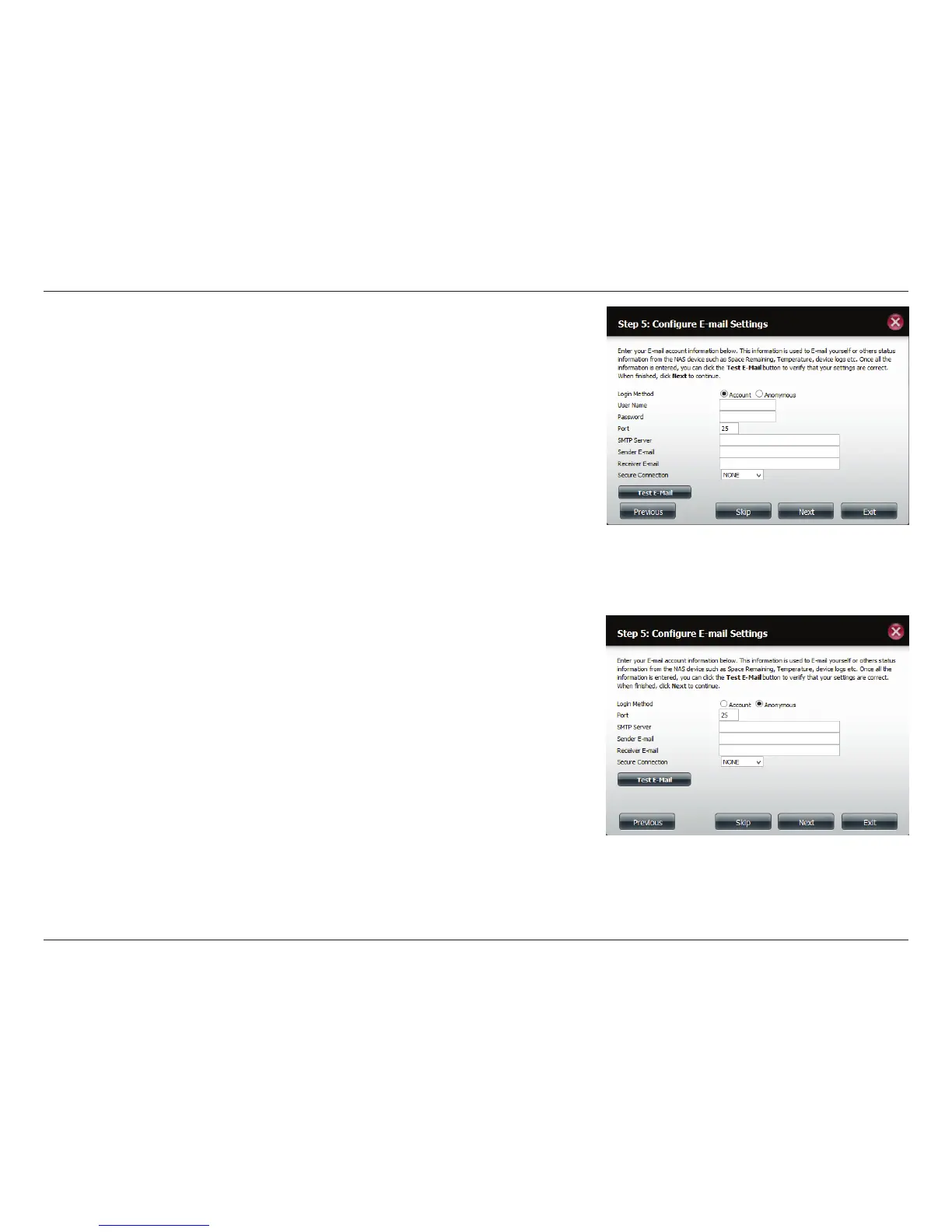
The DNS-327L can be congured to send e-mails containing status informa-
tion to you or another designated person.
To send e-mails from a specic account, click Account and enter your e-mail
account User Name, Password, Port, SMTP Server, and Sender E-mail.
Next, enter the e-mail account which you wish to send e-mail alerts to in the
Receiver E-mail eld. If you require a secure e-mail connection, select your
Secure Connection type from the drop-down menu. Click the Test E-mail
button to test your settings.
If you want to send e-mails without using a specic account, click Anony-
mous to create an e-mail account with no specic settings.
Enter your e-mail server’s Port and SMTP Server, and then enter the Sender
E-mail and Receiver E-mail. If you require a secure e-mail connection, select
your Secure Connection type from the drop-down menu. Click the Test E-
mail button to test your settings.
Click Next to continue or click Skip to ignore these settings.



 To Next Page
 Loading...










