239D-Link ShareCenter DNS-345 User Manual
Section 4 - Conguration
Adding an SMS Service Provider
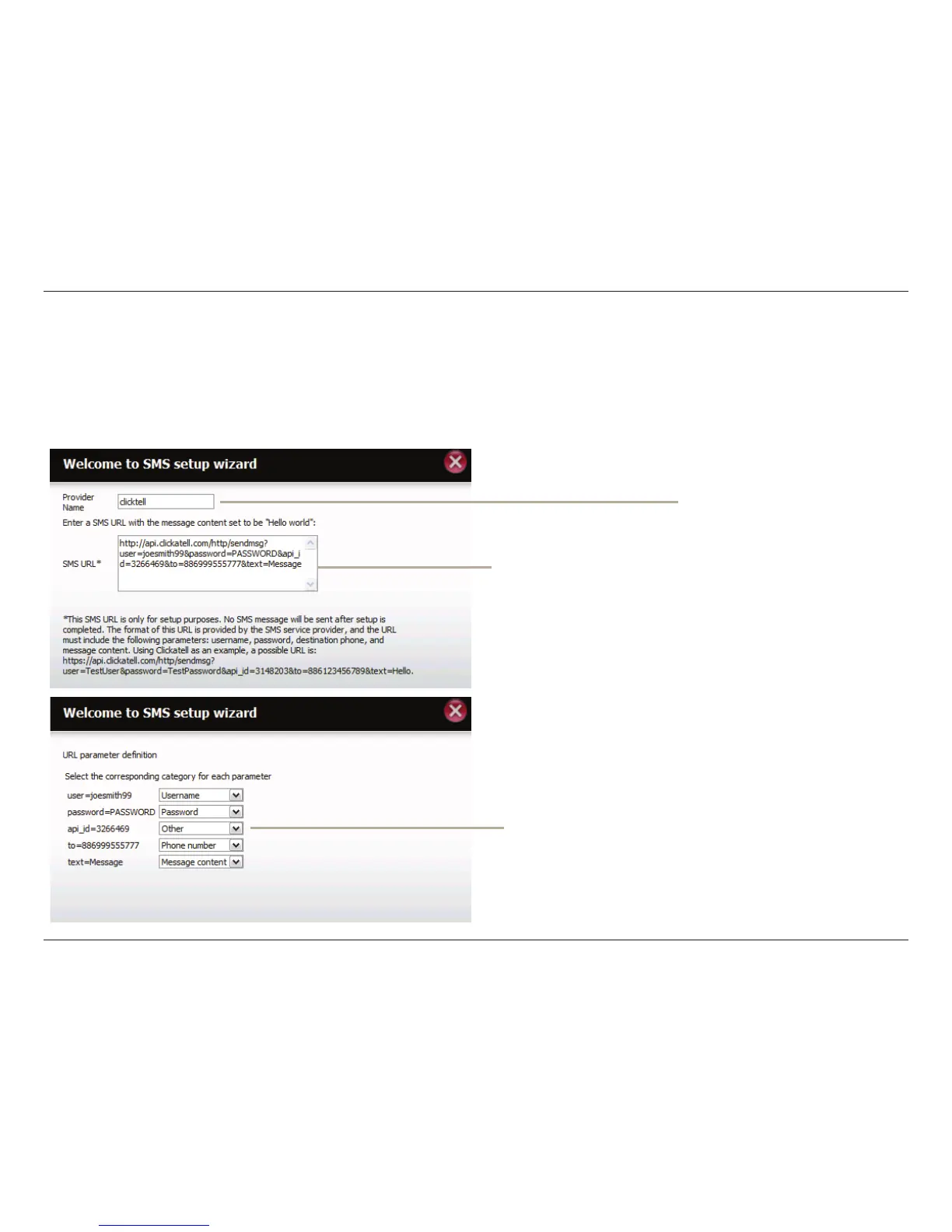
Once you have a SMS Service provide you with a HTTP API URL, enter it into the Add SMS Service Provider wizard. Enter the URL in the rst window
with an appropriate Provider Name. In the next window select the appropriate HTTP API URL parameter types denitions from the drop-down
menus next to the parsed elds of the URL.
Enter the HTTP API URL
provided to you.
Enter your SMS Provider
name here.
Choose the appropriate type parameter in the
drop-down menu for the parsed parameters of
the URL on the left.



 To Next Page
 Loading...











