10 | QB1 User Manual
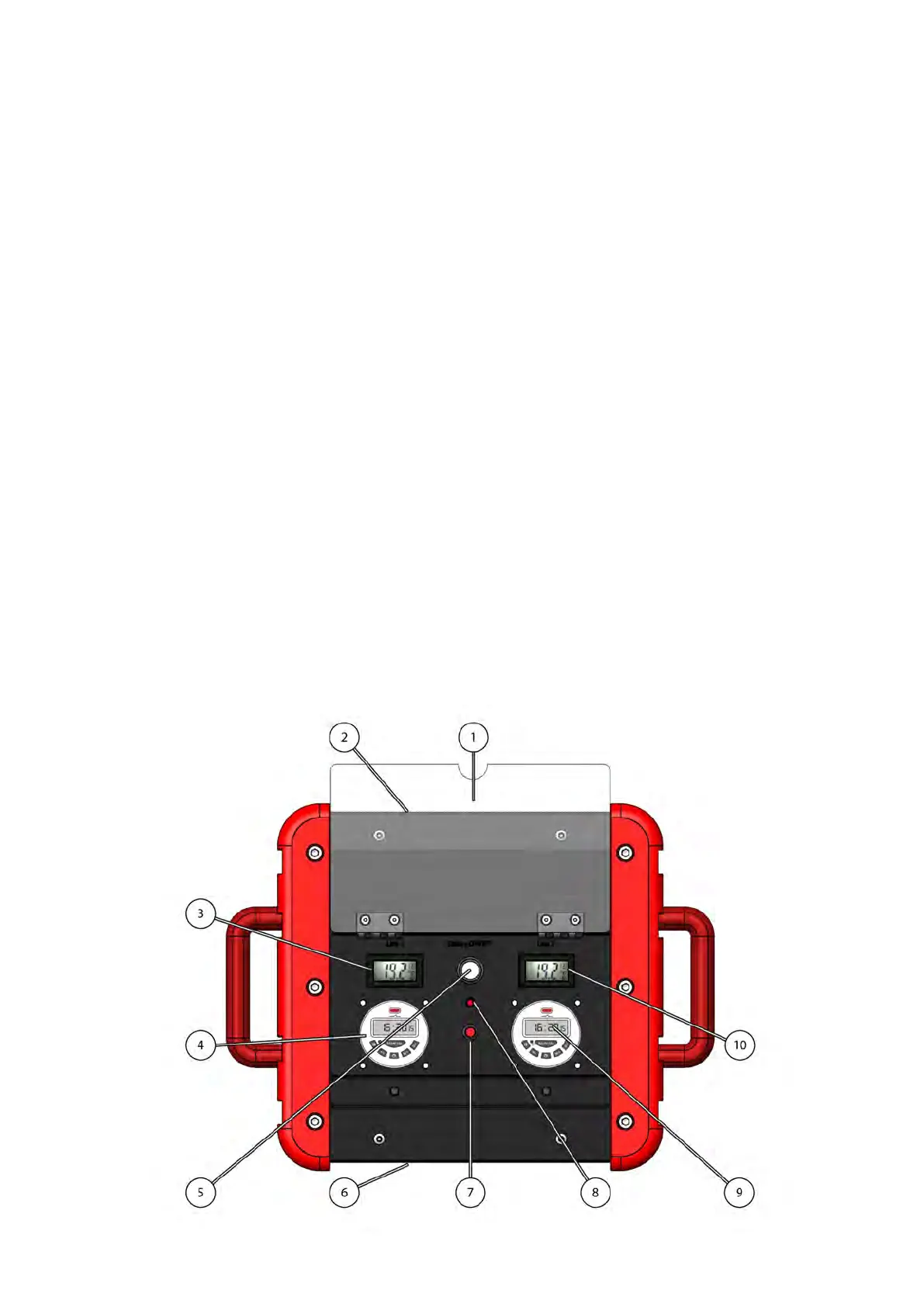
Controls panel QB1 V2x5DC
QB1-D
1. Polycarbonate protection cover
2. LINE 1 Dry Gas Meter, with 0.1 liters resolu-
tion
3. Temperature of the sampled gas on LINE 1
4. LINE 1 Turn-on timer programmer
5. Battery power switch
6. LINE 2 Dry Gas Meter, with 0.1 liters resolu-
tion
7. Reset button after battery recharge
When the battery is low, the electronic discon-
nect it to avoid damages. Once disconnected, in
order to restore the battery operation, perform a
complete charge cycle and press the reset button
8. Battery status led:
Green = charged battery
Yellow = battery about to die
Red = low battery
9. LINE 2 Turn-on timer programmer
10. Temperature of the sampled gas on LINE 2


 To Next Page