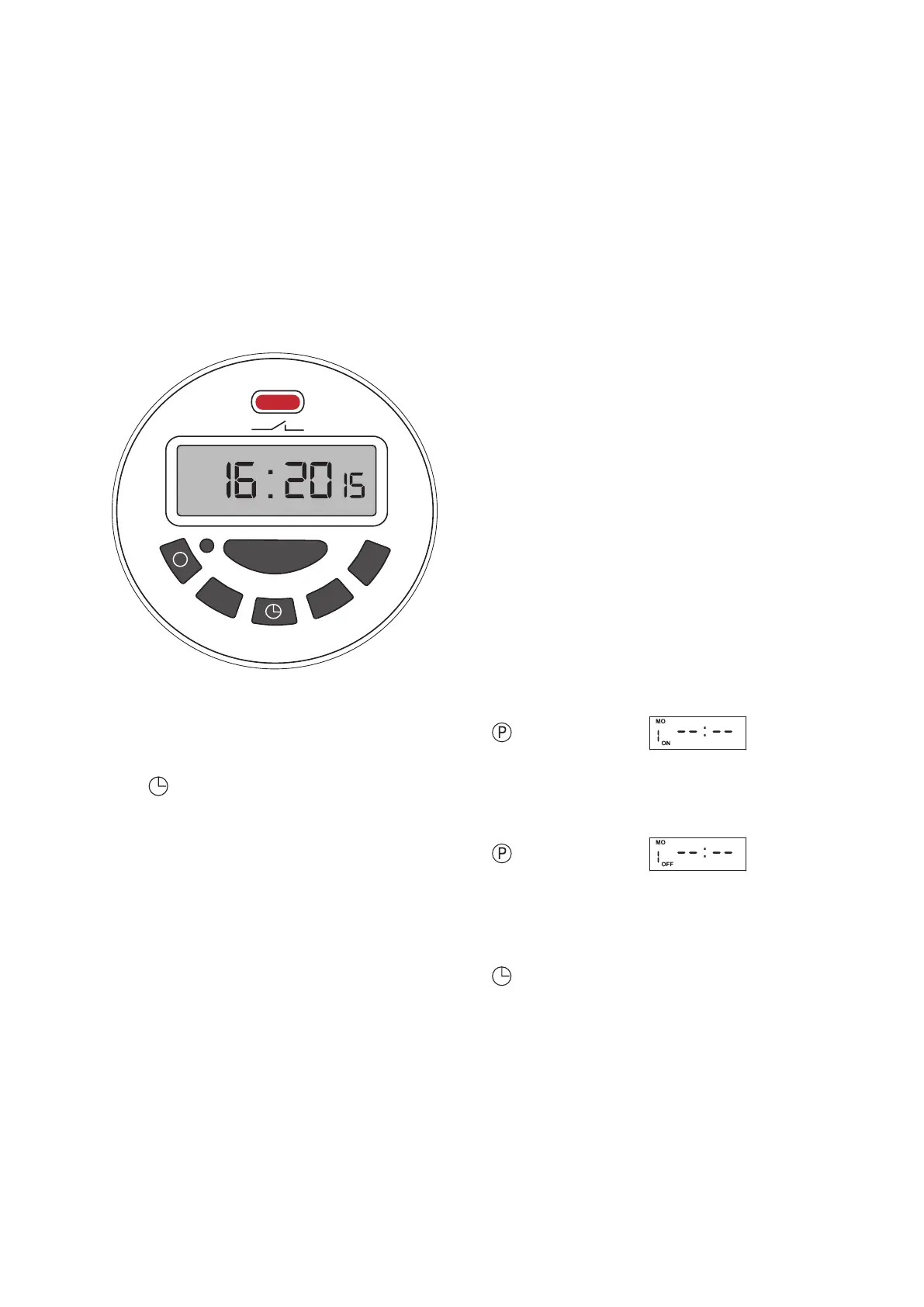
AUTO
MO
MANUA L
M+
D+
H+
P
C
ENGLISH | 11
Pump manual ON / OFF
Pressing the MANUAL Pressing the MANUAL key
you can force the start of the pump.
is key is active also during a time based program.
At every press, the display will shows (in sequence):
AUTO Automatic execution of the set program
OFF Pump OFF
ON Pump ON
How to program timed sam-
pling
You can program up to six turn on and o within
the same day. To set up a time turn on proceed as
follow:
Press the display will show
Press D+ to select the day of the week (15 dierent
combinations available)
e press H+ for the hour and M+ for the minutes
of the rst turn on.
Press the display will show
As for the turn on, select the day with D+, hour
with H+ and minutes M+. Press <P> to conrm
If you want to add new timed turn on, proceed with
the second ON
Press to activate the program..
Date and Time
Press the “C” key to reset the actual program before
starting
Hold and press:
D+ to set day of the week
H+ to set hour
M+ to set minutes
e instrument is equipped with a Lithium battery
to backup date and time information, this also allow
the automatic restart after power failure.
e Lithium battery recharges when the instrument
is connected to power supply and switched on [ I ].
3
Timer setup


 To Next Page