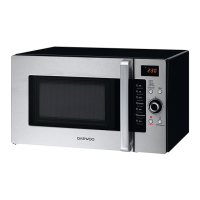
KOC-9Q4T _9
Please read this OPERATION section for the proper safety information and the operating instructions before using the oven.
Prior to setting the controls, place one cup of water in the oven, in a heat-proof glass measuring cup, for testing purposes.
The oven could be damaged if you operate the oven in microwave mode without anything in the cavity.
TIPS
When the cooking time has elapsed the oven beeps three times and "End" appears on the display. The glass turntable stops and
the oven-light turns off. The oven will continue to beep every one-minute until either the STOP/CLEAR button is pressed or the
door is opened. Opening the door while cook is in progress will cause the oven to stop and any displayed countdown will pause.
If the START/SPEEDY COOK button is pressed, the countdown will resume. If the STOP/CLEAR button is pressed, the cook will
cancel. The oven can display the set cooking time in 10 second steps (up to 5 minutes cooking time), in 30 second steps (up to 10
minutes cooking time), and in 1 minute steps (up to 60 minutes cooking time).
When the door is opened after cooking, the cooling fan may start to operate for 5 minutes to cool down the inside of oven.
(Display shows "cool" and " :0 or clock")
Also note that when the Cooling mode operates, lamp, tray, and fan runs at the same time and “cool” shows on the display.
NOTE
OPERATION


 To Next Page
 Loading...