Selection of AV and
Multimedia Input Signal
33
- See page 12 for connection method of Camcorder and Video.
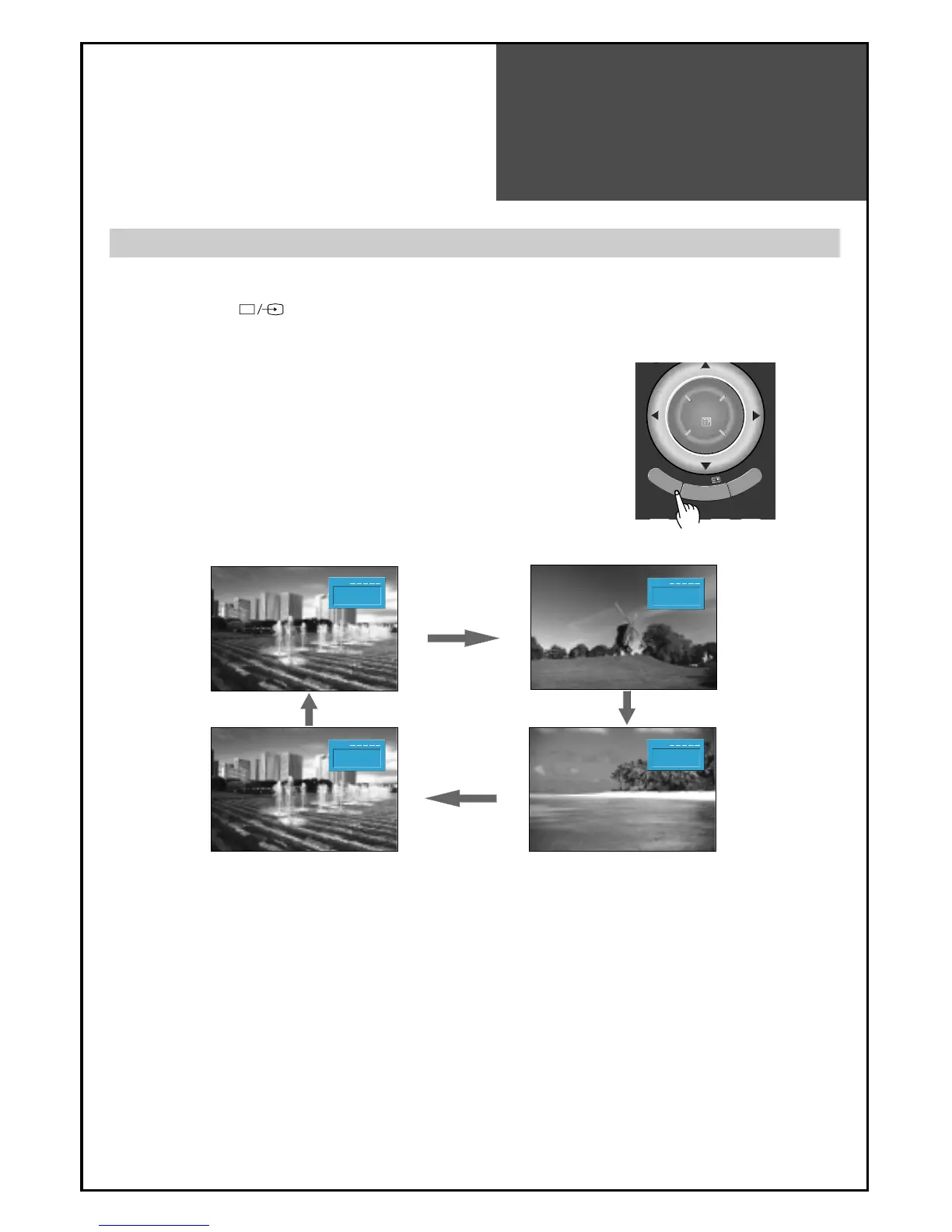
- When pressing
””
button on the TV set, screen changes as follows:
TV => AV1 => AV2(CVBS) => AV2(S-Video) => COMP => PC => HDMI1 => HDMI2 => HDMI3 => TV
Note :
Cautions in menu setup
•The menu disappears if you do not operate any button for about 25 seconds from the menu
appearing.
•If sound signal is mono only, connect the white phono plug to the LEFT (L)-terminal of the sound input
terminal on the TV.
When watching video, Camcorder, DVD, Cable TV with AV
1.
Pressing the (TV/AV) button on the remote controller.
• The screen changes as follows:
TV => AV1 => AV2(CVBS) => AV2(S-Video)




 To Next Page