User's Manual
258
Connected USB storage device
Click Export.
There is a folder under the name style of "Config_[YYYYMMDDhhmmss]". Double-click this
folder to view the backup files.
Importing System Settings
Insert a USB storage device containing the exported configuration files from another Device)
into one of the USB ports on the Device.
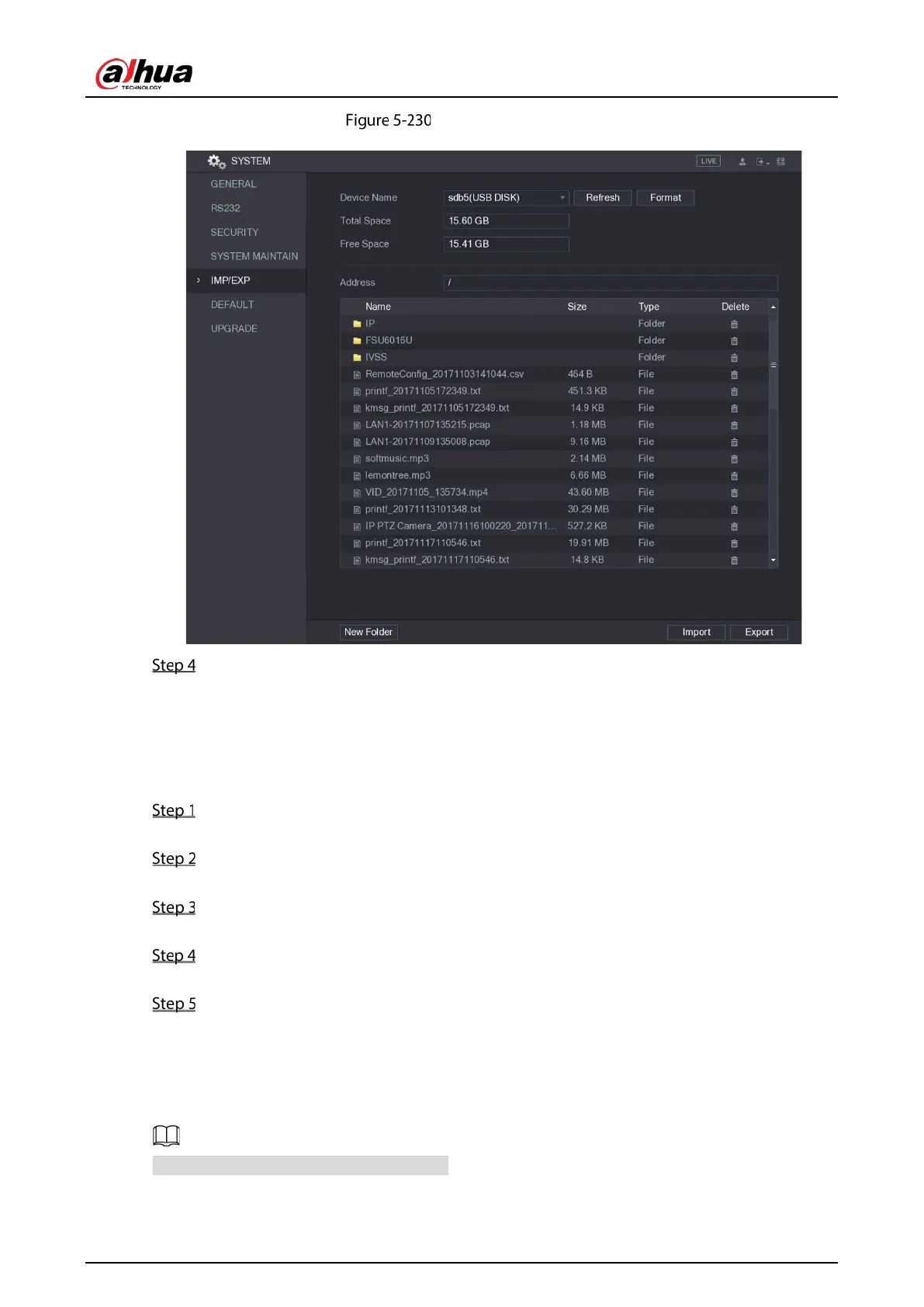
Select Main Menu > SYSTEM > IMP/EXP.
The IMP/EXP interface is displayed.
Click Refresh to refresh the interface.
The connected USB storage device is displayed.
Click on the configuration folder (under the name style of "Config_[YYYYMMDDhhmmss]")
that you want to import.
Click Import.
The Device will reboot after the imported is succeeded.
5.18.6 Restoring Default Settings
Only Admin account supports this function.
You can select the settings that you want to restore to the factory default.


 To Next Page
 Loading...

