Basic Operations 12
4.6.1 Displaying Programs from Platform
4.6.1.1 Procedure
Procedure Figure 4-6
Table 4-2 Procedure description
Connecting Signage to network
Connecting Signage to platform
Receiving programs from platform
4.6.1.2 Connecting Signage to Network
4.6.1.2.1 Connecting Signage to Network
Connect your Signage to network by Ethernet, WLAN, 4G or Virtual Private Network (VPN).
After your Signage is networked, it can be used as a hotspot for other devices.
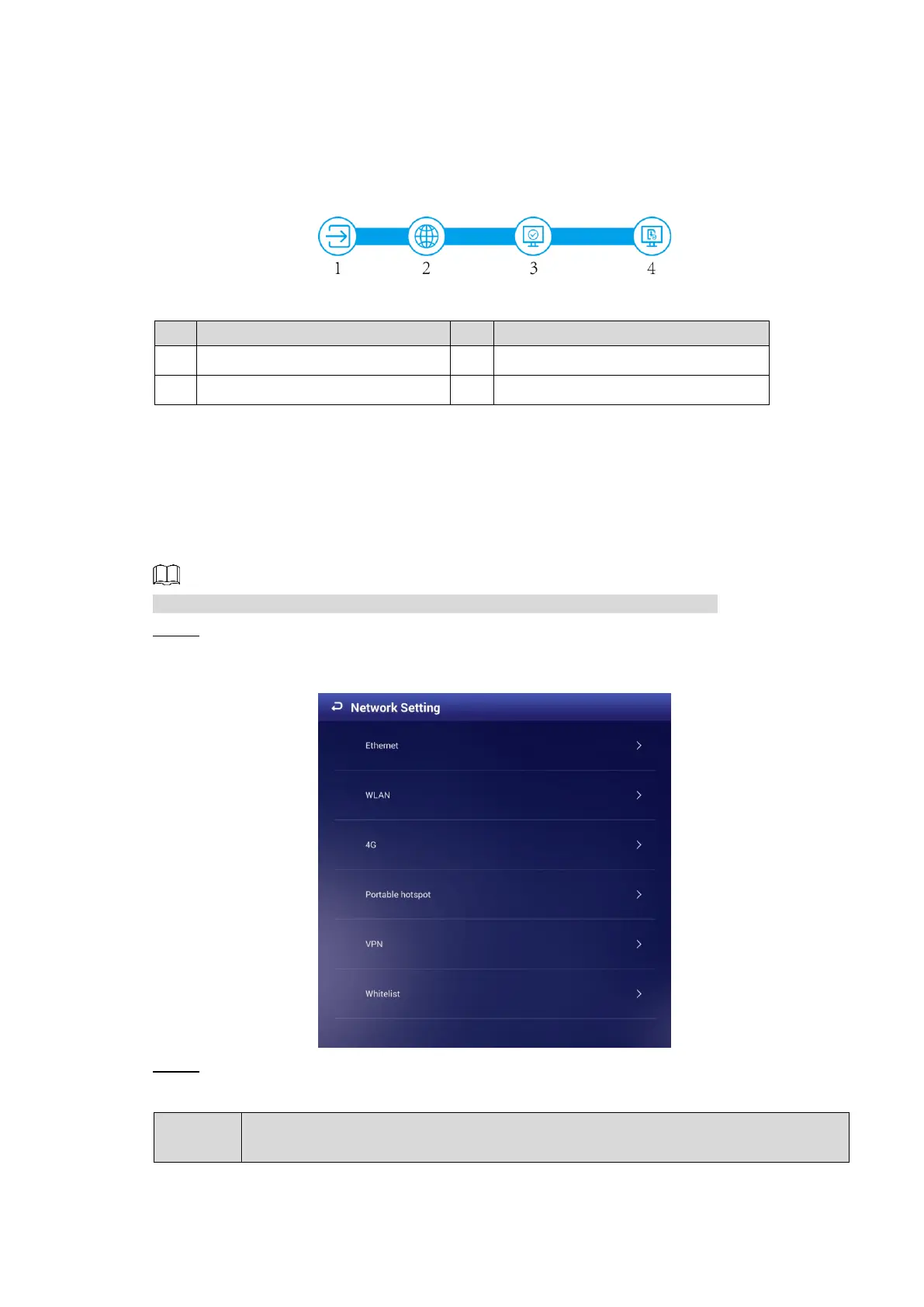
In main menu, select Settings > Network Setting. Step 1
The Network Setting interface is displayed. See Figure 4-7.
The network setting interface Figure 4-7
Select and configure the network type you want to use. See Table 4-3 for details. Step 2
Table 4-3 Network types description



 To Next Page
 Loading...