System Maintenance 27
6 System Maintenance
Maintenance Requirements 6.1
It is recommended to:
Modify the user password every three months.
Reboot this device regularly.
Upgrade firmware regularly.
Modifying Password 6.2
For system security, regularly change the password and adopt the strong password. Keep the
password properly after your modification.
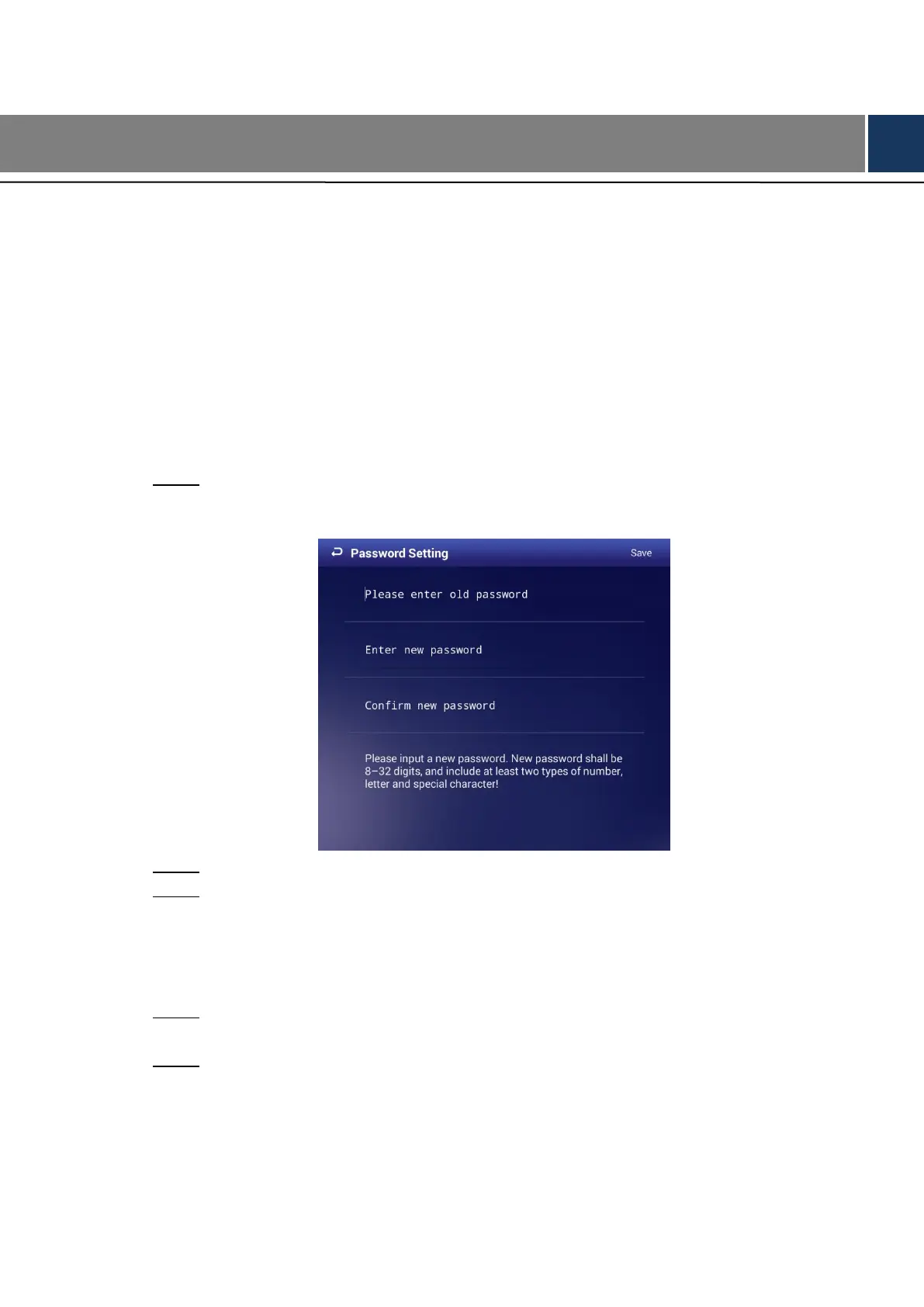
In main menu, select Settings > Password Setting. Step 1
The Password Setting interface is displayed. See Figure 6-1.
The password setting interface Figure 6-1
Type old password, new password. Then type your new password again to confirm it. Step 2
Click Save. Step 3
Rebooting Your Signage
6.3
Manually reboot your device to handle problems such as system non-fluency.
In main menu, select Settings > Maintenance and Upgrade. Step 1
The Maintenance and Upgrade interface is displayed.
Click Reboot Now. Step 2
The Reboot Now interface is displayed. See Figure 6-2.



 To Next Page
 Loading...