33
MODE DEFINITION
LED FLASHING PATTERN RECOMMENDED ACTIONS NOTES
1
Normal Operation No faults to report.
Slow LED flashing pattern
(2 seconds on and 2 seconds off)
No actions needed.
2
R32 Leak Alarm
R32 leak is currently being detected. Fast LED Flashing Pattern
A technician will need to find where the refrigerant leak
and address it. Unit shall be thawed before servicing.
In terms of the controls, no action is needed.
The controls and sensor are working fine.
3
Delay Mode
After R32 leak or alarm has been
cleared, the unit will remain in
alarm mode for 5 minutes before
returning to normal operation.
LED will be on continuously
No action needed - If the system was previously
experiencing an actual R32 Leak, the refrigerant can no
longer be detected by the sensor meaning it's either gone
and the system won't work anymore or there was a false
alarm. If the system was experiencing a Fault, the fault is
gone and the system will return to normal operation in 5
After any alarm or fault, it is required to remain
in R32 mitigation mode for 5 minutes.
4
System
Verification Mode
Manual test run by contractor to
simulate R32 Leak Alarm (test will
last for 5 minutes max).
Fast LED Flashing Pattern No actions needed.
To enter system verification test mode, press
the button on the control 2 times within 5
seconds. The control will enter a simulated R32
Leak Alarm state and remain in that mode for 5
minutes. After 5 minutes, the control will
return to Normal Operation automatically. If
the contractor wants to end the test early they
need to press the button one time.
5
Control Board
Internal Fault
Control board has detected an issue
with the R32 detection system.
LED will flash 2 times and then
be off for 5 seconds, before
repeating pattern
1) Unplug and plug the R32 sensor back in. Cycle power to
the system.
2) If the control is in "Normal Operation" or "Delay Mode",
there is no more issue. If not, continue with diagnostics
3) Unplug R32 sensor and leave unplugged. Cycle power to
the system
4) If the control still displays "Control Board Internal Fault"
(2 flash pattern), replace the control. If the control now
displays "R32 Sensor Communication Fault" (3 flash
pattern), replace the sensor.
This error could indicate an on board relay
failure or a short with the sensor
communications. A sensor communication
short could occur on the board itself or external
to the board. These steps will determine if the
error is on the board or external to the board.
6
R32 Sensor
Communication Fault
Control board does not have
communications with R32 sensor.
LED will flash 3 times and then
be off for 5 seconds, before
repeating pattern
1) Unplug and plug the R32 sensor back in. Cycle power to
the system.
2) If control is in "Normal Operation" or "Delay Mode",
there is no more issue. If not, continue with diagnostics.
3) If the control still displays "R32 Sensor Communication
Fault" (3 flash pattern), replace both the sensor and the
PCB.
If the control cannot talk to the sensor there
could be a problem with the sensor, a problem
with the sensor harness or a problem internal
to the control. The field will not be able to
measure anything to reliably fix this error
assuming the connector is properly secured to
the control. Replacing both is the only option.
R32 Sensor Fault
R32 Sensor has reported an internal
issue.
LED will flash 4 times and then
be off for 5 seconds, before
Replace R32 sensor.
Communications to the sensor are
perfectly fine. The sensor itself is reporting an
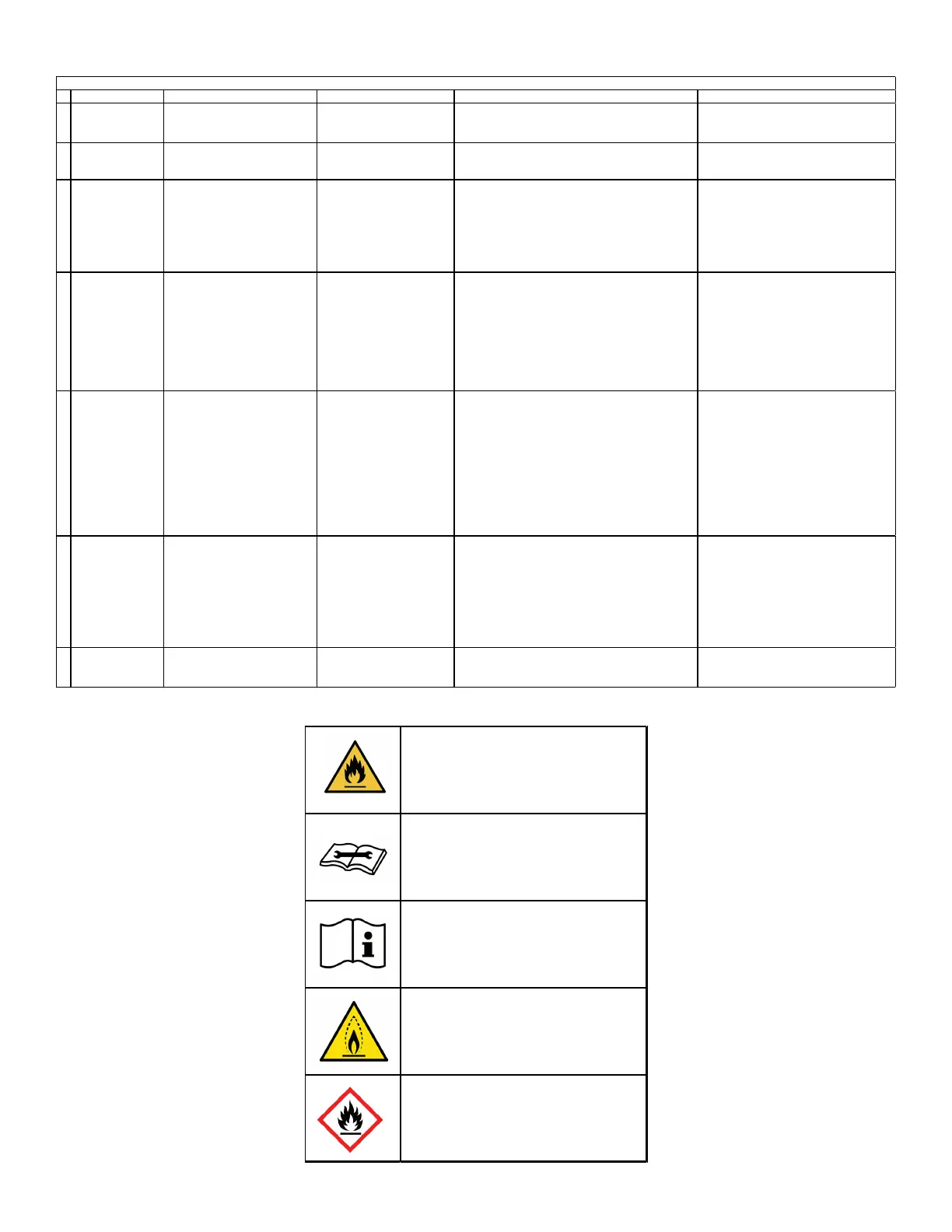
TROUBLESHOOTING CODE
warning; flammable materials
service indicator; read
technical manual
operator's manual; operating
instructions
warning; low burning velocity
material
UN GHS flame symbol


 To Next Page