10 | Configuration
Installer reference guide
149
ERGA04~08EAV3(A) + EHVH04+08SU18+23EA6V
Daikin Altherma 3 R F
4P629090-1 – 2020.08
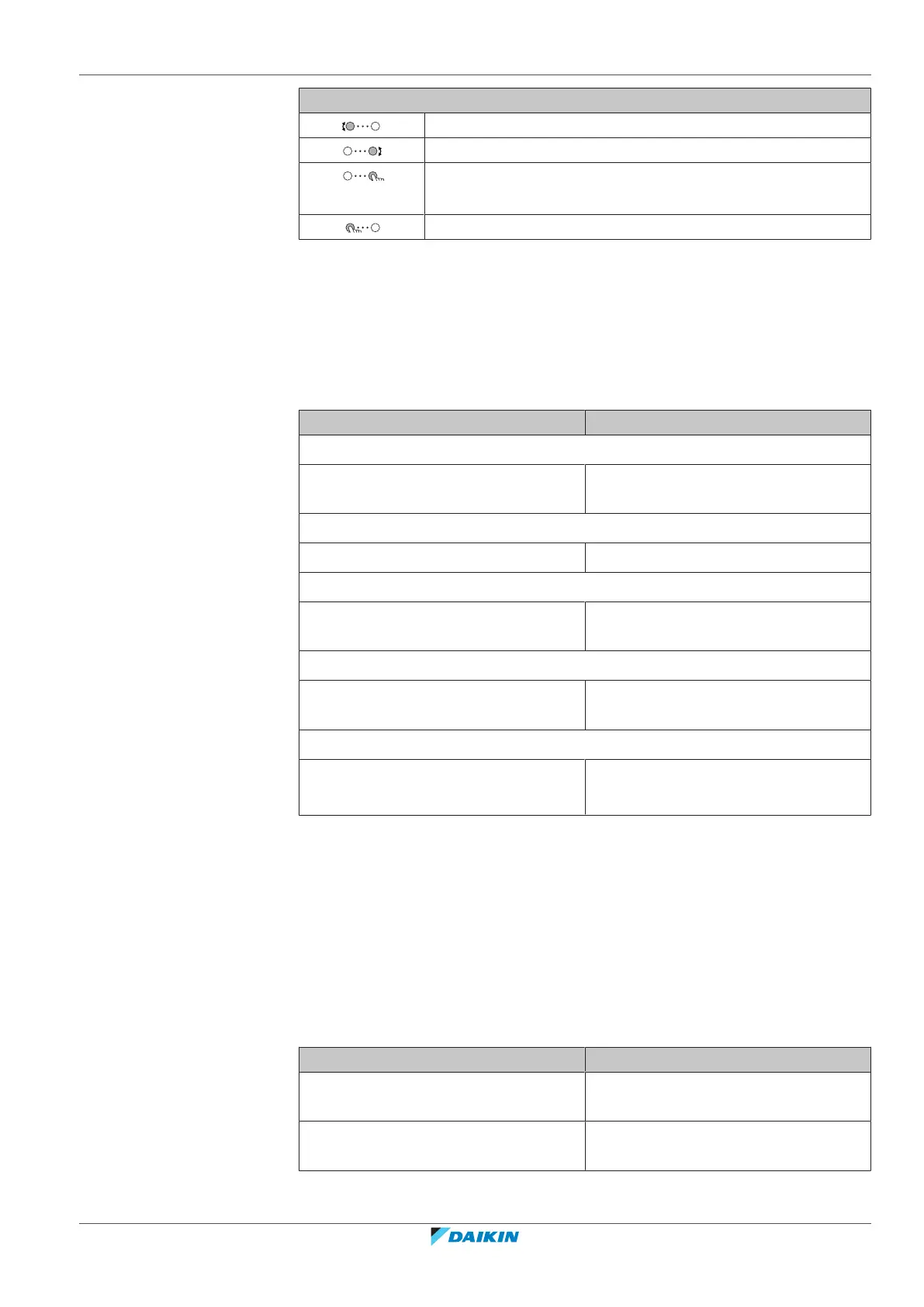
Possible actions on this screen
Select slope or offset.
Increase or decrease the slope/offset.
When slope is selected: set slope and go to offset.
When offset is selected: set offset.
Confirm changes and return to the submenu.
10.4.4 Using weather-dependent curves
Configure weather-dependent curves as following:
To define the setpoint mode
To use the weather-dependent curve, you need to define the correct setpoint
mode:
Go to setpoint mode … Set the setpoint mode to …
Main zone – Heating
[2.4] Main zone > Setpoint mode WD heating, fixed cooling OR
Weather dependent
Main zone – Cooling
[2.4] Main zone > Setpoint mode Weather dependent
Additional zone – Heating
[3.4] Additional zone > Setpoint
mode
WD heating, fixed cooling OR
Weather dependent
Additional zone – Cooling
[3.4] Additional zone > Setpoint
mode
Weather dependent
Tank
[5.B] Tank > Setpoint mode Restriction: Only available to installers.
Weather dependent
To change the type of weather-dependent curve
To change the type for all zones (main + additional) and for the tank, go to [2.E]
Main zone > WD curve type.
Viewing which type is selected is also possible via:
▪ [3.C] Additional zone > WD curve type
▪ [5.E] Tank > WD curve type
Restriction: Only available to installers.
To change the weather-dependent curve
Zone Go to …
Main zone – Heating [2.5] Main zone > Heating WD
curve
Main zone – Cooling [2.6] Main zone > Cooling WD
curve



 To Next Page