11 | Configuration
Installer reference guide
211
ERLA11~16DAV3+W1 + EBVH16SU23DJ
Daikin Altherma 3 R F
4P655196-1 – 2021.09
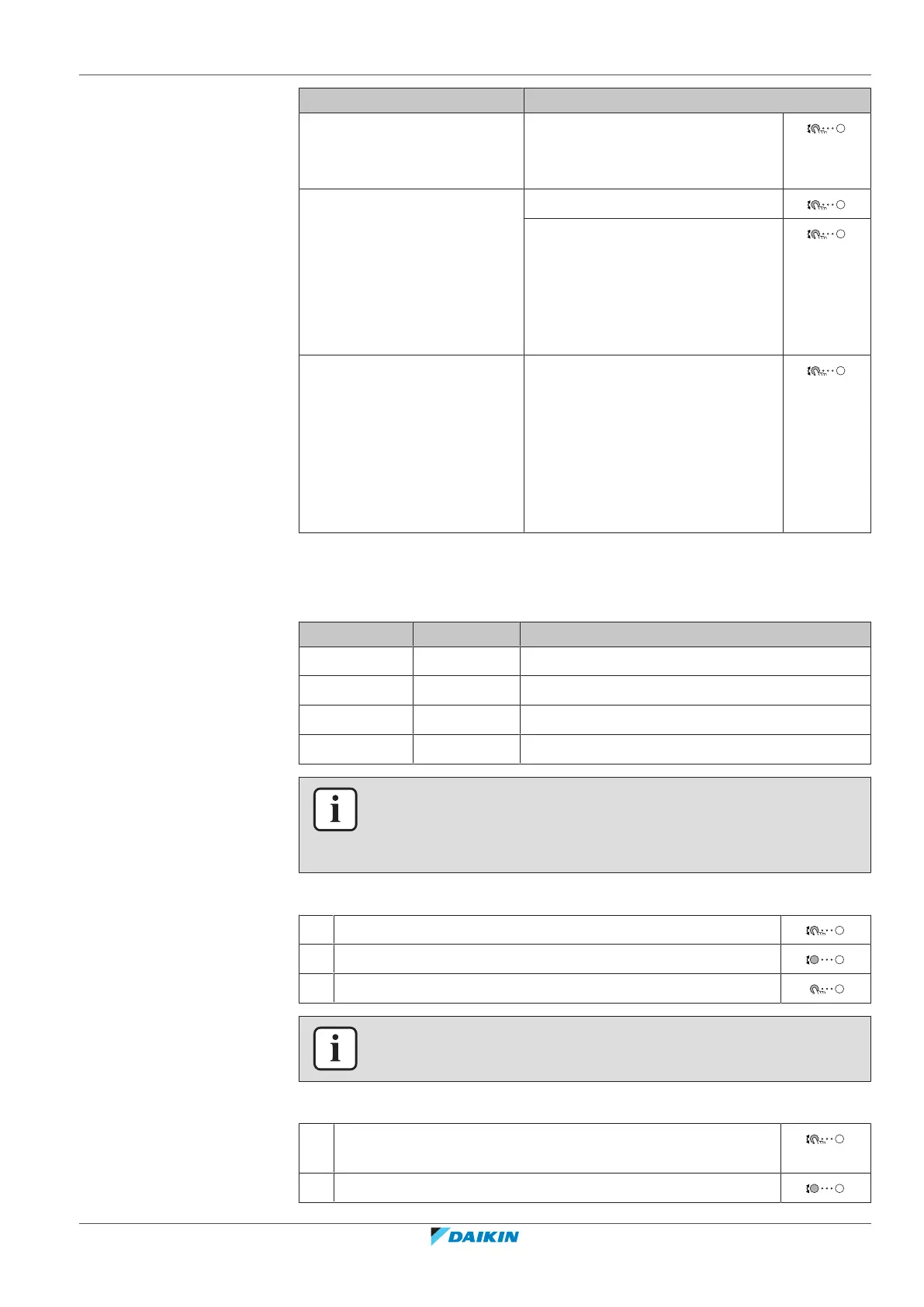
If you want to… Then…
Completely deactivate quiet
mode
Select Off.
Result: The unit never runs in quiet
mode. The user cannot change this.
Manually activate a quiet
mode level
Select Manual.
Go to [7.4.3] Level and select the
applicable quiet mode level.
Example: Most quiet.
Result: The unit always runs in the
selected quiet mode level. The user
cannot change this.
Enable the user to program a
quiet mode schedule
Select Automatic.
Result: The unit runs in quiet mode
according to a schedule. The user
(or you) can program the schedule
in [7.4.2] Schedule. For more
information about scheduling, see
"11.4.3Schedule screen:
Example"[4161].
Electricity prices and gas price
Only applicable in combination with the bivalent function. See also
"Bivalent"[4229].
# Code Description
[7.5.1] N/A Electricity price > High
[7.5.2] N/A Electricity price > Medium
[7.5.3] N/A Electricity price > Low
[7.6] N/A Gas price
INFORMATION
Electricity price can only be set when bivalent is ON ([9.C.1] or [C-02]). These values
can only be set in menu structure [7.5.1], [7.5.2] and [7.5.3]. Do NOT use overview
settings.
To set the gas price
1 Go to [7.6]: User settings > Gas price.
2 Select the correct gas price.
3 Confirm the changes.
INFORMATION
Price value ranging from 0.00~990valuta/kWh (with 2 significant values).
To set the electricity price
1 Go to [7.5.1]/[7.5.2]/[7.5.3]: User settings > Electricity
price > High/Medium/Low.
2 Select the correct electricity price.



 To Next Page