5 | Operation
User Reference Guide
27
FTXP20~35M5V1B9
Daikin room air conditioners
4D520466-7C – 2020.03
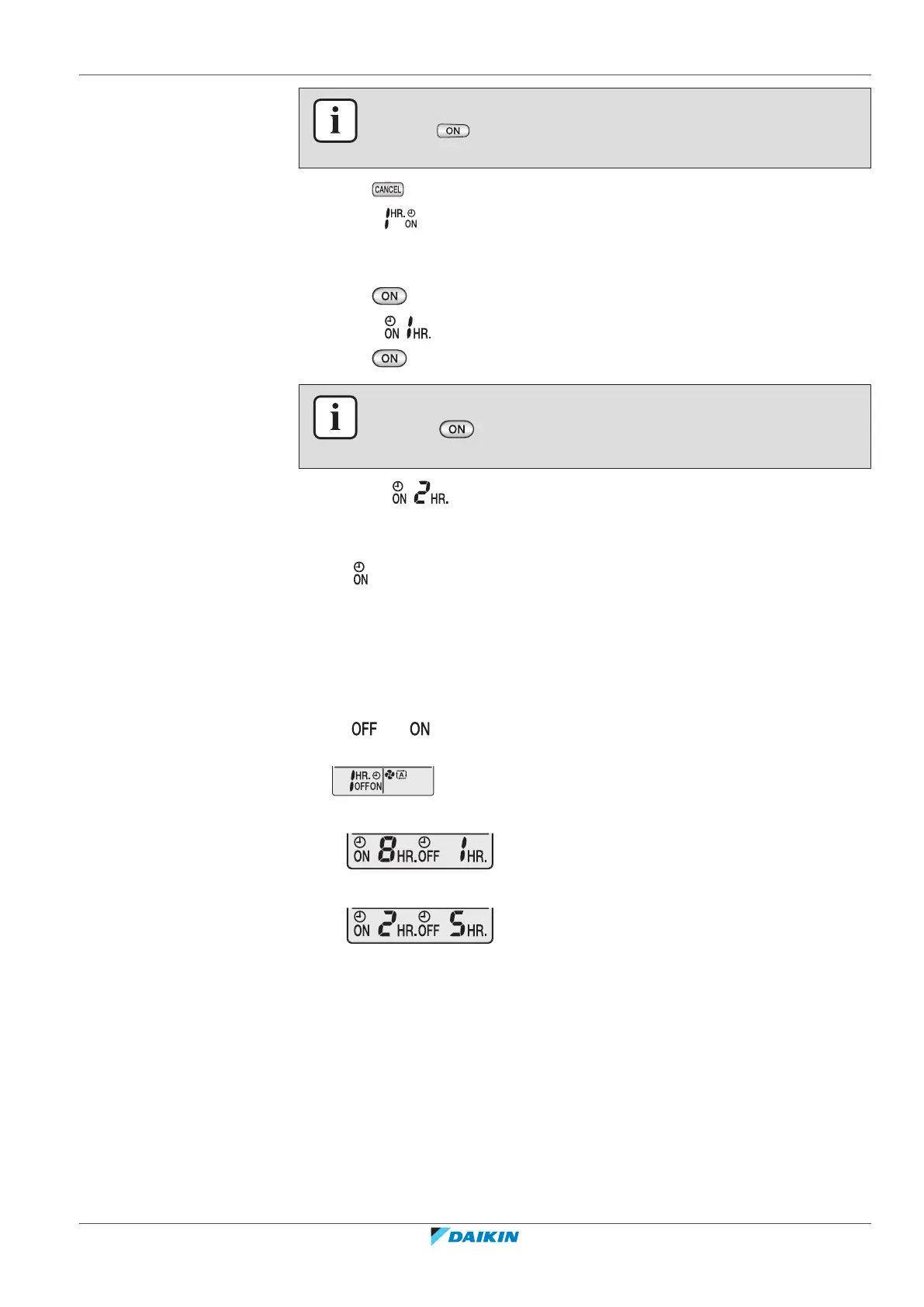
INFORMATION
Each time is pressed, the time setting advances by 1 hour. The timer can be set
between 1 to 12 hours.
2 Press to stop.
Result: disappears from the LCD and the timer lamp goes off.
Use this feature if the unit is NOT operating and you want to start operation after a
certain time.
3 Press .
Result: is displayed on the LCD and the timer lamp lights up.
4 Press again if you want to change the time setting.
INFORMATION
Each time is pressed, the time setting advances by 1 hour. The timer can be
set between 1 to 12 hours.
Example: If is set when the unit is NOT operating, operation will start
after 2hours.
5 To cancel the setting, press .
Result: and the time setting disappear from the LCD and the timer lamp goes
off.
5.9.3 To combine OFF timer and ON timer
1 To set the timers, refer to "5.9.1To start/stop OFF timer operation"[426] and
"5.9.2To start/stop ON timer operation"[426].
Result: and are displayed on the LCD.
2 Example of what is displayed on the LCD if you combine the 2 timers:
Example:
3 If is set when the unit is operating.
Result: Operation stops in 1 hour and then starts 7 hours later.
4 If is set when the unit is NOT operating.
Result: Operation starts in 2 hours and then stops 3 hours later.



 To Next Page