24
Operation
WARNING
Do not move the unit, or attach or remove parts to/from the unit while it is in operation.
Water leakage, breakage or malfunction may result.
About Humidifying Filter Drying Operation
Setting at the time of purchase: “ON”
After stopping Humidifying and Air Purifying Operation using , perform Air Purifying Operation with the airow rate reduced for
about 1 hour to dry the humidifying lters, shortening the period when the lters are left semi-damp and bacteria is likely to propagate.
• The humidier lamp (white) slowly blinks.
• If Air Purifying Operation is performed for 1 hour or more after Humidifying and Air Purifying Operation, humidifying lter drying
operation will not be performed.
• If you do not want to perform humidifying lter drying operation, change the setting.
►
Page 33, 34
• If you want to stop humidifying lter drying operation while in progress, press .
• If you press
, or during humidifying lter drying operation, humidifying lter drying operation will end
and the airow rate and mode will be set according to the button pressed, or AUTO operation will be performed.
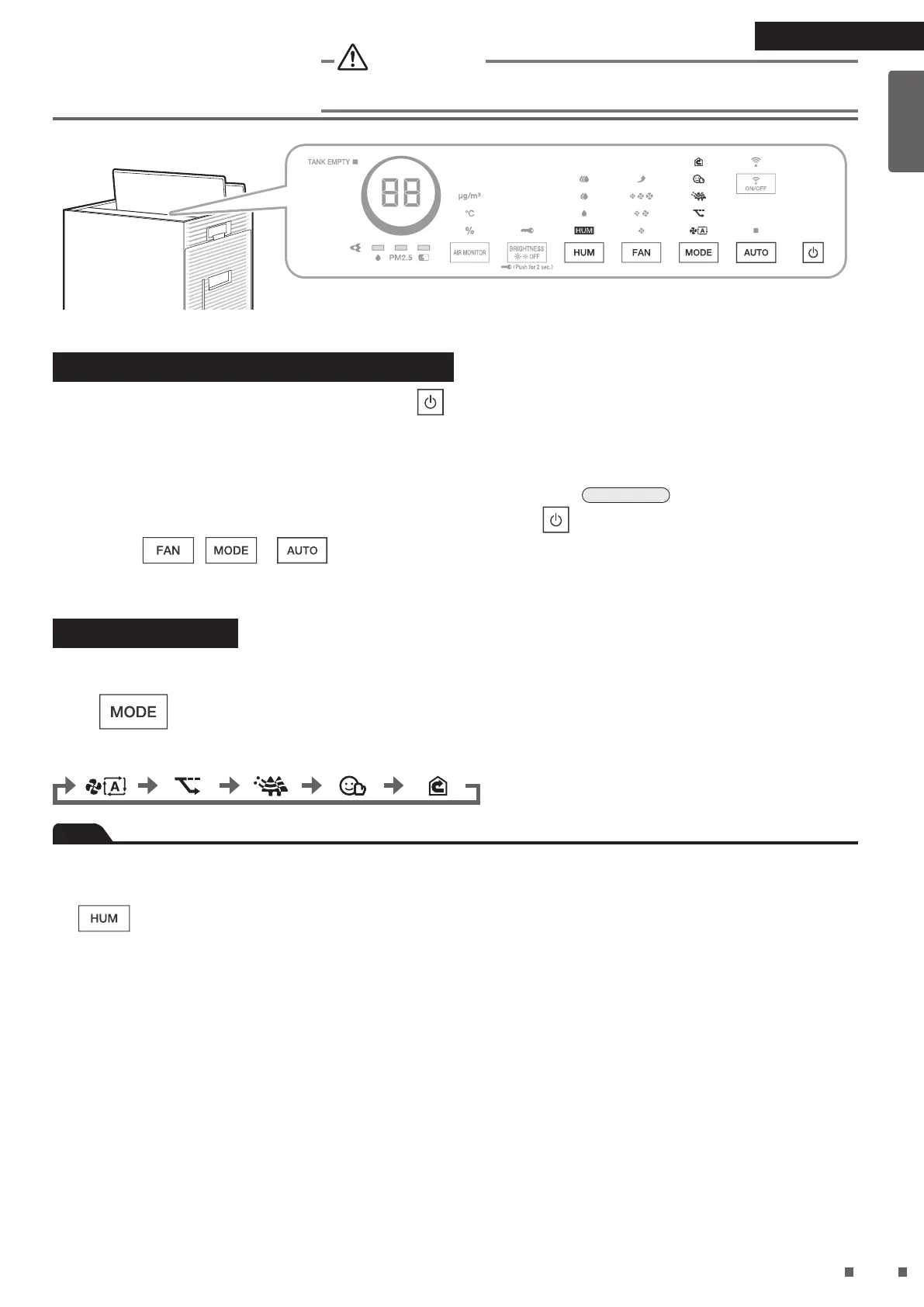
Operating MODEs
Optimal operation is performed by selecting the mode that suits the application. The airow rate is adjusted automatically when the
unit is operated in a mode.
Press during operation.
•
Each press cycles through the MODE lamps (white).
AUTO FAN ECONO ANTI-POLLEN MOIST CIRCULATOR
Note
• The humidier is turned ON when MOIST MODE is selected.
• Even if you select a mode other than MOIST MODE, if the unit remains in MOIST MODE for about 3seconds or more while you
are cycling through the modes, Humidifying operation will be “ON”.
• If
is pressed during AUTO operation or MOIST MODE, humidication will continue to be “ON” and AUTO FAN MODE
will be set.
01_EN_3P693798-1B.indd 24 2023/06/26 13:34:03


 To Next Page
 Loading...