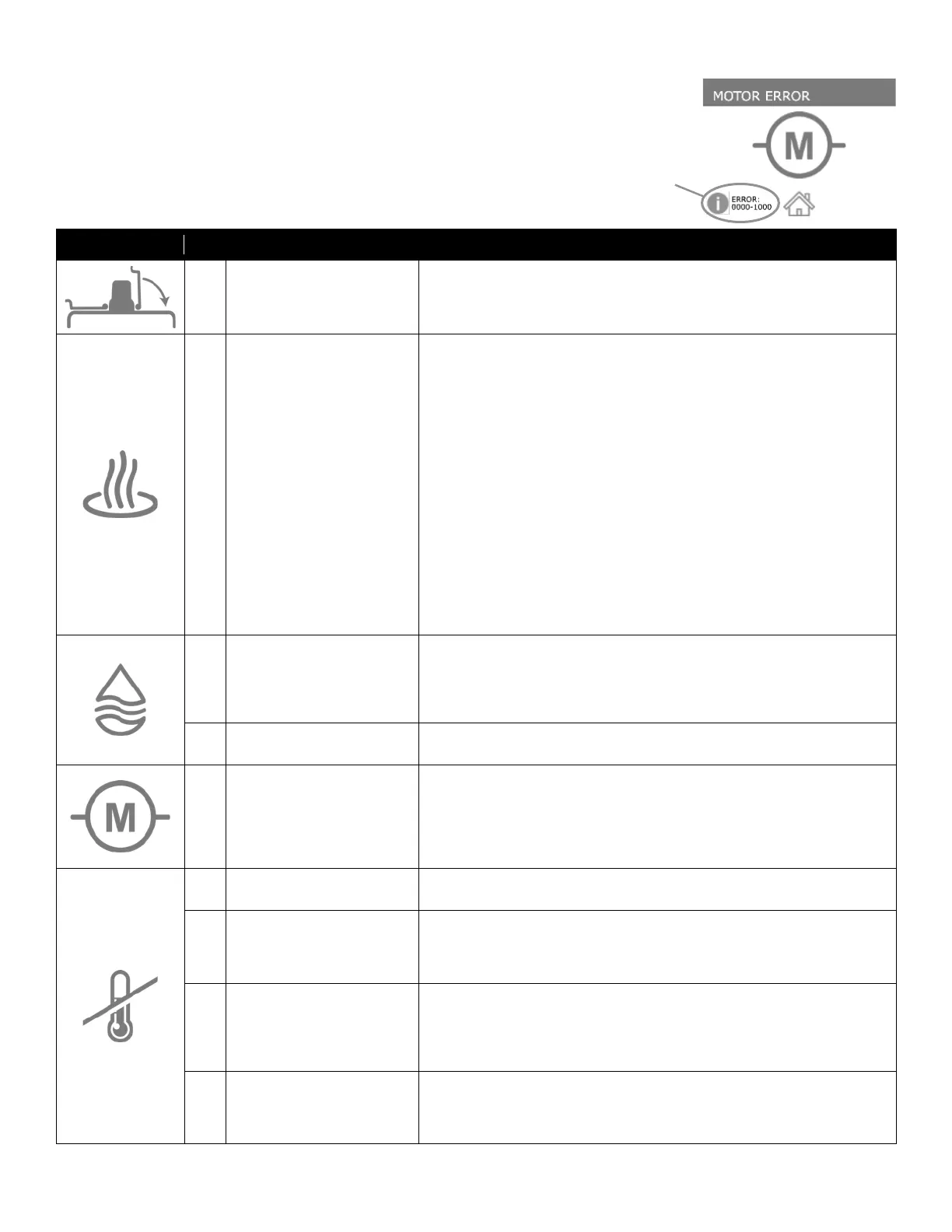
ERROR SYMBOLS
If Matilda® detects a problem, she will display a RED symbol to help you determine
what the issue could be. Tapping on the error number will give additional information
about the error. Additional troubleshooting steps are given in the table below.
N/A One or both of the lids are open.
1. Make sure both lids are closed during operation.
2. If lids are closed, unplug the unit and check that the cords are firmly plugged into the
lid sensors in the back of the unit.
1
Tank Temperature
Failed to Rise
1. Check that the water supply has not been turned off.
2. Make sure both lids are closed during operation.
Element 1, 2, and/or 3 Over Current Fault: The measured heating element current is over
the limit.
1. Check the heating elements for damage.
2. Check the line voltage and wiring.
3. Try power cycling the machine and checking if the problem persists.
Element 1, 2, and/or 3 Under Current Fault: The measured heating element current is
under the limit.
1. Check the 1 Phase / 3 Phase machine setting.
2. Check if the circuit breakers needs to be reset.
3. Check the line voltage and wiring.
4. Check the heating elements for damage.
5. Try power cycling the machine and checking if the problem persists.
CPU to Bridge Temperature Delta Fault: A large temperature difference was measured
between the Controller PCB and the Bridge Motor temperature sensors.
1. Check if the bridge fan is operational.
2. Check if the bridge air path is blocked.
3. Check for other temperature sensor faults.
0 Tank Failed to Fill
1. Check that the water supply line is connected
2. Check that the water supply is turned on.
3. Check that the water supply is capable of supplying at least 1.5gpm (5.7lpm).
4. Check if the float switch is stuck in the down position.
5. Run the Water Test from the machine settings menu.
28 Water Valve Electrical Error
1. Check that the water/cooling solenoid valve is connected
2. Check for additional error codes
12
Motor Temperature Over or
Under Limit
1. Do not operate the machine in freezing conditions.
2. Do not operate the machine if the air temperature exceeds 50°C (122°F).
3. Check that the Motor Temperature Sensor is plugged into the Bridge PCB.
4. When powered off, check that the propeller shaft rotates freely and the propeller is
clean.
5. Try power cycling the machine and checking if the problem persists.
10
The Tank Temperature Sensor
measurement was out of range.
1. Check that the Tank Temperature Sensor is plugged into the Controller PCB.
2. Try power cycling the machine and checking if the problem persists.
11
The Process Temperature Sensor
measurement was out of range.
1. Check that the Process Temperature Sensor is plugged into the Controller PCB.
2. Verify the tank water temperature matches the temperature reported by the
machine using an independent thermometer.
3. Try power cycling the machine and checking if the problem persists.
13
The temperature of the heater
SSR was outside of its operating
range.
1. Do not operate the machine in freezing conditions.
2. Do not operate the machine if the air temperature exceeds 50°C (122°F).
3. Check if the air flow to the Power PCB and SSR is blocked.
4. Check that the SSR Temperature Sensor is plugged into the Power PCB.
5. Try power cycling the machine and checking if the problem persists.
14
A large temperature difference
was measured between the Tank
Temperature Sensor and Process
1. Check if the float switch is stuck in the up position.
2. Check for other temperature sensor faults.
Tap for more
information


 To Next Page