Danaher Motion Kollmorgen Speciality Electronics Troubleshooting
SERVOSTAR CD-LITE User Manual 25
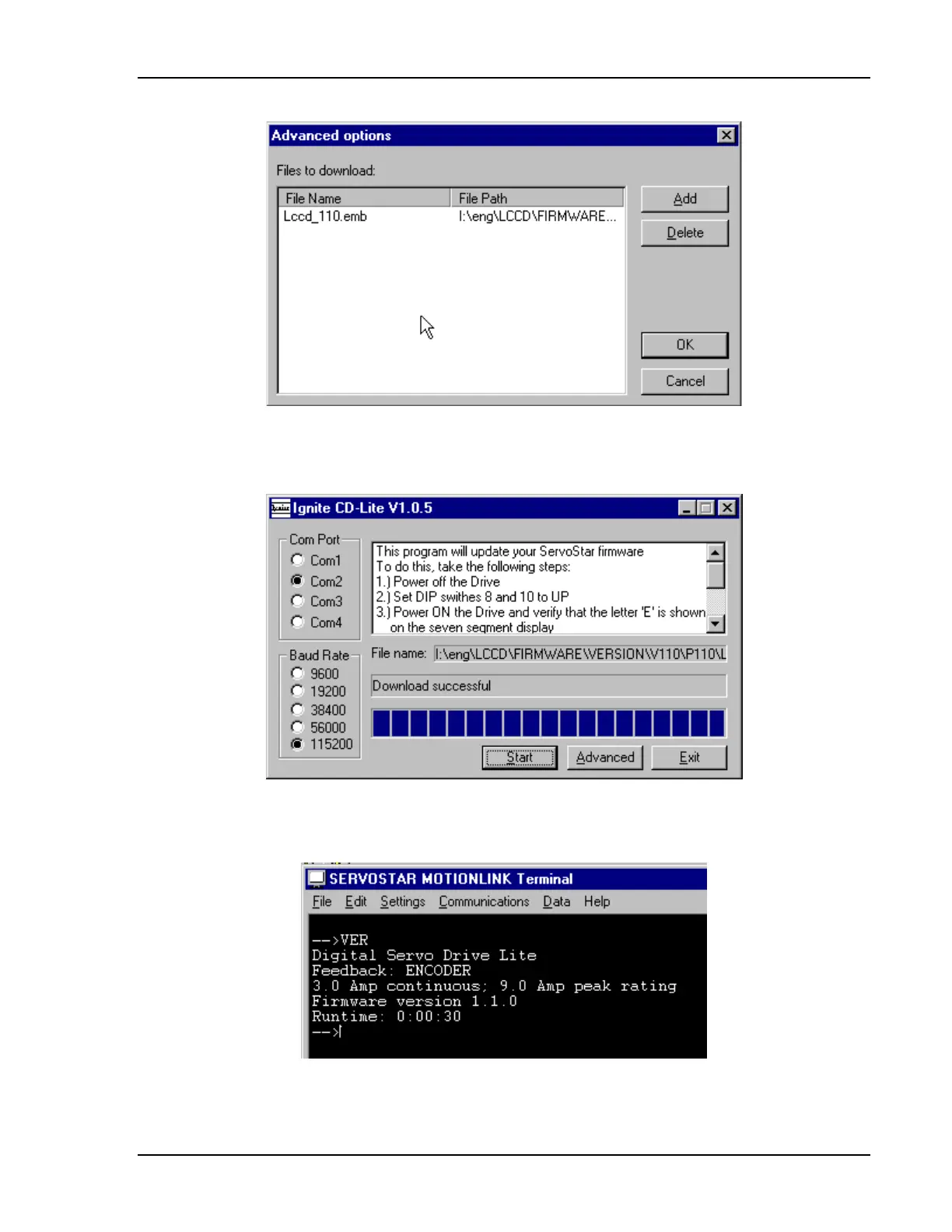
8. Select Lccd_xxx.emb and select OK
9.
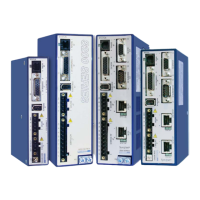
From the window “Ignite CD-Lite” Select the Start Button to start download the new firmware from
PC to the CD-LITE, wait until you get the message download successful.
10. Select Exit, and turn Off the CD-Lite
11. Change the DIP switches 8 and 10 to 0 (back to normal operating mode).
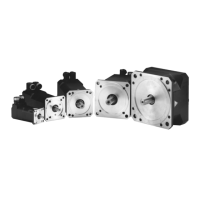
12. Make sure you have the correct firmware. From terminal, type the “VER” command.
Artisan Technology Group - Quality Instrumentation ... Guaranteed | (888) 88-SOURCE | www.artisantg.com



 To Next Page