Webpage
Lyra Digital Mixer from D&R Phone +31 294 418014, email: info@d-r.nl Page 51
11.12 Control Surface Levels
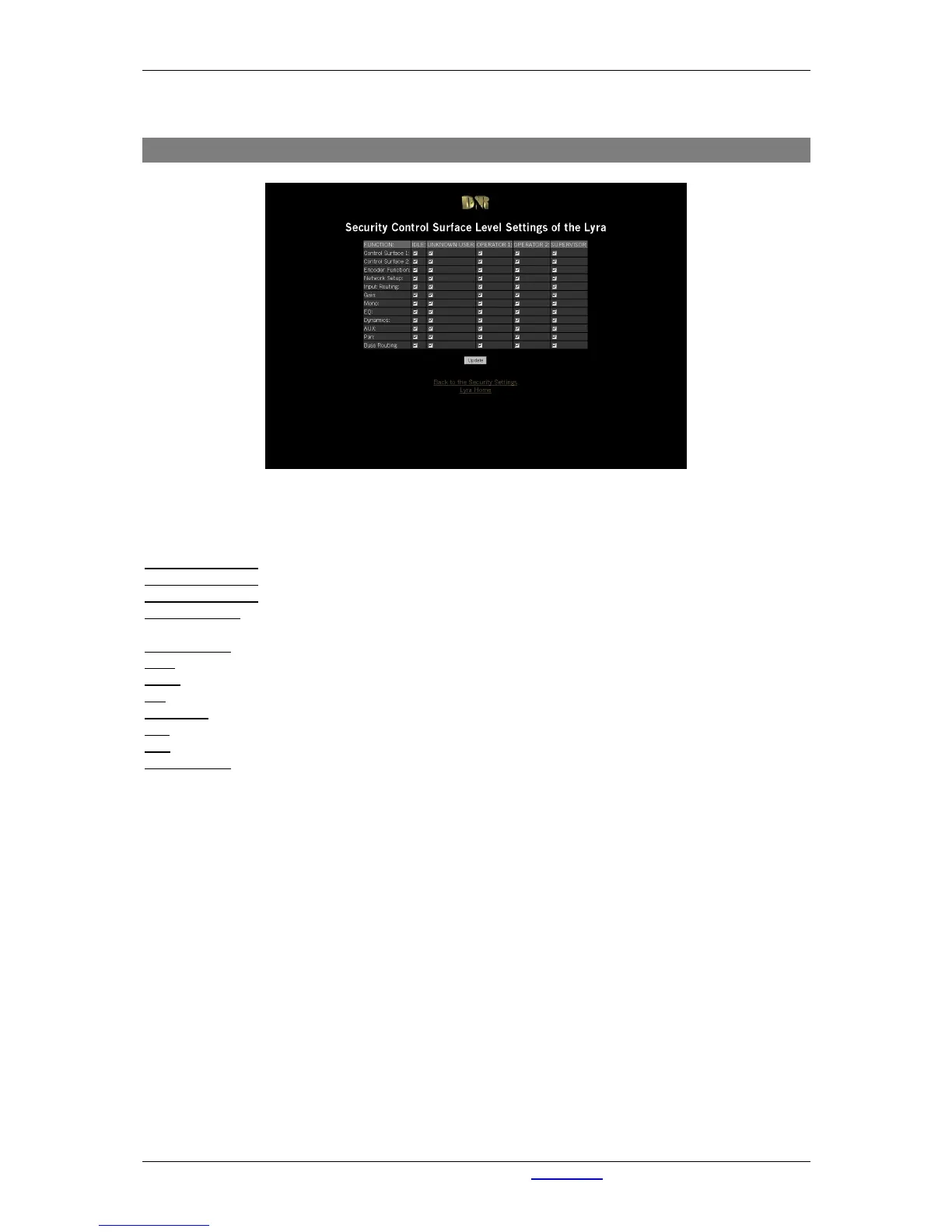
Figure 39: Control Surface Levels
The control-surface settings enable you to assign privileges to 5 different user-levels. You can set the
following functions for each user-level.
Control Surface 1
With this option you can enable/disable users to access the control surface 1.
Control Surface 2
With this option you can enable/disable users to access the control surface 2.
Encoder Function
When activated user acquires privilege to operate the encoders.
Network Setup
When activated user acquires privilege to setup the network through the
control surface.
Input Routing
When activated user acquires privilege to operate input routing.
Gain
When activated user acquires privilege to operate the gain function.
Mono
When activated user acquires privilege to operate the mono function.
EQ
When activated user acquires privilege to setup the EQ.
Dynamics
When activated user acquires privilege to setup Dynamics.
Aux
When activated user acquires privilege to setup Aux.
Pan
When activated user acquires privilege to use panning.
Buss Routing
When activated user acquires privilege to route busses (Prog/Sub).



 To Next Page