AK-PC 551 Technical brochure RC8CF102 © Danfoss 08-2014 15
Example: Check IO conguration
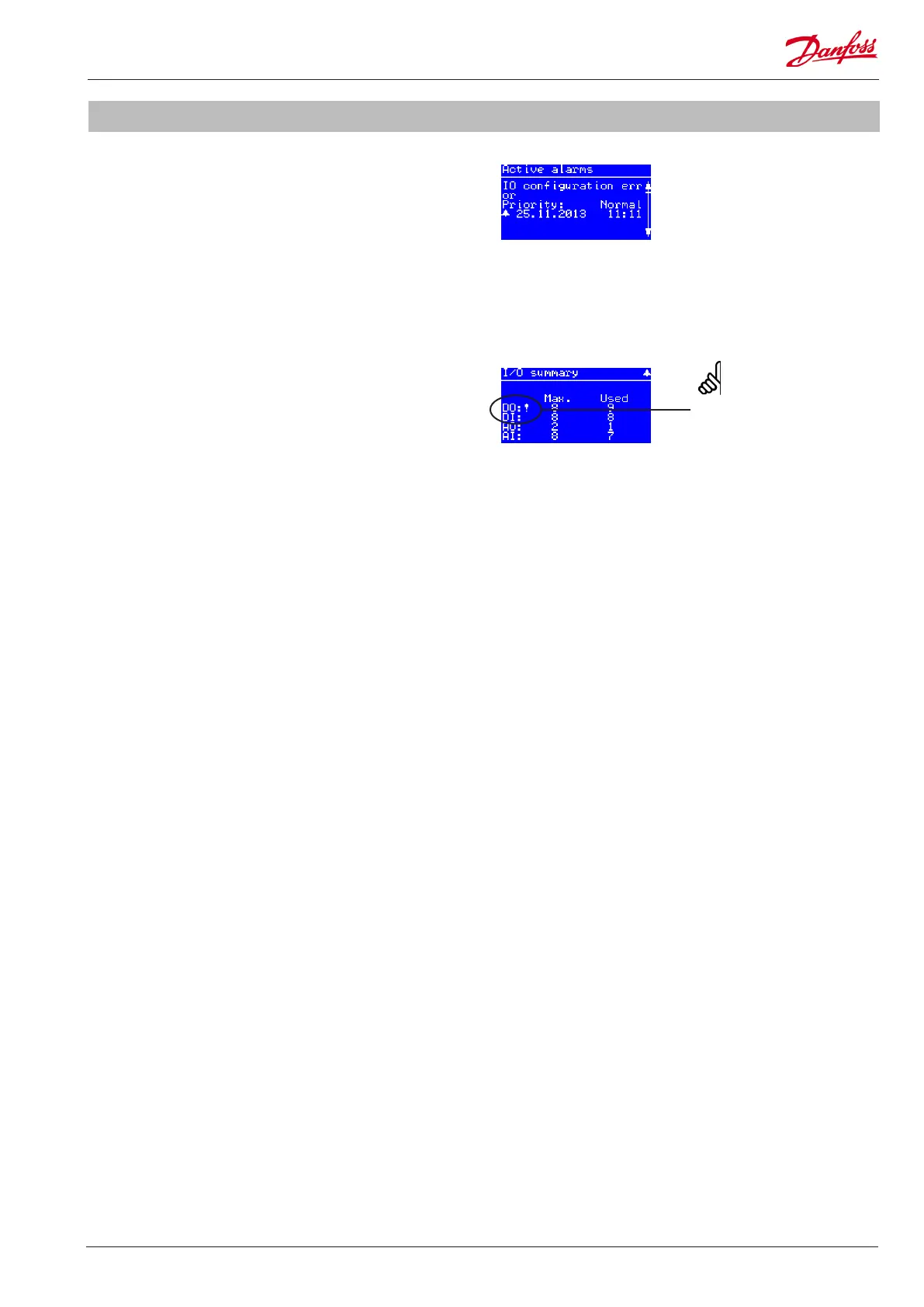
I/O summary
Alarm:
IO conguration error
IO conguration error
If you get an “IO conguration error” alarm after setting main
switch in ON position, the reasons can be:
• Not all enabled IO functions have been assigned to a
hardware input or output
• The number of enabled IO functions exceeds the number of
available inputs or outputs of the controller
IO summary
Go to Main menu -> IO Status -> IO summary
If the number of enabled IO functions exceeds the maximum
number supported by the hardware, an exclamation mark “!” will
be shown at the IO type in question� This means that you will have
to disable some of the IO functions via the conguration menus
of the suction groups and condenser in order not to exceed the
maximum available inputs or outputs�
If no exclamation mark is shown it means that at least one IO
function has not been assigned to a hardware input or output�
This means that you will have to go into the IO conguration
menu of each IO type, select a free input/output and select the
missing function (if a function is selectable this is the reason for
the IO conguration error alarm)�
An exclamation mark is shown
when max. number of IO is
exceeded !


 To Next Page
 Loading...